
Mga nangungunang video



【Watch full episode:💞】:https://netshort.com/base/n/KgwKkaI
【Follow me for more great dramas!】
#Series #fullepisode #ShortDrama #FacebookReels #MustWatch #Emotional #DramaLovers #ReelShort #ReelShortApp #LoveatDangerousSpeeds#DramaLovers
This video complies with EDSA standards and is not a real-life scenario. Please do not imitate

Unlock the full potential of **uncensored AI image generation** with this comprehensive guide! In this video, I walk you through setting up an Ubuntu 22.04 server with NVIDIA drivers, Ollama, OpenWebUI, and ComfyUI for powerful image creation. Whether you're a beginner or advanced user, learn how to configure OpenWebUI beyond the basics and integrate it with ComfyUI to generate uncensored images effortlessly. Plus, I’ll show you how to download models from top resources like Civitai and explore the highest-ranked models from ImgSys.
Watch as I break down:
- Full Ubuntu server setup with NVIDIA drivers
Full video : https://youtu.be/FUmO-jREy4s?si=u1BDf9XWDqmUXiDY
- Ollama and OpenWebUI installation for local AI processing
- Deep dive into ComfyUI integration and advanced configuration
- Tips on downloading and using AI models for uncensored image generation
00:00 - Introduction and Demo
03:43 - Server Setup with NVIDIA Drivers and Ollama
17:43 - Setup SearXNG
33:15 - ComfyUI Setup
49:43 - ComfyUI Tutorial and Basics
1:09:59 - Tools Setup
Check out my GitHub repository for the full setup and links to all tools: https://github.com/Teachings/AIServerSetup
**Model Resources:**
- [RealVisXL Model](https://civitai.com/models/139562/realvisxl-v50)
- [Model Rankings](https://imgsys.org/)
Don't miss out on this unique tutorial—no one else is showing this uncensored AI image generation integration!"
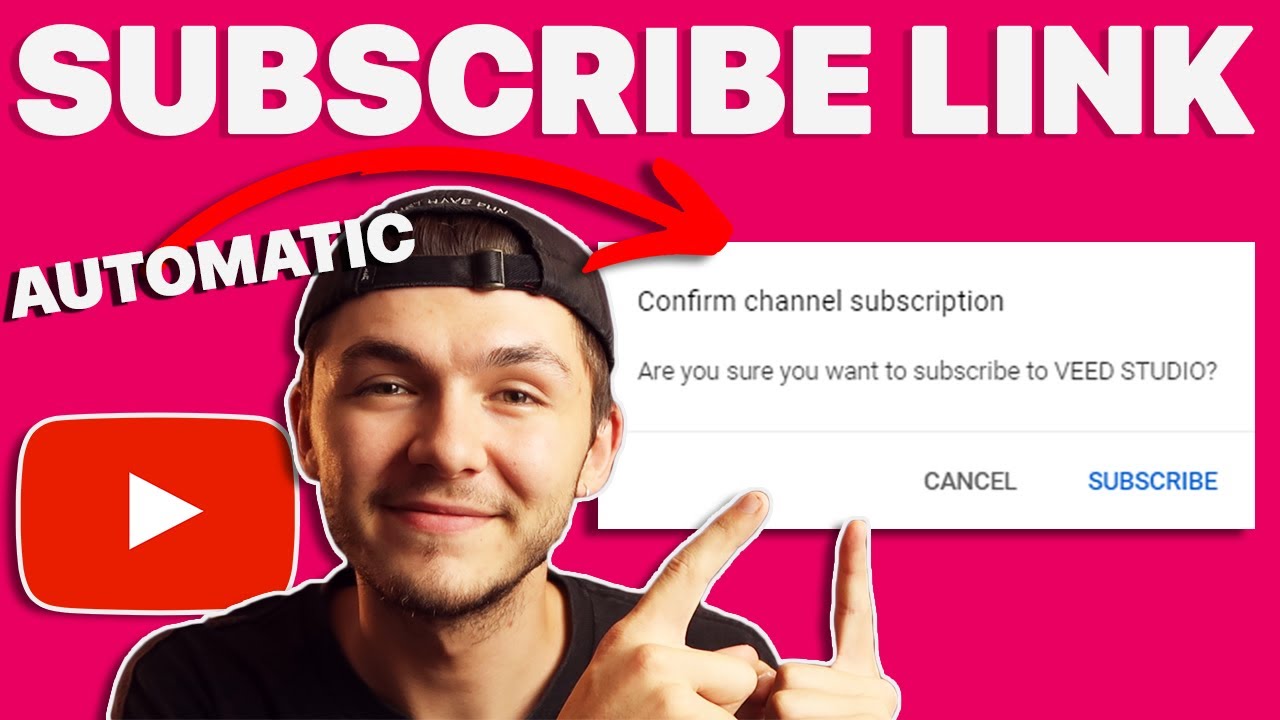
In this video, I show you how to make a subscription link to help you get more subscribers on YouTube.
Add this to the end of your channel link: ?sub_confirmation=1
When people click on your YouTube Link, they won't necessarily subscribe. But once you've created a YouTube subscription URL, everyone who clicks on it will automatically be prompted to subscribe to your channel.
How to create a subscribe link, step by step:
1. Find your YouTube channel link
2. Copy and paste "?sub_confirmation=1" to the end of your channel link
3. Put the subscription link in your video description
4. Automatically get more subscribers on YouTube
5. Subscribe to our channel https://www.youtube.com/veedst....udio?sub_confirmatio Thank you :)
Any questions, ask away below!
Good luck!
LEARN MORE:
Grow on YouTube from 0 subscribers - https://youtu.be/p_7w53qUlsY
How to create music visualizers - https://youtu.be/G-J36pjSthI
How to add subtitles to video - https://youtu.be/kLlSuIMKE-4
STAY IN THE LOOP:
Subscribe to our YouTube - https://www.youtube.com/veedst....udio?sub_confirmatio
Follow us on Instagram - https://www.instagram.com/veedstudio
Read about Veed's journey - https://www.veed.io/blog/
TRY VEED - https://veed.video/411BHFY
Veed is a simple online video editing platform, perfect for creating social media video content. You can use Veed to crop, trim, filter, add music to videos, automatically generate subtitles, turn podcasts into videos, and much more.
Thanks for watching
Alec & VEED.IO

Ciao amici, oggi vi proponiamo questo fantastico video cartoon 🥳
Buon divertimento!
🟠 Ascolto: https://distrokid.com/hyperfol....low/micheledelbaldo/
🔴 Instagram : https://www.instagram.com/you_cartoon_music/
⚫️ TikTok : https://vm.tiktok.com/ZSVt7RHx/
🔵 Facebook : https://www.facebook.com/YouBabyDance/
voce 🎤 protagonista Sofia Del Baldo 💖 :
🔴 Instagram : https://www.instagram.com/sofiadelbaldo_official/
⚫️ TikTok : https://www.tiktok.com/@sofiadelbaldo
🔵 Facebook : https://www.facebook.com/sofiadelbaldo/
video 🌈 realizzato da Ludwig Parentela 🏝️
🔵 Facebook : https://www.facebook.com/ludwigparentela
🔴 Instagram : https://www.instagram.com/ludwig.parentela/
OpenClaw can be run for free forever using local ai models through Ollama. Models like qwen 3.5 can be setup to connect directly to Open Claw, so you won't be charged per token use like with Clade or ChatGPT.
In this video I'll show you how to setup Local Models, how to connect them to OpenClaw, and how to setup things like MCP to reduce the cost of doing large context queries or API calls.
🔶 Install MCP Tools via Zapier:
https://bit.ly/4ccnm0G
🦙 Install Ollama Setup
https://ollama.com/
The model I used for openclaw here was Qwen 3.5 however there are many other models you can use from Google, Meta, etc.
#openclaw #ollama #ai
Want to learn web design? ⭐ Check out my course! ⭐
📘 Teach Me Design - Course: https://www.enhanceui.com/
To run openclaw local models, you need to install openclaw local llm setup. This lets openclaw llm charge you only what electricity you use for your mahcine!

alright guys we are back at it...i was supposed to do this book review around the time i got those recipe cards but life happened. but here we are with this book they sent me and im so excited to show you guys all the stuff in there. for 10% off use code BEENE10 or go to the link below
https://ancientremedies.com/pages/m52utm_source=G&utm_medium=social&utm_campaign=aff-beenefamilyfarm
or to see all products go to:
https://ancientremedies.com/co....llections/all-produc
@ancientremediesbooks
#bookreview #herbbook #ancientremedies #ancientremediesrevived #herbs #recipes #recipebook #herbalrecipe #herbalremedies

📚Grace For Purpose Prayer Book now available on Amazon: https://www.amazon.co.uk/Grace....-Purpose-Prayers-dia
A Christian motivational video that aims to leave you blessed, inspired and encouraged as well as strengthening your prayer life and daily walk with God. As you listen to this daily devotional video may Jesus Christ light up your life!
►An original video created by Grace for Purpose and delivered by our team speakers. Our faith based content aims to bring biblical teachings to life! Our team aims to produce content that is focused on the scriptures, encouraging prayers, and insightful teachings
For any enquiries, contact us: teamg4p@gmail.com
How to use Python On Phone ? | Part 1 | Python For Beginner | Pydroid 3 Tutorial | Friendly Coder
Hey, this is a Free of cost Coding on phone course.
Pydroid 3 Application -
https://play.google.com/store/....apps/details?id=ru.i
Check out these exciting playlists of my channel :
▶Pydroid 3 Tutorials - https://www.youtube.com/watch?v=Ul1EVR9z4MY&list=PLgcXvBoDmKKoMIiBdd9imoyGV3c-BQzDY
▶Pycharm Tutorials -
https://www.youtube.com/watch?v=t-MO4QnTz_I&list=PLgcXvBoDmKKqoaRGLSm1KLSOBdgOPAQsK
▶Python Projects -
https://www.youtube.com/watch?v=poh6z4zIP8k&list=PLgcXvBoDmKKpaC1LATwirEUNA0yJ_PnGK
•For Business Related :
friendlycoder96@gmail.com
If you enjoyed the video then, please like the video and also subscribe to my channel.
Thank You
#python #programming #pydroid3 #pydroid3application #coding #pythonprogramming #pythontutorials #pydroid3app #howtousepydroid3app
#pythonforbeginners #fullcourse
#pydroidcourse #beginnerscourse


Today I'm showing you how to make dry body wash & you can also use it as bubble bath. I call it "Scrub & Bubbles" (like the cleaner) for short. This stuff is awesome, easy to make, & you're going to love it!
I'm making avocado-themed scrub & bubbles, but make any kind that you want! This is a "soft" recipe (you don’t have to follow it exactly). Feel free to change ingredients & adjust amounts. I encourage it!
RECIPE: 30 grams baking soda, 30 grams citric acid, 30 grams [any type] clay (kaolin), 10 grams avocado powder, 10 grams sodium lauryl sulfoacetate (SLSa) [or sodium lauryl sulfate, sodium cocoyl isethionate, or sodium coco sulfate] + 7 milliliters fragrance oil, 10 milliliters alcohol [aids in a drier/rougher texture], & 20 milliliters liquid surfactant [to activate mix] (I used castile soap, but Cocamidopropyl Betaine is better; it's a foam booster & makes bubbles last longer). *** I didn’t add polysorbate 80, but you should add 2-4 milliliters if adding mica, especially dark mica powder. * Only add small amounts of Ingredients that have a tendency to stick together, like coconut milk powder. This is why I only added 10 grams of Avocado powder. * The baking soda/citric acid are crucial- they create a coarse texture. The slsa creates rich foam, thick later, & bubbles.
DIRECTIONS: Sieve dry ingredients together. Mix fragrance & alcohol and add it to dry ingredients. Mix well. Lay it flat & spread it out. Dry 1 hour. Pour mixture into bowl. Add 20 milliliters liquid surfactant to make powder react & puff up. This will create a hard/rough texture once it's dry (a great pouring consistency). Mix everything together well. Lay the mixture flat on paper & spread it out. *Speed up drying time by periodically breaking up chunks throughout the drying process*. Dry it completely (24 - 48 hours). Once it's completely dry, sieve it. For a smoother consistency, blend it - but not too much; allow some rough texture to remain so it pours easily. To make sparkling & colorful layers, take about 1/3 - 1/4 of the mix & divide it. Add color/mica to each. Each time you pour powder in, pack the jar (pack at an angle for diagonal layers).
This recipe fills a 4.5 ounce jar. It should last a while (a year or more).
What if mixture isn't drying? Give it sufficient time to dry (this may take 2-3 days). After, try the following remedies: Re-wet the mixture with alcohol & allow it to dry. Re-wet the mixture with a liquid surfactant & allow it to dry. Add more dry ingredients, like citric acid (it's the perfect pouring texture). If it's still not drying, you may want to throw it out & start over.
**If you found this tutorial helpful, show your appreciation & buy this girl a cup of coffee!** https://www.buymeacoffee.com/creativebathlab
Affiliated links are below. As an Amazon Associate, I earn a very small percentage from qualifying purchases. Your support allows me to keep making free tutorials at no extra cost to you (prices are the same as website)!
Micas listed below are available on Amazon OR get a discount here: https://marbleyourspace.com/?ref=5vnEBv09
15% off ($50+) PROMO code: bathlab10 OR 5% off (-$50) PROMO code: bathlab05
HIGHLY RECOMMENDED ITEMS USED IN VIDEO
****CBL SHOP: https://www.amazon.com/shop/creativebathlab
4.5 oz. Square Shakers - https://amzn.to/3ZnzCT6
8.7 oz Round Shakers - https://amzn.to/3TaOdiB
Sodium Lauryl Sulfoacetate (SLSA) 5 lb. – https://amzn.to/2RDB2eV
Kaolin Clay, 5lb - https://amzn.to/3U4gPZI
Avocado Fruit Powder - https://amzn.to/3TdCeRq
Castile Soap – https://amzn.to/35FaMEk
Cocamidopropyl Betaine - https://amzn.to/3GbnYC4
Avocado Green Mica - https://amzn.to/3LhwmVn
Kohi Pearl Mica – https://amzn.to/3dXk9Dl
Lime Pearl Mica – https://amzn.to/2NAWeA2
Neon Green Mica – https://amzn.to/3deqryL
Olive Yellow Mica – https://amzn.to/3sa4TYl
Gold Dust: https://nurturesoap.com/produc....ts/gold-dust-envirog
CONNECT WITH ME! If you make beautiful creations inspired by me, share pictures & tag me!
Facebook: https://www.facebook.com/creat....ivebathlab/?ref=page
Pinterest: https://www.pinterest.com/dora....m23/creative-bath-la
Instagram: https://www.instagram.com/creativebathlab/
TikTok: www.tiktok.com/@creativebathlab
Twitter: https://twitter.com/CreativeBathLab
Email: creativebathlab@gmail.com
Send me your DIY creation for your chance to be featured on "Subscriber Spotlight". Send it to CREATIVE BATH LAB, Dora, P.O. Box 790, Belle Chasse, LA 70037. If you send me anything, please notify me by email.
CHAPTERS:
0:00 - Introduction
0:37 - Recipe
4:09 - Packaging
6:10 - Results
#creativebathlab #homemadebathpowder #diybodywash #bubblebath #bathsoak #bathtime #bodywash #showergel #bathproducts #soaptutorial #soapshare #soaprecipe #soapdiy #bathsoap

Setting up a local AI model can be intimidating, which is why I created this video. In this video I will show you everything you need to know about setting up local AI models from the basics of how local AI models work, to how to optimize local AI models for your hardware, and even how to use these local AI models in real world agentic environments.
📚 Materials/References:
LM Studio: https://lmstudio.ai/
Hugging Face: https://huggingface.co/
Pi Coding Agent: https://pi.dev/
🌎 Find Me Here:
My Blog: https://blog.webdevsimplified.com/
My Courses: https://courses.webdevsimplified.com/
Patreon: https://www.patreon.com/WebDevSimplified
Twitter: https://twitter.com/DevSimplified
Discord: https://discord.gg/7StTjnR
GitHub: https://github.com/WebDevSimplified
CodePen: https://codepen.io/WebDevSimplified
⏱️ Timestamps:
00:00 - Introduction
01:08 - How Local AI Works
05:33 - Picking Models
11:46 - Configuring Your Model
21:57 - Using Local Models In Your IDE
34:17 - Using Local Models With Copilot
38:17 - Using Local Models With Pi
40:55 - Comparing Local Models to Anthropic Models
#LocalAI #WDS #AgenticCoding

A look at the connections between UFOs and the paranormal. Are our skies haunted? Looking at answers from science through Quantum Physics, and whether AI will help with first contact or herald an alien invasion. Eye witness accounts and video evidence.
Stars: Prof Avi Loeb, Yvette Fielding
Directed by Mark Christopher Lee
Subscribe to Stash - Bigfoot, UFOs & The Unexplained - https://www.youtube.com/@stash...._bigfoot_ufos_unexpl
Explore the captivating world of suspense and intrigue, where hidden truths await discovery and exciting secrets wait to be unraveled. From astute investigators to perplexing riddles, embark on a journey that will keep you guessing until the very end. Dive into the depths of mysteries on Stash - Bigfoot, UFOs & The Unexplained.
Original programming available solely on Stash - Bigfoot, UFOs & The Unexplained. Watch hundreds of your favorite movies & TV series covering unsolved mysteries and phenomena, the supernatural, and more. Enjoy unlimited streaming with no credit cards, no subscription, and half the ads of regular TV. Stash - Bigfoot, UFOs & The Unexplained is building the world’s largest catalog of the supernatural, unexplained mystery movies & TV series.
** All of the films on this channel are under legal license from various copyright holders and distributors through Filmhub. For copyright concerns or takedown requests, please contact your Filmhub Account Manager or visit https://filmhub.com and they will help you resolve your issue.
** If you are a filmmaker and want to include your film on this channel, visit https://filmhub.com
**Check out the IMDB page for this film here: https://www.imdb.com/es-es/title/tt39090009/
#fullfreemovies #Bigfoot #UFO #Unexplained #Stash #FreeYouTubeMovies#UFO #Paranormal #AreWeAlone #AlienContact #FirstContact #QuantumPhysics #AIandAliens #Extraterrestrial #HauntedSkies #UFOSightings #AlienInvasion #HighStrangeness #UnknownPhenomena #CosmicMystery #ScienceVsMystery #EyeWitness #VideoEvidence #BeyondTheStars #Unexplained #FutureOfHumanity

In this episode, I discuss a medication known as ivermectin (Stromectol, Sklice, Soolantra).
My book is now available! It discusses my experience with Bipolar Disorder.
The Fifth Episode - Inside The Manic Mind.
Find it here:
BookBaby (best way to support this project):
https://store.bookbaby.com/book/the-fifth-episode
Amazon:
https://www.amazon.com/Fifth-Episode-Inside-Manic-Mind/dp/1667843451/ref=sr_1_12?crid=26PVK90TTXRBO&keywords=the+fifth+episode+paperback&qid=1654191898&sprefix=the+fifth+episode+paperback%2Caps%2C61&sr=8-12
Barnes & Noble:
https://www.barnesandnoble.com..../w/the-fifth-episode
Support the channel on Patreon:
https://www.patreon.com/DrugTalk
Tips:
PayPal: https://www.paypal.me/garrettcampb
Twitter: https://mobile.twitter.com/talkaboutdrugs
Instagram: https://www.instagram.com/garrett.campb/
Connect on Facebook: https://www.facebook.com/talkaboutdrugs
Intro Created by Leah Leblanc - leahleblanc.com
For information purposes only!

Learn the must-have tools, pro safety tips, and biggest mistakes to avoid so you can confidently fix phones, laptops, consoles, and drones at home—no soldering required.
🔧 Buy tools on AMAZON:
Screwdriver Set: https://hfixt.com/spro
HowFixit Pro Max: https://hfixt.com/mpro
Toolkit: https://hfixt.com/tool
Magnetic Mat: https://hfixt.com/mat
Tweezers: https://hfixt.com/tzrs
📌*Useful links*
Best Screwdriver Set: https://youtu.be/fdtNem4rDDM
More DIY repair guides: https://how-fixit.com
📱Follow us for more tech tips and guides!
TikTok: https://www.tiktok.com/@howfixit
Instagram: https://www.instagram.com/howfixit/
Facebook: https://www.facebook.com/HowFixit/
X: https://x.com/HowFixit
*Description*
Ready to crack open your first gadget but not sure where to start? In this HowFixit guide, you’ll discover the exact tools, techniques, and safety rules that let total beginners repair smartphones, laptops, game consoles, and drones—without pricey gear or pro skills. We cover precision screwdrivers (Phillips, Torx, Pentalobe, Tri-Wing, Standoff), plastic spudgers, suction cups, curved-screen blades, metal spudgers, ESD brushes, tweezers, and magnetic mats—plus why each one matters.
You’ll learn how to pick an easy first project—like swapping a phone battery or cleaning a laptop fan—research it with free HowFixit video/photo guides, and organize screws so reassembly is painless. We break down five common rookie errors (using force, skipping research, prying with metal, mixing screws, rushing) and show how to dodge expensive damage.
Follow our step-by-step safety checklist: disconnect power, drain lithium batteries below 20 %, protect eyes from glass shards, and use heat-resistant mats when needed. Stick to these fundamentals and you’ll eliminate 95 % of beginner mistakes, build confidence fast, and open the door to more advanced repairs like soldering and diagnostics.
What this percentage covers:
✅ Electrical shorts and power-related damage
✅ Battery handling errors (fires, swelling, puncture)
✅ Physical damage (broken clips, connectors, ports)
✅ Eye injuries from glass shards
✅ Heat-related damage from improper use of tools
✅ Misuse of metal tools causing short circuits
✅ Screw misplacement and reassembly issues
✅ Wrong disassembly procedures due to lack of research
Drop your questions in the comments, explore 3 000+ free guides on the HowFixit channel, and start fixing today!
🎬 Time Codes
00:00 Intro & why DIY repair is easier than you think
00:18 Tools for Electronics Repair
00:50 Essential screwdriver bits (Phillips, Torx, Apple-specific)
01:35 Plastic opening tools & suction cups
02:16 Curved-screen blade for tight gaps
02:35 Metal spudgers—when plastic isn’t enough
03:12 Anti-static brush for safe cleaning
03:33 Precision tweezers types & uses
04:07 Magnetic mat organization hack
05:05 Choosing your first easy repair project
05:47 Top safety rules (battery, power, eye protection)
06:41 Five beginner mistakes & how to avoid them
08:49 What 95 % of accidents have in common
09:05 Next steps & advanced skills teaser
09:50 Outro & HowFixit resources
🌟FAQ:
❓Question: Do I need an expensive toolkit to start?
✔️Answer: No—quality precision screwdrivers, plastic spudgers, and a magnetic mat are enough for most beginner repairs.
❓Question: Is soldering required for phone battery or screen replacements?
✔️Answer: Not for modern modular designs; these jobs involve only screws and adhesive pull tabs.
❓Question: How do I avoid static damage?
✔️Answer: Use ESD-safe tools and always disconnect the battery immediately after opening the device.
❓Question: What should I practice on first?
✔️Answer: Try replacing a removable phone battery or cleaning a laptop’s cooling system—they’re low-risk and high-reward.
❓Question: Where can I find device-specific guides?
✔️Answer: Search the HowFixit YouTube channel or website; over 3 000 step-by-step tutorials are available free.
AFFILIATE PROGRAM
We are a participant in the Amazon Services LLC Associates Program, an affiliate advertising program designed to provide a means for us to earn fees by linking to Amazon.com and affiliated sites.
#howfixit #diy #techrepair #diytech #electronicsrepair


Benson Boone - Beautiful Things (Official Music Video)
Listen to 'Fireworks & Rollerblades' the debut album from Benson Boone now at: https://BensonBoone.lnk.to/FireworksRollerblades
Listen to the song now at: https://BensonBoone.lnk.to/BeautifulThings
🔔 Subscribe to Benson's Channel: https://bit.ly/3RV5Na8
Follow Benson Boone:
http://www.BensonBoone.com
https://www.Tiktok.com/@bensonboone
http://www.Instagram.com/BensonBoone
http://www.Twitter.com/BensonBoone
http://www.Facebook.com/BensonBoone
Credits:
Footage by Matt Eastin
Lyric Video created by Black Balloon Media
Written by Benson Boone, Jackson Lafrantz Larsen, and Evan Blair
Produced by Evan Blair
Engineered by Evan Blair
Mixed by Alex Ghenea
Mastered by Randy Merrill
Lyrics:
For a while there it was rough
But lately I’ve been doing better
Than the last four cold Decembers
I recall
And I see my family every month
I found a girl my parents love
She’ll come and stay the night
I think I might have it all
And I thank god everyday
For the girl he sent my way
But I know the things he gives me
He can take away
And I hold you every night
That’s a feeling I wanna get used to
But there’s no man as terrified
As the man who stands to lose you
Oh I hope I don’t lose you
Mmm
Please
Stay
I want you I need you oh God
Don’t
Take
These beautiful things that I’ve got
Please stay
I want you I need you oh God
Don’t take
These beautiful things that I’ve got
Please don’t take,
I found my mind I’m feeling sane
It’s been a while but I’m finding my faith
If everything’s good and it’s great why do I sit and wait till it’s gone
Oh I’ll tell ya I know I’ve got enough
I got peace,
And I got love,
But I’m up at night thinking I just might lose it all
Please stay
I want you I need you oh God
Don’t take
These beautiful things that I’ve got
Please stay
I want you I need you oh god
I need
These beautiful things that I’ve got
#BensonBoone #BeautifulThings

List of my videos https://www.youtube.com/c/electronzap/videos
https://electronzap.com/
https://www.amazon.com/shop/el....ectronzapdotcom/list As an Amazon Associate I earn from qualifying purchases. Americans should check out one or more of those links before making any purchases. There's no extra cost to you.
https://www.reddit.com/r/ElectronicsStudy/
Taking what is seen in a schematic diagram and transferring it into a real life circuit. Starting with a very simple circuit and components.
#electronics #schematics #tutorial

Simon Mills, one of the world’s leading experts on herbal and natural medicine, reveals the five natural remedies that modern medicine has overlooked. In this conversation, he explains how simple herbs and spices like ginger, cinnamon, garlic, and peppermint can strengthen your immune system, reduce inflammation, and help your body heal naturally.
He also discusses the truth about antibiotics, the rise of antibiotic resistance, and why we need to rediscover the natural medicines that have worked for thousands of years.
Discover:
• The 5 natural medicines that could replace your medicine cabinet
• The herbs and spices that fight infection and boost immunity
• How natural remedies can support modern medicine
• The truth about antibiotics and resistance
• The science behind how herbs help the body heal itself
📺 Watch the full episode here - https://youtu.be/5Jk5XCLAr6w
❤️ Subscribe to our main channel -
www.youtube.com/TheDiaryOfACEO
Get your hands on exclusive Diary of a CEO products: https://thediary.com/collections/all?utm_source=youtube&utm_medium=organic&utm_campaign=experiment&utm_term=clipschannel
#thediaryofaceo #doac
