
- Film & Animation
- Music
- Pets & Animals
- Sports
- Travel & Events
- Gaming
- People & Blogs
- Comedy
- Entertainment
- News & Politics
- How-to & Style
- Non-profits & Activism
- Religion & Spiritual
- Health Natural Remedies
- Gardening +
- Arts & Crafts
- Action
- Hair & Beauty
- Hunting & Survival
- Shopping & Reviews
- Motivational & Self Help
- Jesus
- Marriage
- Live TV
- Programing & Coding
- Latest & Gadgets
- Make You Own
- Unexplained & Stange
- Jesus Christ
- Food & More
- Other
How-to & Style


Access your devices securely from anywhere with TwinGate: https://ntck.co/ai_terminal
Still using AI in the browser? You’re doing it the slow way. In this video, I BREAK OUT of the GUI and show you how AI in the terminal (Gemini CLI, Claude Code, Codex and OpenCode) makes me 10x faster. We’ll install the tools (Mac/Windows/Linux), spin up project aware context files, and unlock terminal AI superpowers. I’ll also show my daily workflow for keeping multiple AIs in sync across the same folder.
RESOURCES / LINKS:
Commands / Walkthrough: https://github.com/theNetworkC....huck/ai-in-the-termi
Gemini CLI: https://ai.google.dev/gemini-api
Claude Code: https://www.claude.com/product/claude-code
OpenCode: https://opencode.ai/
TIMESTAMPS:
0:00 - Intro
1:09 - Segment 1: The Terminal Superpower (Gemini)
8:43 - Segment 2: Claude Code
17:59 - Segment 3: ALL THE TERMINALS!!!
20:31 - Segment 4: Meta-Proof
26:29 - Segment 5: Open Code
🔥🔥Join the NetworkChuck Academy!: https://ntck.co/NCAcademy
**Sponsored by Twingate
SUPPORT NETWORKCHUCK
---------------------------------------------------
☕☕ COFFEE and MERCH: https://ntck.co/coffee
🆘🆘NEED HELP?? Join the Discord Server: https://discord.gg/networkchuck
STUDY WITH ME on Twitch: https://bit.ly/nc_twitch
READY TO LEARN??
---------------------------------------------------
-Learn Python: https://bit.ly/3rzZjzz
-Get your CCNA: https://bit.ly/nc-ccna
FOLLOW ME EVERYWHERE
---------------------------------------------------
Instagram: https://www.instagram.com/networkchuck/
Twitter: https://twitter.com/networkchuck
Facebook: https://www.facebook.com/NetworkChuck/
Join the Discord server: http://bit.ly/nc-discord
AFFILIATES & REFERRALS
---------------------------------------------------
(GEAR I USE...STUFF I RECOMMEND)
Use n8n to automate EVERYTHING: https://ntck.co/n8n
Want to browse securely? Try my ZERO-TRUST browser: https://browser.networkchuck.com/
Do you want to know how I draw on the screen?? Go to https://ntck.co/EpicPen and use code NetworkChuck to get 20% off!!
“Stop Using AI in the Browser: Terminal Is 10x Faster”
“Gemini CLI + Claude Code: My AI Terminal Workflow”
“AI in the Terminal Changed Everything (Goodbye GUI)”
“Claude Agents in Your Terminal: Multi-Task Like a Boss”
“The Ultimate AI Dev Environment: Gemini, Claude, OpenCode”
“How I Sync Multiple AIs on One Project (No Copy/Paste)”
“Own Your Context: AI Projects That Live on Your Drive”
“Terminal AI for Writers, Hackers, and Builders”
“Claude Code Agents Explained: Fresh Context Windows!”
“Open-Source Terminal AI That Runs Local Models”
“Build an AI Terminal Stack: Install, Configure, Dominate”
“From Browser Chaos to Terminal Flow (Full Setup)”
“Headless AI: Run Prompts from Bash & Scripts”
“Output Styles & Agents: Claude Code’s Secret Weapons”
“Why I Use 3 Terminal AIs at Once (and How)”
“Replace Your Notes App with AI-Backed Context Files”
“Production AI Workflows with Git + Terminal Tools”
“Zero Trust for AI: Secure Your Files Before You Start”
“Turn Your Terminal Into a Superpower with AI”
#terminal #AI #claudecode

In this video, you will learn how to build a customer support AI agent in 20 minutes using Zapier
Zapier Login: https://bit.ly/3K6RNcY
Download all the video resources here: https://resources.codebasics.io/fB8OqK
Do you want to learn technology from me? Check https://resources.codebasics.io/fYCzjn for my affordable video courses.
Need help building software or data analytics/AI solutions? My company https://www.atliq.com/ can help. Click on the Contact button on that website.
🎥 Codebasics Hindi channel: https://www.youtube.com/channe....l/UCTmFBhuhMibVoSfYo
#️⃣ Social Media #️⃣
🧑🤝🧑 Discord for Community Support: https://discord.gg/r42Kbuk
📸 Codebasics' Instagram: https://www.instagram.com/codebasicshub/
📝 Codebasics' Linkedin : https://www.linkedin.com/company/codebasics/
------
📝 Dhaval's Linkedin : https://www.linkedin.com/in/dhavalsays/
📝 Hem's Linkedin: https://www.linkedin.com/in/hemvad/
📽️ Hem's Instagram for daily tips: https://www.instagram.com/hemvadivel/
📸 Dhaval's Personal Instagram: https://www.instagram.com/dhavalsays/
🔗 Patreon: https://www.patreon.com/codeba....sics?fan_landing=tru

Want to make money and save time with AI? Get AI Coaching, Support & Courses 👉 https://juliangoldieai.com/07L1kg
Get a FREE AI Course + 1000 NEW AI Agents 👉 https://juliangoldieai.com/5iUeBR
Want to know how I make videos like these? Join the AI Profit Boardroom → https://juliangoldieai.com/07L1kg
This Tiny 3B AI Model Destroys DeepSeek R1 (Runs on Your Phone!)
Discover Liquid AI's LFM-2.6B-XP, a game-changing 2.6 billion parameter model that outperforms giants 263 times its size. Learn how to run this powerful, open-source AI agent locally on your device for fast, private, and cost-free automation.
00:00 - Intro
00:46 - Liquid AI LFM-2.6B Revealed
01:41 - Capabilities and Agent Tasks
02:27 - Benchmark Performance vs Giants
03:22 - Architecture and Context Window
04:27 - Tool Calling and Multilingual Support
06:20 - How to Download and Run Locally
07:37 - The Future of Edge AI

🤖 Master Claude Code and start building AI solutions that businesses will pay for 👉 https://skool.com/aiworkshop
🔗 Get the GEO tool from GitHub (FREE) 👉 https://www.skool.com/aiworkshop-lite
Work with us to Implement AI Into Your Business 👉 https://bit.ly/AIW-Discovery-Call
Stop building AI agents from scratch. Anthropic — the company behind Claude — just told the world to build Skills instead. In this video, I break down exactly what Claude Skills are, why they matter, and why Anthropic believes they're the next paradigm shift in AI.
Then I go beyond theory and show you a real project I built using Skills — a full GEO (Generative Engine Optimization) audit system that analyzes any website for AI search visibility and generates a professional report. Something you can actually sell as a service.
Whether you're a developer, marketer, business owner, or creator — Skills change how you use AI for real work.
📌 In this video you'll learn:
What Claude Skills are and how they work
Why Skills beat building custom agents for every use case
How Skills give AI domain expertise on demand
A real-world demo of Skills powering a sellable GEO audit service
⏱️ CHAPTERS:
0:00 — Why Anthropic Says Stop Building Agents
0:50 — The Problem With AI Agents Today
2:13 — What Are Skills & Why They're the Future
5:15 — Real Project Demo: Multi-Skill GEO Audit System
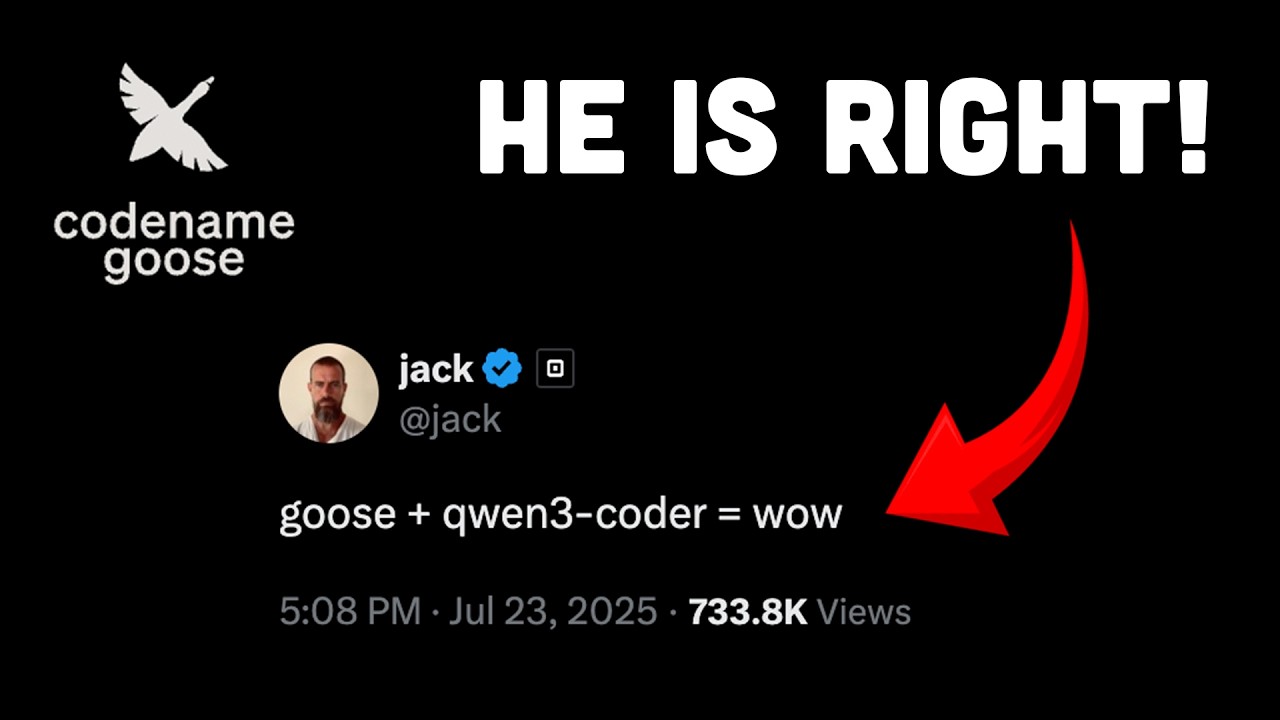
In this video, we test Goose, an open source local AI coding agent, paired with the powerful Qwen3-coder model. We walk through building real projects using features like hand gesture detection and a full React setup, all generated from simple prompts. The results were fast, low cost, and surprisingly accurate for a free and extensible developer tool.
🔗 Relevant Links
goose: https://block.github.io/goose/
❤️ More about us
Radically better observability stack: https://betterstack.com/
Written tutorials: https://betterstack.com/community/
Example projects: https://github.com/BetterStackHQ
📱 Socials
Twitter: https://twitter.com/betterstackhq
Instagram: https://www.instagram.com/betterstackhq/
TikTok: https://www.tiktok.com/@betterstack
LinkedIn: https://www.linkedin.com/company/betterstack
📌 Chapters:
00:00 Intro
00:20 What Is Goose?
01:07 goose + Qwen3-coder
01:31 First Test: Building a Hand Gesture Game
02:34 Adding Animations and a Local Database
02:58 Reviewing the Code and Project Structure
03:58 What Are Hints and How They Work
04:30 Second Test: React App with Zustand
05:10 Styling Issues and Tailwind Problems
05:20 Switching to CSS and Getting Better Results
05:41 Final Project Review and Code Quality
06:02 Final Thoughts
🔥 Join Maker School & get customer #1 guaranteed: https://skool.com/makerschool/about
💎 All course files: https://drive.google.com/drive..../folders/1Sjo54rul7z
🎙️ Listen to my silly podcast: www.youtube.com/@stackedpod
💼 Work with my team: https://dub.sh/work-with-me-xtt
📚 Free multi-hour courses
→ Claude Code (4hr full course): https://www.youtube.com/watch?v=QoQBzR1NIqI
→ Vibe Coding w/ Antigravity (6hr full course): https://www.youtube.com/watch?v=gcuR_-rzlDw
→ Agentic Workflows (6hr full course): https://www.youtube.com/watch?v=MxyRjL7NG18
→ N8N (6hr full course, 890K+ views): https://www.youtube.com/watch?v=2GZ2SNXWK-c
Summary ⤵️
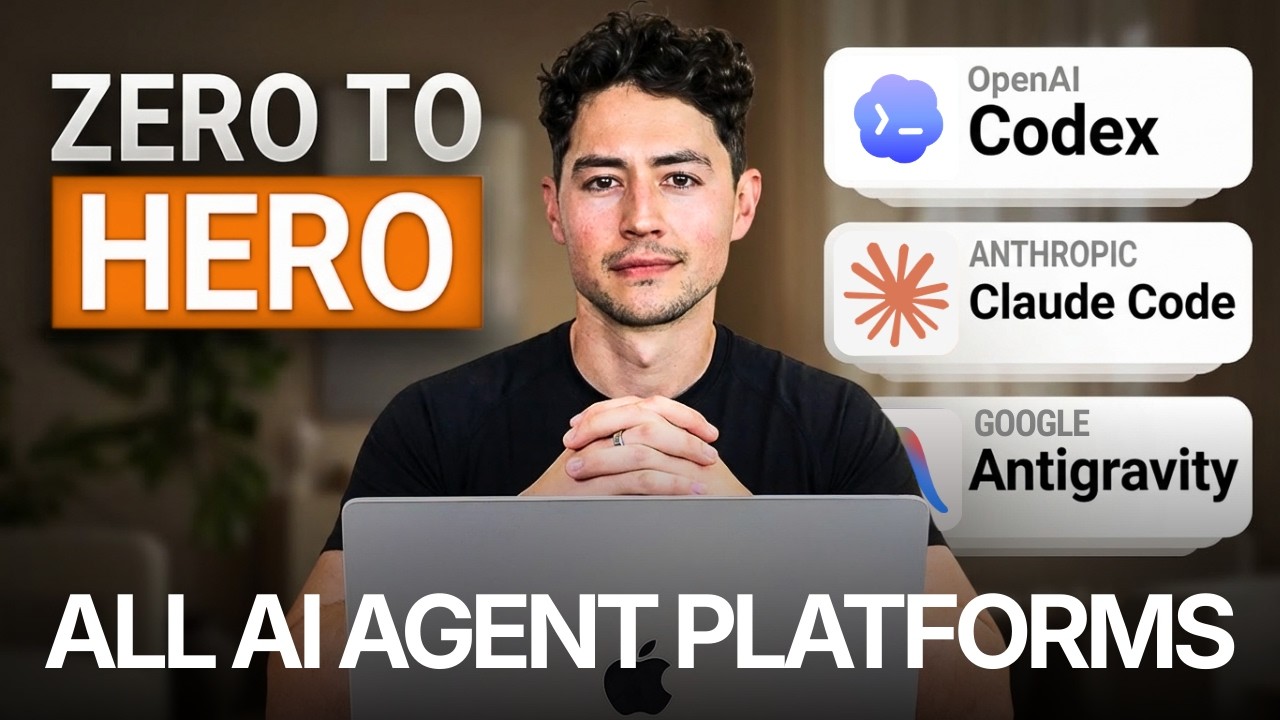
Hey, this is an end to end, extremely comprehensive course all about AI agents. It covers the three modern agentic AI tools: Codex, Claude Code, and Antigravity, and is agnostic to whichever you use.
I will guide you through initial setup; workspace configuration; and then a variety of foundational to prompting techniques like self modifying agent instructions, multi agent MCP orchestration, video-to-action pipelines, agent chatrooms, subagent verification loops, prompt contracts, reverse prompting, and even more!
By the end, you will have learned, no fluff, both foundational AI agent design and advanced prompt engineering both. You will also have mastered a bunch of key agentic AI principles, like context management and token usage optimization! Thanks and happy watching!
My software, tools, & deals (some give me kickbacks—thank you!)
🚀 Instantly: https://link.nicksaraev.com/instantly-short
📧 Anymailfinder: https://link.nicksaraev.com/amf-short
🤖 Apify: https://console.apify.com/sign-up (30% off with code 30NICKSARAEV)
🧑🏽💻 n8n: https://n8n.partnerlinks.io/h372ujv8cw80
📈 Rize: https://link.nicksaraev.com/rize-short (25% off with promo code NICK)
Follow me on other platforms 😈
📸 Instagram: https://www.instagram.com/nick_saraev
🕊️ Twitter/X: https://twitter.com/nicksaraev
🤙 Blog: https://nicksaraev.com
Why watch?
If this is your first view—hi, I’m Nick! TLDR: I spent six years building automated businesses with Make.com (most notably 1SecondCopy, a content company that hit 7 figures). Today a lot of people talk about automation, but I’ve noticed that very few have practical, real world success making money with it. So this channel is me chiming in and showing you what *real* systems that make *real* revenue look like.
Hopefully I can help you improve your business, and in doing so, the rest of your life 🙏
Like, subscribe, and leave me a comment if you have a specific request! Thanks.
Chapters
00:00 Introduction to AI Agent Full Course
02:14 Multi-Agent Chrome MCP Workflow Demonstration
04:28 Core Agent Workflow
09:09 Understanding AI Agent Architecture
13:18 The Three Major AI Agent Platforms (Codex, Claude Code, Antigravity)
22:29 Platform-Specific Performance Insights
25:43 Self-Modifying System Prompts
34:57 Standardizing Workflows with Agent Skills
39:03 Multi-Agent Orchestration Strategies
47:20 Video-to-Action Pipeline
56:07 Implementing Stochastic Multi-Agent Consensus
1:04:44 Agent Suggestions Unveiled
1:05:08 Consensus Reports and Insights
1:06:05 Harnessing Multiple Agents
1:07:41 Agent Chat Rooms Explained
1:10:34 Debate and Collaboration Among Agents
1:13:25 Sub-Agent Verification Loops
1:17:32 The Mixture of Experts
1:20:56 Prompt Contracts Introduced
1:24:23 Crafting Effective Prompt Contracts
1:27:40 Reverse Prompting for Clarity
1:31:41 Context Management Strategies
1:37:34 Multi-Agent Chrome Automation
1:48:49 Understanding MCP Tools and Skills
1:53:34 Context Compression Techniques
1:59:19 Optimizing Token Usage
2:06:46 Cost-Efficient Multi-Agent Strategies
2:11:30 LLM Pricing Principles

Lemon AI - Local General AI Agent Framework Like Manus & Genspark AI!
In this video, you’ll learn how to run Lemon AI—a full-stack, open-source, general AI agent —entirely on your local machine using Docker and WSL2 on Windows. We walk through the complete setup process, from installing Ubuntu via WSL2 and configuring Docker Desktop to integrating local language models like Qwen3 Coder via Ollama, and even connecting cloud-based models through OpenRouter. You’ll see Lemon AI in action: autonomously planning multi-step tasks, generating marketing websites, creating AI video storylines, and adapting to your feedback mid-process. This tutorial is ideal for developers, AI enthusiasts, content creators, and tech-savvy professionals who want to explore agentic AI without relying on cloud subscriptions. Understanding and running general AI agents locally matters because it gives you full control, privacy, and the ability to customize intelligent automation for your own workflows—today, not years from now.
Lemon AI is the first Full-stack Open-source Self-Evolving General AI Agent
https://lemonai.ai/
GitHub:
https://github.com/hexdocom/lemonai
Installation
https://lemon-11.gitbook.io/le....monai/development-de
Local Workstation GPU : https://amzn.to/3XfXsAO
If You Like tutorial like this, You Can Support Our Work In Patreon:
https://www.patreon.com/c/aifuturetech
#generalAIagent #LemonAI #artificialintelligence #aiagent


Advanced RAG 101 - build agentic RAG with llama3
Get free HubSpot report of how AI is redefining startup GTM strategy: https://clickhubspot.com/4hx
🔗 Links
- Join my community: https://2ly.link/1zq90
- Follow me on twitter: https://twitter.com/jasonzhou1993
- Join my AI email list: https://www.ai-jason.com/
- My discord: https://discord.gg/eZXprSaCDE
- Corrective RAG agent: https://github.com/langchain-a....i/langgraph/blob/mai
- LlamaParse: https://github.com/run-llama/llama_parse
- Firecrawl: https://www.firecrawl.dev/
- Jerry Liu build production-ready RAG: https://www.youtube.com/watch?v=TRjq7t2Ms5I
⏱️ Timestamps
0:00 Intro
1:33 How to give LLM knowledge
3:05 Problem with simple RAG
5:55 Better Parser
9:01 Chunk size
11:40 Rerank
12:39 Hybrid search
13:10 Agentic RAG - Query translation
14:35 Agentic RAG - metadata filtering
15:52 Agentic RAG - Corrective RAG agent
17:33 Install LLama3
18:00 Code walkthrough
👋🏻 About Me
My name is Jason Zhou, a product designer who shares interesting AI experiments & products. Email me if you need help building AI apps! ask@ai-jason.com
#llama3 #rag #llamaparse #llamaindex #gpt5 #autogen #gpt4 #autogpt #ai #artificialintelligence #tutorial #stepbystep #openai #llm #chatgpt #largelanguagemodels #largelanguagemodel #bestaiagent #chatgpt #agentgpt #agent #babyagi

Learn more about Types of AI agents here → https://ibm.biz/BdnZTE
Can a drone deliver packages safely and efficiently? 🤖 Martin Keen breaks down the 5 types of AI agents—from reflex to learning models—and their role in robotics, decision-making, and automation. Learn how goal-driven and utility-based AI adapt to workflows and complex environments.
Intro - 0:00
Simple Reflex Agent - 0:50
Model-Based Reflex Agent - 2:49
Goal-Based AI Agent - 4:20
Utility Based AI Agent- 5:43
Learning AI Agent - 6:55
Use Cases - 8:22
AI news moves fast. Sign up for a monthly newsletter for AI updates from IBM → https://ibm.biz/BdnZTX
#aiagents #machinelearning #ai

Traditional RAG systems only scratch the surface of what's possible. This advanced AI agent combines vector search with knowledge graphs to create a system that understand relationships, track changes over time, and reason about complex connections. Built with PostgreSQL + pgvector and Neo4j + Graphiti, it automatically chooses between vector search, graph traversal, or hybrid approaches based on what will answer your question the best.
I built the full package here - a complete implementation including semantic chunking, a vector database/knowledge graph pipeline, a FastAPI backend with streaming responses, and a CLI tool to chat with the agent.
Full source code (linked below!) included with support for multiple LLM providers. This is production-ready RAG.
~~~~~~~~~~~~~~~~~~~~~~~~~~~~~~~~~~~~~~~~~~~~
Neon's free tier is more than enough to cover what you'll need in this guide! But if you do decide that you need to upgrade, you can sign up through this link and get a $100 credit:
https://get.neon.com/2scm
~~~~~~~~~~~~~~~~~~~~~~~~~~~~~~~~~~~~~~~~~~~~
Code and instructions for this Agentic RAG Agent here:
https://github.com/coleam00/ot....tomator-agents/tree/

I did test the downloaded LLM and it worked perfectly on a computer that was not connected to the internet. Please be responsible and use the offline uncensored LLM for good rather than evil. Uncensored LLMs can be beneficial if used properly.
Consider Supporting the Global Science Network.
Ko-fi (Preferred as there is zero platform fee for the transactions)
https://ko-fi.com/globalsciencenetwork
Patreon (If you prefer Patreon)
https://www.patreon.com/c/GlobalScienceNetwork
External Drive Options.
Sandisk 128GB Flash Drive
https://amzn.to/3QqF6JX
Larger Sandisk SSD
https://amzn.to/438Modb
Sandisk HDD
https://amzn.to/4hCepNO
Faraday Cage Box
https://amzn.to/41j8nfX
Blue-ray disk writer (Blue-ray stores data for 20+ years)
https://amzn.to/44y3xgU
Blue-ray disks
https://amzn.to/3Y9hRsn
As an Amazon Associate, Global Science Network earns from qualifying purchases.
Here is a link to the article with code and commands that need to be used.
https://www.gsnetwork.com/how-....to-use-the-dolphin-l

Zhipu AI just dropped the first real open source AI agent, and the entire industry felt it instantly. GLM four point six V delivers native multimodal tool-calling, full visual reasoning, pixel-accurate UI automation, and a massive one hundred twenty eight thousand token context window that handles documents, videos, charts, and screenshots in one pass. It is the first open source model that matches capabilities previously locked inside OpenAI and Google, and its Flash version runs locally for free. This release sent a shockwave through every major lab and pushed the open source race into a new era.
👉 Join the waitlist for the 2026 AI Playbook: https://tinyurl.com/AI-Playbook-2026
📩 Brand Deals & Partnerships: me@faiz.mov
✉ General Inquiries: airevolutionofficial@gmail.com
🧠 What You’ll See:
• The first real open source AI agent with native multimodal tool calling — https://www.marktechpost.com/2....025/12/09/zhipu-ai-r
• GLM four point six V building full UI layouts and verifying changes visually — https://binaryverseai.com/glm-....4-6v-review-benchmar
• The Flash model running locally with fast multimodal reasoning — https://huggingface.co/zai-org/GLM-4.6V-Flash
• How visual search, frame extraction, and interleaved reasoning work inside GLM four point six V — https://stable-learn.com/en/gl....m-46v-multimodal-vis
🚨 Why It Matters:
AI just moved into a new phase: open source models that understand screens, parse massive documents, run real tools, rewrite frontends, and reason across video in a single context window. GLM four point six V brings capabilities once exclusive to closed labs directly into the open ecosystem. This changes agents, automation, search, research, and software development, while OpenAI and Google face real pressure from a model anyone can run, study, or build on.
#ai #opensource #ainews

Try Flow Pro free for 14 days: https://ref.wisprflow.ai/tinahuang
👉 AND get an extra month free with my code TINAHUANG
In this video I explain every way to run open source AI models!
🐙 Free 28-Day AI Sprint Roadmap: pick your goal to get a clear, day-by-day path forward 👉 https://www.lonelyoctopus.com/ai-sprint-roadmap
🤖 Want to get ahead in your career using AI? Join the waitlist for my AI Agent Bootcamp: https://www.lonelyoctopus.com/ai-agent-bootcamp
🤝 Business Inquiries: https://tally.so/r/mRDV99
🖱️Links mentioned in video
========================
🔗Affiliates
========================
My SQL for data science interviews course (10 full interviews):
https://365datascience.com/lea....rn-sql-for-data-scie
365 Data Science:
https://365datascience.pxf.io/WD0za3 (link for 57% discount for their complete data science training)
Check out StrataScratch for data science interview prep:
https://stratascratch.com/?via=tina
🎥 My filming setup
========================
📷 camera: https://amzn.to/3LHbi7N
🎤 mic: https://amzn.to/3LqoFJb
🔭 tripod: https://amzn.to/3DkjGHe
💡 lights: https://amzn.to/3LmOhqk
⏰Timestamps
========================
00:00 Intro
01:40 Run Open Source Models Locally
07:47 Browser/Hosted Playgrounds
10:44 Managed Inference API
11:57 VPS (Virtual Private Server)
15:20 Managed Cloud
16:01 On-device/Edge
📲Socials
========================
instagram: https://www.instagram.com/hellotinah/
linkedin: https://www.linkedin.com/in/tinaw-h/
tiktok: https://www.tiktok.com/@hellotinahuang
discord: https://discord.gg/5mMAtprshX
🎥Other videos you might be interested in
========================
How I consistently study with a full time job:
https://www.youtube.com/watch?v=INymz5VwLmk
How I would learn to code (if I could start over):
https://www.youtube.com/watch?v=MHPGeQD8TvI&t=84s
🐈⬛🐈⬛About me
========================
Hi, my name is Tina and I'm an ex-Meta data scientist turned internet person!
📧Contact
========================
youtube: youtube comments are by far the best way to get a response from me!
linkedin: https://www.linkedin.com/in/tinaw-h/
email for business inquiries only: tina@smoothmedia.co
========================
Some links are affiliate links and I may receive a small portion of sales price at no cost to you. I really appreciate your support in helping improve this channel! :)
OpenClaw can be run for free forever using local ai models through Ollama. Models like qwen 3.5 can be setup to connect directly to Open Claw, so you won't be charged per token use like with Clade or ChatGPT.
In this video I'll show you how to setup Local Models, how to connect them to OpenClaw, and how to setup things like MCP to reduce the cost of doing large context queries or API calls.
🔶 Install MCP Tools via Zapier:
https://bit.ly/4ccnm0G
🦙 Install Ollama Setup
https://ollama.com/
The model I used for openclaw here was Qwen 3.5 however there are many other models you can use from Google, Meta, etc.
#openclaw #ollama #ai
Want to learn web design? ⭐ Check out my course! ⭐
📘 Teach Me Design - Course: https://www.enhanceui.com/
To run openclaw local models, you need to install openclaw local llm setup. This lets openclaw llm charge you only what electricity you use for your mahcine!

🖥️ Download the free AI Agents Playbook: https://clickhubspot.com/f865c2
More from Futurepedia:
👉 Join the fastest-growing AI education platform! Try it free and explore 20+ top-rated courses in AI: https://bit.ly/futurepediaSL
Summary:
AI Agents seem overwhelming, but in 2026, we've gotten to the point that any non-technical person can create and manage their own AI agents to accomplish tasks. I cover everything simply: what an agent actually is, what to automate, how to start, and build two agents step by step using two of the leading platforms. Then dive into common pitfalls and how to avoid them. This is everything you need to get started with building AI agents in 2026, no coding required.
Chapters
0:00 Intro
0:50 What is an agent?
1:37 Where we're at right now
2:08 What to automate first
4:58 How to start
7:01 Time to build
7:24 Build 1
14:04 Build 2
20:43 More complex agents
22:03 Zapier vs n8n
22:40 Common Pitfalls (and how to avoid them)
24:44 The real skill
Get the 10-Step Security PDF Checklist here: https://danieljindoo.substack.com/
Join Our Semi-Private Community: https://discord.gg/HmbPtVy6Eq
Join Operators: https://www.youtube.com/channe....l/UCz21u_dPpYlJ-XyLc
Your local AI agents setup is leaking data right now, and you probably don't even know it. Running an LLM locally doesn't automatically make it private & safe. If your machine connects to the internet, you’ve basically bought your own house and left every single window open.
In this video, I break down the 7 vulnerabilities hiding in plain sight in your local AI stack-from browser extensions reading your chats to OS telemetry and exposed servers. Whether you're using Ollama, LM Studio, or vLLM, if you handle client data or sensitive business info, you need to lock this down.
No enterprise BS. Just real implementation and the exact 10-step security checklist I use.
⏳ TIMESTAMPS:
00:00 - The "Local = Safe" Myth Debunked
00:14 - Renting vs. Owning: Levels of AI Ownership
01:09 - Why You Are Probably at Level 1 (Exposed)
01:45 - Leak 1: Exposed AI Servers & APIs
03:00 - Leak 2: Browser Extensions Reading Everything
04:10 - Leak 3: Cloud Sync Auto-Uploading Chats
05:16 - Leak 4: Malicious AI Models & Poisoned Weights
06:30 - Leak 5: OS Telemetry (Windows Recall & Mac)
07:36 - Leak 6: Legal Obligations (GDPR, HIPAA, CCPA)
09:01 - The 10-Step Local AI Security Checklist
10:07 - Download the Free Setup Guide
Got questions about securing your specific SMB stack? Drop a comment below and let's troubleshoot.
Subscribe for outcome-based AI use cases. Information is free. Trust is rare. I only show you what I've actually built.
FIND ME ON SOCIALX/Twitter:
https://x.com/Jdaniel1216/Instagram:
https://www.instagram.com/jinni_doo/LinkedIn:
https://www.linkedin.com/in/hy....oungjin-doo-a1939423
Newsletter: https://danieljindoo.substack.com/
Website: / https://doomade.com/
