
- Film & Animation
- Music
- Pets & Animals
- Sports
- Travel & Events
- Gaming
- People & Blogs
- Comedy
- Entertainment
- News & Politics
- How-to & Style
- Non-profits & Activism
- Religion & Spiritual
- Health Natural Remedies
- Gardening +
- Arts & Crafts
- Action
- Hair & Beauty
- Hunting & Survival
- Shopping & Reviews
- Motivational & Self Help
- Jesus
- Marriage
- Live TV
- Programing & Coding
- Latest & Gadgets
- Make You Own
- Unexplained & Stange
- Jesus Christ
- Food & More
- Other
Latest videos


Today, nearly all browser-based apps are written in JavaScript (or similar languages that transpile to it). That’s fine, but there’s no good reason to limit our industry to basically one language when so many powerful and mature alternate languages and programming platforms exist. Starting now, WebAssembly opens the floodgates to new choices, and one of the first realistic options may be .NET.
Blazor is a new experimental web UI framework from the ASP.NET team that aims to brings .NET applications into all browsers (including mobile) via WebAssembly. It allows you to build true full-stack .NET applications, sharing code across server and client, with no need for transpilation or plugins.
In this talk I’ll demonstrate what you can do with Blazor today and how it works on the underlying WebAssembly runtime behind the scenes. You’ll see its modern, component-based architecture (inspired by modern SPA frameworks) at work as we use it to build a responsive client-side UI. I’ll cover both basic and advanced scenarios using Blazor’s components, router, DI system, JavaScript interop, and more.
NDC Conferences
https://www.ndcconferences.com/
https://ndc-london.com/

Best AI Mindmap (desktop): https://bit.ly/46Q4TTn
#ldap #ldapauth #ldapauthentication
What is LDAP and Active Directory ? How LDAP works and what is the structure of LDAP/AD?
In this video, I have discussed regarding LDAP, Active Directory, LDAP vs Active Directory, Structure of LDAP, How LDAP works, LDAP Authentication.
GitHub:
https://github.com/talenteddeveloper
LDAP in Java:
https://www.youtube.com/playli....st?list=PLyzY2l387Al
LDAP Updated:
https://www.youtube.com/playli....st?list=PLyzY2l387Al
What is LDAP?
LDAP, the Lightweight Directory Access Protocol, is a mature, flexible, and well supported standards-based mechanism for interacting with directory servers. It’s often used for authentication and storing information about users, groups, and applications, but an LDAP directory server is a fairly general-purpose data store and can be used in a wide variety of applications
How Does LDAP work?
In short, LDAP specifies a method of directory storage that allows for adding, deleting, and modifying records, and it enables the search of those records to facilitate both authentication and authorization of users to resources.
LDAP’s three main functions are:
Update: This includes adding, deleting, or modifying directory information.
Query: This includes searching and comparing directory information.
Authenticate: The main authentication functions include binding and unbinding; a third function, abandon, can be used to stop a server from completing an operation
LDAP Directory Information Tree
LDAP organizes information in a hierarchical tree structure, referred to as a directory information tree (DIT). The LDAP DIT can vary based on the software or directory service you use; however, LDAP directories generally follow this tree structure, where entries without subordinates (users, for example) are leaves, and the root is the overarching entity that encompasses all the information within the directory.
LDAP Authentication and Authorization
The LDAP protocol both authenticates and authorizes users to their resources. The protocol authenticates users with a bind operation that allows the user to communicate with an LDAP directory, then authorizes the authenticated user to the resources they need if their input login information matches what’s listed for them in the database.
1.What Is LDAP Authentication ?
LDAP authentication relies on a client/server bind operation, which allows the LDAP-ready client, referred to as the directory user agent (DUA), and the directory server, referred to as the directory system agent (DSA), to communicate within a secure, encrypted session.
When authenticating against an LDAP server in an attempt to gain access to the database, the user is prompted to provide their username and password.
If the values the user inputs into the client matches what is found in the LDAP database, the user is granted access by the LDAP server to whatever the IT resource may be.
2. What Is LDAP Authorization ?
Once a user is successfully authenticated, they need to be authorized to the resource(s) requested. While different LDAP instances may structure and encode this slightly differently, this is essentially accomplished by assigning permissions with groups and roles in the directory.
#LDAP #ActiveDirectory #DirectoryServices #LDAPTutorial #LDAPvsActiveDirectory #DirectoryAccess #LDAPAuthentication #NetworkSecurity #ITInfrastructure #IdentityManagement
Other Query:
What is LDAP (Lightweight Directory Access Protocol)?
What is LDAP,
LDAP explained,
LDAP tutorial,
Lightweight Directory Access Protocol,
LDAP basics for beginners,
LDAP directory service,
How LDAP works,
LDAP vs Active Directory,
LDAP authentication,
LDAP protocol overview,
What is LDAP, LDAP explained, LDAP tutorial, Lightweight Directory Access Protocol, LDAP basics for beginners, LDAP directory service, How LDAP works, LDAP vs Active Directory, LDAP authentication, LDAP protocol overview, LDAP and Active Directory explained, What is LDAP and AD, LDAP structure and components, Active Directory overview, LDAP authentication in AD, LDAP schema and hierarchy, LDAP and Active Directory integration, Directory services LDAP vs AD

In this comprehensive tutorial, we'll guide you through the step-by-step process of building and setting up a RAID 10 NAS (Network Attached Storage) using the Raspberry Pi 4 or the latest Raspberry Pi 5.
Learn how to enhance your storage capabilities, improve data redundancy, and boost performance by configuring a RAID 10 array on these compact and powerful single-board computers.
🔧 Topics Covered:
- Introduction to RAID 10 and its benefits
- Choosing the right hardware components for your NAS setup
- Installing the necessary software and operating system
- Preparing and formatting your storage drives
- Configuring RAID 10 using software RAID tools (MDADM and Webmin)
- Setting up Samba Server
- Configuring network access and permissions
- Testing and optimizing your RAID 10 NAS for performance
Whether you're a beginner or an experienced Raspberry Pi enthusiast, this tutorial provides valuable insights and practical tips to create a reliable and efficient NAS solution for your home or small office.
Commands (in Sequence):
sudo apt update
sudo apt upgrade -y
sudo apt install mdadm
sudo nano /etc/apt/sources.list
Paste the following:
deb https://download.webmin.com/download/repository sarge contrib
sudo apt-key add jcameron-key.asc
sudo apt update && sudo apt install webmin -y
Format RAID10
sudo mkfs.ext4 -v -m .1 -b 4096 -E stride=32,stripe-width=64 /dev/md0
sudo mkdir /media/SambaNAS
sudo mount /dev/md0 /media/SambaNAS
sudo chown ravi:ravi /media/SambaNAS
sudo apt install samba
sudo nano /etc/samba/smb.conf
Paste this at the end:
[RAID10_NAS]
comment = RADI10 NAS on Raspberry Pi
path = /media/SambaNAS
read only = no
browsable = yes
sudo service smbd restart
sudo blkid
sudo nano /etc/fstab
UUID=(my_uuid) /media/SambaNAS ext4 defaults,nofail 0 0
cat /etc/fstab
Please Support me on Patreon: https://www.patreon.com/techposts
-My Gears-
My Camera- http://amzn.to/2mkYkT1
My Laptop- http://amzn.to/2r1MQtl
My Mic (Voice-over) - http://amzn.to/2ml0H88
My Lav Mic- http://amzn.to/2CSAIft
My Smartphone- http://amzn.to/2FvNimK
My Tripod- http://amzn.to/2CUsVxC and Pico Dolly: http://amzn.to/2ExqXUA
My Tripod (For Smartphone)- http://amzn.to/2D374bA
32GB Memory Card- http://amzn.to/2DjQDV3
Green Screen- http://amzn.to/2mkZ0Yv
Boom Arm For Mic- http://amzn.to/2Dl6mDn
Subscribe to our Youtube Channel for More: http://goo.gl/BE00aR
You can also Follow "Techposts" on:
Facebook: https://www.facebook.com/techposts007
Google+: https://google.com/+Ravisingh9
Twitter: https://twitter.com/coolbuddy543
Visit http://http://techposts.org for More Tech How to guides.

In this video, we're going to show you how to enable and disable cookies on your iPhone. Cookies are tiny files that help websites remember your preferences, so we can give you a better experience when you visit our website again.
How to Enable or Disable Cookies on iPhone?
If you want to manage your cookies yourself, this video is a great resource for you. We'll show you how to enable and disable cookies on your iPhone, so you can control the information we collect about you.
Learn more about How to Enable or Disable Cookies on iPhone.
=================================
You can watch other iPhone tutorials here https://www.youtube.com/playli....st?list=PLZXB_RccsZs
=================================
Join this channel to support me and get access to the perks:
https://www.youtube.com/channe....l/UCZgr5g1rhvXmjGa3F
=================================
You can increase your views on YouTube by installing this free tool:
https://www.tubebuddy.com/DexHowTo
https://vidiq.com/dexhowto
=================================
Join Discord Server To Ask More Questions https://discord.gg/ypQEjAqZjG
=================================
More Videos
https://www.youtube.com/watch?v=c73xwSPRjOc
https://www.youtube.com/watch?v=O3bow3MLAqY
https://www.youtube.com/watch?v=dZ4fv_eU_Xw
https://www.youtube.com/watch?v=M-01zNBOBYE
https://www.youtube.com/watch?v=3coZHsj4zEA
https://www.youtube.com/watch?v=6a_qa8RSGzA
https://www.youtube.com/watch?v=gp1ypuQaWKU
https://www.youtube.com/watch?v=E12jOtV7poM
https://www.youtube.com/watch?v=4lOEu9oypfk
https://www.youtube.com/watch?v=phrFY5xE_Ak
https://www.youtube.com/watch?v=DY9M5Ql69w4
https://www.youtube.com/watch?v=PVv6FhOeXBU
https://www.youtube.com/watch?v=s-WxgDet4mk
https://www.youtube.com/watch?v=DJJD7IP1i5s
https://www.youtube.com/watch?v=FMzEjPR9S0k
https://www.youtube.com/watch?v=OZm7dX1CHfs
https://www.youtube.com/watch?v=N1czu_ehiVM
https://www.youtube.com/watch?v=3_nTCxOt5OY
https://www.youtube.com/watch?v=HmGcJ_unr2E
https://www.youtube.com/watch?v=7Ll--xZ9pD8
https://www.youtube.com/watch?v=VjChqvEOIZU
https://www.youtube.com/watch?v=ZP0a8KYDBy4
https://www.youtube.com/watch?v=2ItLnnh11oY
https://www.youtube.com/watch?v=3-CI_8iCuDY
https://www.youtube.com/watch?v=0Hfd2-b0p1g
https://www.youtube.com/watch?v=yABAoPn_qPs
https://www.youtube.com/watch?v=JCHPPUZCsw8 .
https://youtu.be/1Gad1NZ6_hc .
https://youtu.be/7KAlyMV3HAk .
https://youtu.be/L04J-ZFDwVQ .
https://youtu.be/BPnHojHZ67Q .
https://youtu.be/uKvi5Ix6ZYE .
https://youtu.be/TcyGI5TUIMM .
https://youtu.be/N1tpSXt3qUk .
https://youtu.be/brA9ZzKZHOY .
https://youtu.be/-b3W-tnmOcU .
https://youtu.be/MJaUu_wmEZ0 .
https://youtu.be/s0HZhbK8xWg .
https://youtu.be/znVjEfiybug .
https://youtu.be/DsAtzgJbJk8 .
https://youtu.be/6XdKVwvyniM .
https://youtu.be/SVotrcBBInA .
https://youtu.be/DwB_BbSIgHw .
https://youtu.be/MTqQGquBb3E .
https://youtu.be/T4oh7Md_bIE

Set up and install Wordpress on a VPS with Hostinger. Use my link https://hostinger.com/davidb or coupon code DAVIDB to get an additional discount for all Hostinger VPS packages or Shared Hosting Plans.
If you are wondering how to set up Hostinger VPS, then this is for you:
https://www.youtube.com/watch?v=N2h2n7Df_2Y
In this video, we'll walk through how to set up a VPS plan on Hostinger and install Cloudpanel. Cloudpanel will be our server control panel which makes the process of adding multiple websites to a vps easy. Then we will connect our domain name to our new VPS and connect the free SSL to keep our site secure (using Let's Encrypt). We will also see how easy it is to install Wordpress on our new VPS hosting.
If you are interested in using Hostinger's Shared or VPS hosting, then make sure to take advantage of the hosting discount using the link above to lock down the best rate.

Have you ever heard the sentence that every device can be hacked? I have talked to several security researchers who have experience in hacking Browsers, iPhones and more, to figure out if this is true. And if it's true, should you be worried?
You should worry more about Phishing: https://www.youtube.com/watch?v=NWtm4X6L_Cs
@steventseeley: https://twitter.com/steventseeley
@s1guza: https://twitter.com/s1guza
@itszn13: https://twitter.com/itszn13
@xerub: https://twitter.com/xerub
@gf_256: https://twitter.com/gf_256 / https://www.youtube.com/channe....l/UCmYAXMxue6UdEPfAP
---
00:00 - Can Every Device Get Hacked?
00:53 - Collaboration
02:24 - Law of Security: The More Complexity, The More Insecure
03:20 - Proof #1: Zerodium
04:55 - Proof #2: Phone Vendor Security Updates
05:33 - Proof #3: Hacking Competitions
06:28 - "Can You Find The Vulnerabilities Alone?"
09:27 - "Weaponized" (or Operationalized) Exploits
10:35 - The Original Question Is Useless
11:18 - Risk Of Your Device Getting Hacked?
12:32 - The Economics Of The Attacker
14:30 - Who Should Be Worried About 0days?
15:11 - Attack On Security Researchers
16:06 - What Can You Do Against Hackers?
18:15 - Trick Against Smartphone Hacking
19:22 - Summary and Conclusion
21:21 - Outro
-=[ ❤️ Support ]=-
→ per Video: https://www.patreon.com/join/liveoverflow
→ per Month: https://www.youtube.com/channe....l/UClcE-kVhqyiHCcjYw
-=[ 🐕 Social ]=-
→ Twitter: https://twitter.com/LiveOverflow/
→ Instagram: https://instagram.com/LiveOverflow/
→ Blog: https://liveoverflow.com/
→ Subreddit: https://www.reddit.com/r/LiveOverflow/
→ Facebook: https://www.facebook.com/LiveOverflow/

Welcome back to another video. In this one I am going over how I scored a Mini PC for use as an at home server on the cheap for running services like Jellyfin, Nextcloud, and more!
Containers mentioned:
Jellyfin: https://hub.docker.com/r/linuxserver/jellyfin
Nextcloud: https://hub.docker.com/_/nextcloud
Time Machine: https://hub.docker.com/r/mbentley/timemachine
Docker Linux Install Instructions: https://docs.docker.com/engine/install/ubuntu/
Song: JPB - Top Floor [NCS Release]
Music provided by NoCopyrightSounds
Free Download/Stream: http://NCS.io/TopFloor
Watch: http://youtu.be/h-jxgXxRgnM

SLIDES: https://drive.google.com/open?....id=0B7zweKma2uL1c1pN
Jafar Husain is the Cross-Team Technical Lead for the Netflix UI's. He is the architect of Netflix's UI data platform "Falcor", and specializes in building reactive, event-driven systems. He is the Netflix representative on the JavaScript standards committee (TC-39) and is actively working to evolve the JavaScript language.
Imagine how easy building your application would be if all of the data in the cloud was available in-memory on the client.
Falcor is the JS data access framework that powers Netflix. We'll show you how to use Falcor to replace all of your endpoints a with a single JSON resource on the server. Then we'll show you how to use the power of Angular 2 templates to bind your templates directly to your JSON resource in cloud without any code at all! You'll see how simple app development can be when your controllers don't have to worry about retrieving data from the server.
You'll also see how easy it is to integrate Falcor into your existing stack, regardless of whether you are using a single database, or like Netflix, have a huge number of different back-end services.

We will use the GitHub actions to create a PWA (progressive web app) and test it using Lighthouse CI. I will also review my improvements from the report CI in Lighthouse.
Git repository:
https://github.com/kalaspuffar/stuff2buy
DigitalOcean's App Platform allows you to build, deploy, and scale apps quickly using a simple, fully-managed solution. We’ll handle the infrastructure, app runtimes, and dependencies so you can focus on your code and launch your app efficiently.
https://digitalocean.pxf.io/c/....3402234/1373760/1589
Leverage AI in your software development workflow. Enhance your skills as a software developer, grow your career, and stay competitive in this fast-paced industry.
https://imp.i384100.net/c/3402234/2145943/14726
Join the channel to get access to more perks:
https://www.youtube.com/channe....l/UCnG-TN23lswO6QbvW
Or visit my blog at:
https://danielpersson.dev
Outro music: Sanaas Scylla
#lighthouse #pwa #actions

![[Updated 2019] OpenVPN Installation. Windows Client/Linux Server](https://i.ytimg.com/vi/rD0I0d6a-tE/mqdefault.jpg)
ANOTHER SECURITY CHANGE OCCURRED WITH OPENVPN 2.4 AFTER THIS VIDEO WAS MADE.
At 9:50 an edit is made to the ssl config file to change md5 to sha512. Just above that line you should see:
default_crl_days= 30
change this so it reads
default_crl_days= 3650
If this is not done when using OpenVPN 2.4 your VPN will stop accepting connections 30 days later.
----------------------------------
Services used in this video
VPS Supplier: https://cloud.digitalocean.com/login
(Note, I am not endorsing Digital Ocean. I do not receive any reward or commission from them. They are simply the provider I use.)
Windows applications used in this video
PuTTY: https://www.chiark.greenend.or....g.uk/~sgtatham/putty
WinRAR: https://www.rarlab.com/download.htm
OpenVPN: https://openvpn.net/community-downloads/
FireFox: https://www.mozilla.org/
Notepad :)
Login to VPS with PuTTY: root@IP.ADDRESS
Change root password but DO NOT USE THE SAME ONE I USED!!!
Update the VPS
apt update
apt dist-upgrade
Enable packet forwarding
nano /etc/sysctl.conf
VPS Login PuTTY shortcut
root@IP.ADDRESS -pw ROOTPASSWORD
Install OpenVPN
apt install openvpn
Install Webmin
http://www.webmin.com/deb.html
apt install -f
Login to Webmin
https://IP.ADDRESS:10000
user: root
password: ROOTPASSWORD
Change default_md
nano /etc/openvpn/openvpn-ssl.cnf
Create .rnd file
https://www.random.org/bytes/
Create VPN server instance
10.50.0.0 255.255.255.0
auth SHA512
push "dhcp-option DNS 8.8.8.8"
push "dhcp-option DNS 8.8.4.4"
push "redirect-gateway def1 bypass-dhcp"
Set OpenVPN to autostart
nano /etc/default/openvpn
Check VPN server is running
service openvpn@myvpn status
Check IP address
https://www.whatsmyip.org/
Hello and welcome to the second video of this series which explains how to setup your Virtual machine optimized for deep learning on the Google cloud platform.
In this video you will find out the best practices on how to setup your deep learning environment on the google cloud platform.
Feel free to leave us questions and suggestions in the comment sections below.
# Link
Follows us on Twitter: https://twitter.com/africa_android
Ubuntu 20.10 is now available as a BETA release. This includes a Raspberry Pi server edition. In this video I will boot up from a newly created image using the image from:
https://cdimage.ubuntu.com/releases/20.10/beta/
*********
UPDATE! Ubuntu 20.10 is now also available as a desktop edition for the Raspberry Pi. See the following link for more details: https://youtu.be/-RPcRlDfoQg
*********
After showing the install of Raspberry Pi server edition I then show how it can be setup as a basic web server with a simple test page created in html.
This is just the first steps in setting up a web server as it only installs Apache 2. You may also want to install a database such as Maria DB or other applications. You will probably also want to change to a static IP address which is not shown in this video.
The console screen video is captured using gucview
Chapters
00:00 Introduction
00:40 Console screen and login to ubuntu
02:48 Logging in remotely using ssh
03:22 Installing apache2 web server
04:28 Loading the default page in a web browser
05:21 Changing ownership of the html directory
05:58 Creating a basic text only html page
This was tested using the beta image installed onto an SD Card. I have tried to boot from an external USB drive (eg SSD drive), but that was unsuccessful. See the comments for more details - or please let me know if you have had more success.
This video is also included on my website at: http://www.penguintutor.com/ne....ws/raspberrypi/rpi-u
Teleport Open-Source Community Edition: https://cybercademy.org/go-teleport
👇 Links, timestamps, and notes below 👇
🔗 Website Links Mentioned
Passwordless Homelab Project Overview Slides: https://docs.google.com/presen....tation/d/1l-X9uXgosg
Teleport: https://goteleport.com/?utm_campaign=eg&utm_medium=partner&utm_source=GrantCollins
Signup for a free domain name with Freenom: https://www.freenom.com/en/index.html?lang=en
Note: Type in domain name, choose “Checkout”, and create a new account.
Sign up for AWS: https://portal.aws.amazon.com/....billing/signup#/star
AWS Educate (apply for free annual credits): https://aws.amazon.com/education/awseducate/
Deploy Open Source Teleport on a Linux Server (commands used to download Teleport Cluster): https://goteleport.com/docs/de....ploy-a-cluster/open-
Local Lab (with Docker Desktop): https://goteleport.com/docs/tr....y-out-teleport/docke
Introduction to Linux for Cybersecurity Crash Course - https://www.youtube.com/watch?v=2eEe5LnEbks&list=PLLDjng0_4bmMQgeomsJIyUZTt7YM9UfLt
⏰ Timestamps
0:00 – Introduction
0:45 – Project Overview & Prerequisites
8:38 – 1) Register a Free Domain Name
11:27 – 2) Create a Teleport Cluster with AWS EC2
21:02 – 3) Log into EC2 and Download Teleport
24:50 – 4) Configure Teleport Cluster
30:00 – 5) Login to Teleport UI
34:52 – 6) Connect Personal Computer
39:13 – 7) Add Another SSH Node
43:44 – 8) Conclusion
🐕 Follow Me:
Twitter: https://twitter.com/collinsinfosec
Instagram: https://www.instagram.com/collinsinfosec
Cybercademy Discord Server: https://discord.gg/bWymWhCv9p
🤔 Have questions, concerns, comments? -
Email me: grant@cybercademy.org
🎧 Gear:
Laptop (Lenovo X1 Carbon Ultrabook 6th Gen): https://amzn.to/2O0UfAM
Monitors (Dell D Series 31.5” D3218HN): https://amzn.to/2EXlgRF
Keyboard (Velocifire VM01): https://amzn.to/2TEswfd
Headphones (Audio Technica ATH-M40x): https://amzn.to/2F4Tvq6
Work Monitors (Dell U4919DW UltraSharp 49 Curved Monitor): https://amzn.to/3yQmDhM
Desk (FLEXISPOT EW8 Comhar Electric Standing Desk): https://amzn.to/3S9OxvG
Chapters
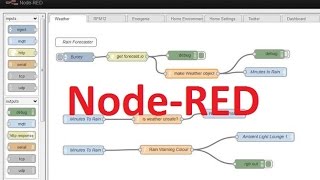
As a precursor to getting to more Power Supply and other electronic projects on the go, I want to look at a few programming languages / environments I have not used before
In this case I will look at using Node-Red.
To quote the site http://nodered.org/
"Node-RED
A visual tool for wiring the Internet of Things.
Node-RED is a tool for wiring together hardware devices, APIs and online services in new and interesting ways."
This is a programming environment driven by a graphical WEB page and uses Drag and Drop with configuration of nodes to build your application
Many nodes are available and if you cannot find what you need, it seems to be fairly simple to add you own, and if you know Java then even better.
It will run on many platforms including Windows, Linux and OSX and or course a range of hardware including the PC or Raspberry PI.
A long-time friend of mine "Peter Scargill" has been using Node-RED for a while and provided me access to a few scripts he uses to make configuring the PI a little easier. The process will still take an hour or two but this is including everything from creating a boot SD card through to a full working environment including a Database, MQTT, WEB Admin Pages and many node-RED nodes installed
Pete’s technical blog is here: - http://tech.scargill.net/
His scripts can be found here: - https://bitbucket.org/snippets/scargill/
Node-RED documentation can be found here: - http://nodered.org/
And if you google "Node-Red Nodes" you will find plenty more. Add "Scargill" to the search for many posts by Pete. (He goes by Pete, I go by Peter :) )
And some useful info for node-RED from IBM can be found here: - http://www.techrepublic.com/article/node-red/
I will be following this post with actual programming tutorials and sessions using node-RED very soon so keep an eye out.
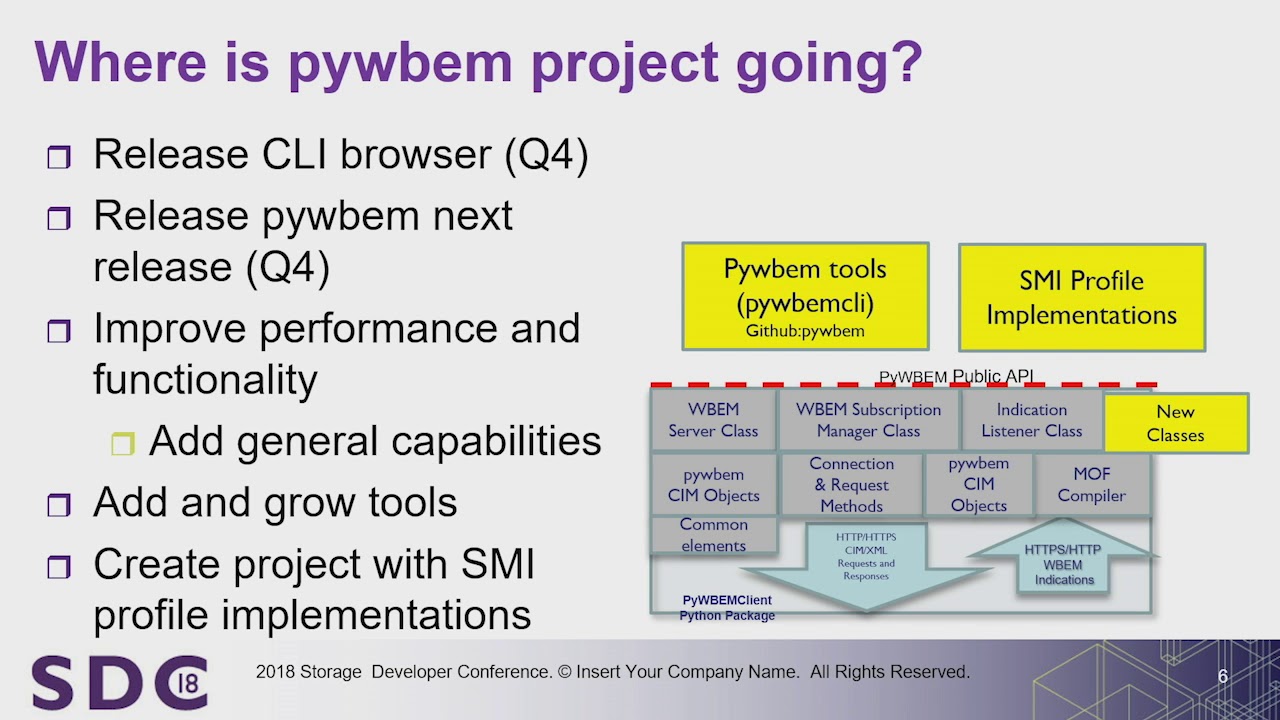
Presented by Karl Schopmeyer, Owner, Inova Development Inc.
Download Presentation:
https://www.snia.org/sites/def....ault/files/SDC/2018/
Abstract:
Using scripts and automation tools such as Ansible is common when doing repetitive management tasks and monitoring systems in the data center, but writing these scripts can be challenging when integrating with different storage system management interfaces. PyWBEM simplifies these tasks when dealing with storage systems managed by the Storage Management Initiative Specification (SMI-S) standard. PyWBEM is an open source Python library that simplifies dealing with storage system discovery, security, monitoring, performance, fault reporting, and active management.
This talk provides an overview of the use of the PyWBEM project tools to automate and simplify access and configuration of storage systems that are managed via an SMI-S connection. Examples of automation with tools like Ansible using PyWBEM and the PyWBEMtools as the resource manager will be provided. The talk will also cover future directions for the PyWBEM open source project.
Learning Objectives:
1. Introduce attendees to the active PyWBEM open source project
2. Describe storage management use case scenarios and how they are being solved using PyWBEM
3. Describe the use of the SMI resource layer based on the SMI profiles to enable scripting and automation of the management of SMI based resources
4. Demonstrate specific use cases of SMI management automation using the PyWBEM tools
5. Discuss future directions for the PyWBEM project
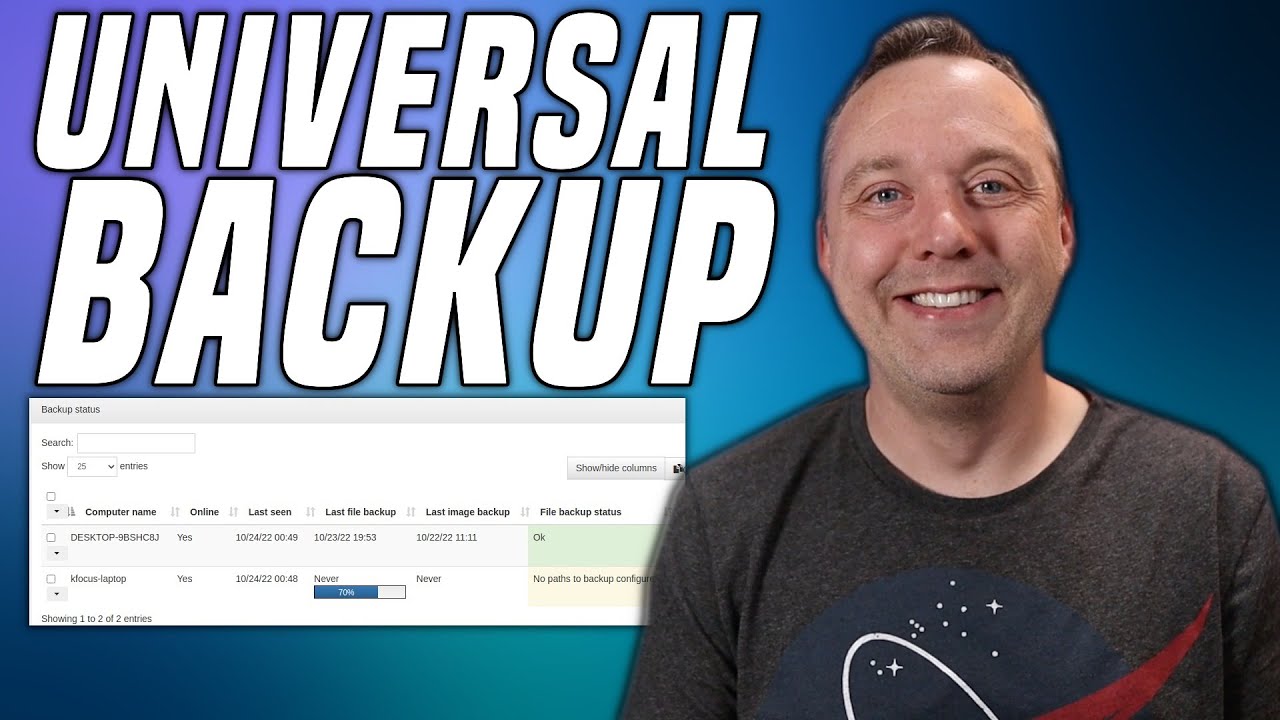
Want a Universal Backup that works on EVERY operating system and is free + open source? Urbackup is the software you are looking for!
Website Guide: https://christitus.com/urbackup/ .
►► Digital Downloads ➜ https://www.cttstore.com
►► Reddit ➜ https://www.reddit.com/r/ChrisTitusTech/
►► Titus Tech Talk ➜ https://www.youtube.com/c/TitusTechTalk
►► Twitch ➜ https://www.twitch.tv/christitustech ►► BlueSky ➜ https://bsky.app/profile/christitus.com
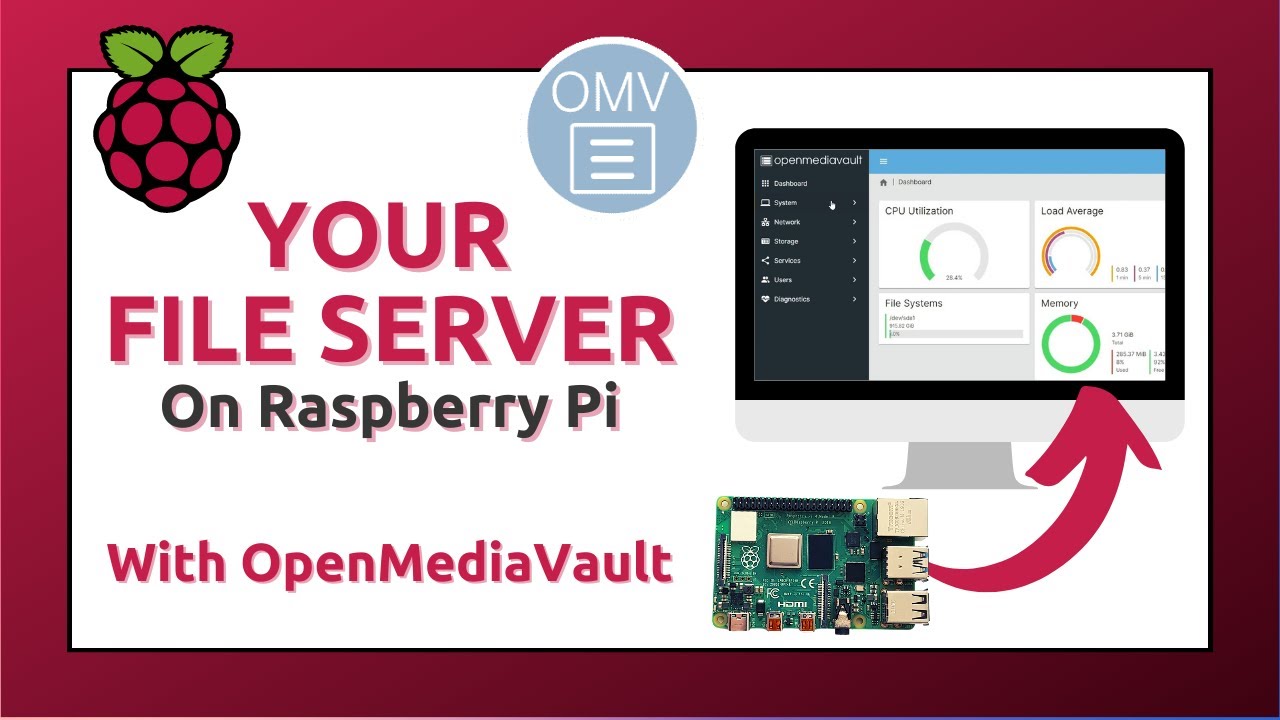
Using a Raspberry Pi shouldn’t be complicated.
📥 Download my free PDF glossary to start the right way: https://download.raspberrytips.com/glossary
OpenMediaVault is software that can be installed on any Debian-based distribution, like Raspberry Pi OS Lite. It can be used to host and configure a file server via a web interface in a few clicks.
In this video, I show you how to use it, and make a quick comparison with my Synology NAS.
Hardware used for this video:
- Argon One case: https://raspberrytips.com/argonone (Amazon)
- SSD in the case: https://raspberrytips.com/m2ssd (Amazon)
- USB key for RPI OS: https://raspberrytips.com/myusbkey (Amazon)
- My Raspberry Pi: https://raspberrytips.com/mypi4 (Amazon)
- Synology NAS: https://raspberrytips.com/syno (Amazon)
Check the article for more details:
https://raspberrytips.com/open....mediavault-on-raspbe
Installation command (one line):
wget -O - https://github.com/OpenMediaVa....ult-Plugin-Developer | sudo bash
---------- Links ----------
Master your Raspberry Pi in 30 days (e-book)
📕 https://raspberrytips.com/yt-ebook
Raspberry Pi Bootcamp (course)
📕 https://raspberrytips.com/yt-course
Master Python on Raspberry Pi
📕 https://raspberrytips.com/masterpython
Join us on Patreon!
❤️ https://raspberrytips.com/patreon
👉RaspberryTips: https://raspberrytips.com/
👉Recommended hardware: http://raspberrytips.com/resources
---------- My stuff ----------
(affiliate links)
- Raspberry Pi: https://raspberrytips.com/rpi4 (Amazon)
- SD card: https://raspberrytips.com/sd (Amazon)
- Case: https://raspberrytips.com/case (Amazon)
- Keyboard: https://raspberrytips.com/keyboard (Amazon)
- Touch screen: https://raspberrytips.com/screen (Amazon)
- Video capture: https://raspberrytips.com/capture (Amazon)
- Sense Hat: https://raspberrytips.com/sensehat (Amazon)
- Robot dog: https://raspberrytips.com/robotdog (Amazon)
- Raspad 3: https://raspberrytips.com/raspad
---------- Follow Me! ----------
👉Twitter: https://twitter.com/TipsRaspberry
👉Pinterest: https://www.pinterest.com/raspberrytips/
---------- Timestamps ----------
0:00 Intro
0:32 Why?
1:23 Prerequisites
2:18 Installation
3:22 Overview
4:40 File share creation
6:39 OMV vs Synology vs manual install
7:44 Similar tool
#raspberrypi #openmediavault #synology
Note: This description contains affiliate links.
If you use them, I’ll get a small commission.
The commission comes at no additional cost to you.
RaspberryTips is a participant in the Amazon Associates and other companies affiliate programs.
Because no one is going to stoop as low to use HyperV, we're going to be using the Kernel Virtual Machine (KVM) to simulate our operating systems. Now you too can have your own farm of Linux distros and Windows builds you'll never use.
Donate:
✨ Patreon: https://patreon.com/trafotin
💰 Liberapay: https://liberapay.org/trafotin
Connect with us:
🐦 Twitter: https://twitter.com/trafotin
🐘 Mastodon: https://mastodon.technology/@riseandfalloft2
📁 Gitlab: https://gitlab.com/trafotin
🎵 BGM: zukisuzuki
https://zukisuzukibgm.com/
👋 Outro: Khaim - Neon Lamp
https://khaimmusic.com
👇 Sauce:
https://virt-manager.org/
https://access.redhat.com/docu....mentation/en-us/red_
https://fedoramagazine.org/ful....l-virtualization-sys
https://www.whonix.org/wiki/KVM#Install_KVM
https://support.apple.com/guid....e/security/welcome/w
Chapters:
0:00 Based Kernel Virtual Machines
2:34 Setting Up Virt-Manager
4:23 Creating a Virtual Machine
12:42 Running a Virtual Machine
16:44 Spice-vdagent
22:28 Snapshots
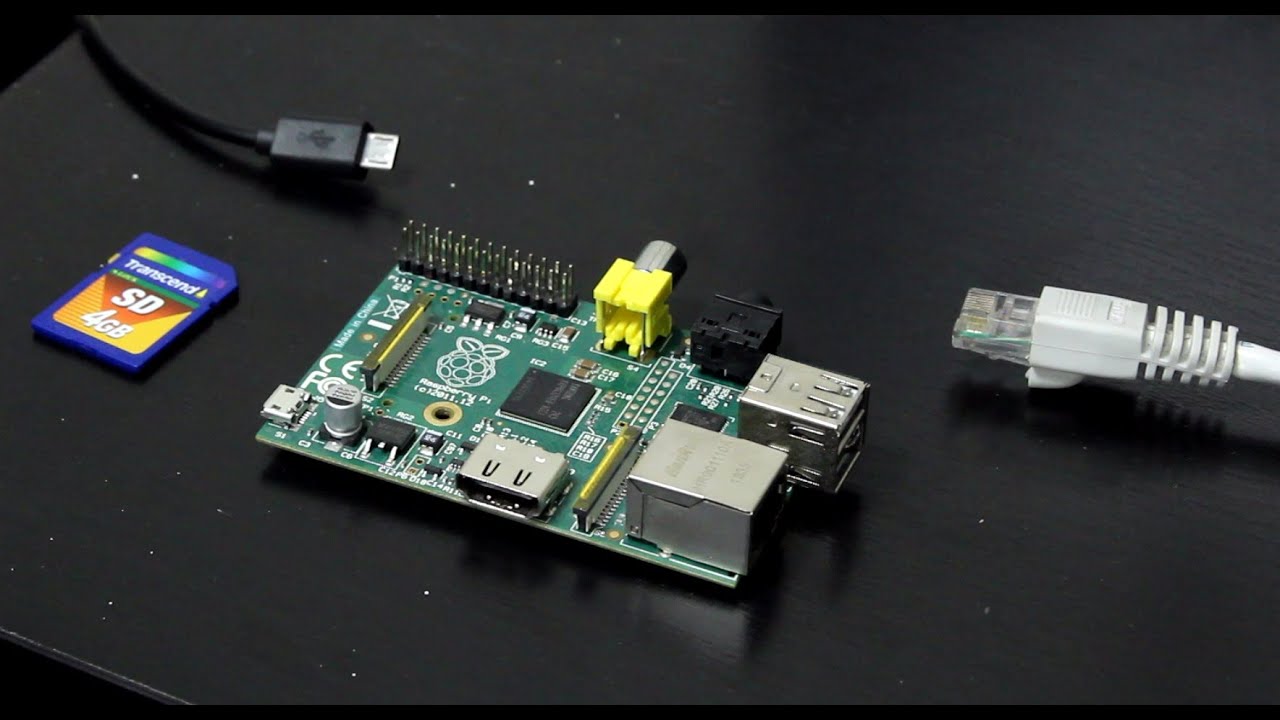
In this video I show how to setup a Raspberry Pi web server and how to connect it to your own domain name (.com, .org, etc.). We start be installing Raspbian, then install software updates, and then install Apache, PHP and MySQL. After verifying that the web server is functioning properly, I show how to sign up for a domain name with Google Domains, and how to use their Dynamic DNS service so your domain will work with typical residential internet service providers. We also install TeraTerm and Swish SFTP on the Windows PC in order to interact with the Raspberry Pi over the network.
This video is similar to an earlier video I made around half a year ago, but this new video covers how to setup a domain name and the Dynamic DNS service.
I have a text summary of this video on my web site, so you don't have to try reading the text off of the video:
http://www.farrellf.com/projec....ts/software/2016-05-
