
- Film & Animation
- Music
- Pets & Animals
- Sports
- Travel & Events
- Gaming
- People & Blogs
- Comedy
- Entertainment
- News & Politics
- How-to & Style
- Non-profits & Activism
- Religion & Spiritual
- Health Natural Remedies
- Gardening +
- Arts & Crafts
- Action
- Hair & Beauty
- Hunting & Survival
- Shopping & Reviews
- Motivational & Self Help
- Jesus
- Marriage
- Live TV
- Programing & Coding
- Latest & Gadgets
- Make You Own
- Unexplained & Stange
- Jesus Christ
- Food & More
- Other
Top videos



How to make rockets that shoot over 40 feet, with aluminum foil and a match.
Some quick links to a few of the materials I used:
[✓] Safety Matches: http://amzn.to/2cRFIVs
[✓] Aluminum Foil: http://amzn.to/2cajHm5
[✓] Tea Light Candles: http://amzn.to/2clSVG9
[✓] Bamboo Skewers: http://amzn.to/2cfIXu9
Because of the popularity of this project, I've put together a detailed 28 page PDF (http://bit.ly/MatchboxRocketsPDF) with step-by-step instructions, Fun Facts, Helpful Hints, and loaded with pictures. I'm selling them to help compensate for my time. You can get the Project PDF here if you're interested: http://bit.ly/MatchboxRocketsPDF
Free template: http://bit.ly/MatchboxRocketsTemplate
Endcard Links:
Paper Plate Speaker: https://goo.gl/1HLa74
Fire Piston: https://goo.gl/BSl8QT
Smoke Flares: https://goo.gl/V33jIs
Water Pump: https://goo.gl/3qGR5C
See What Else I’m Up To:
Instagram: https://goo.gl/C0Q1YU
Facebook: http://bit.ly/FBTheKingOfRandom
Pinterest: http://bit.ly/pingrant
Business Inquiries: For business and sponsorship inquiries please contact us directly: http://www.youtube.com/thekingofrandom/about
WARNING:
Although these rockets are only fueled by one match head, they do get hot enough to burn fingers, and leave scorch marks in carpets. This project should not be attempted without adult supervision, and if done indoors, safety precautions should be in place to mitigate any fire hazards. Misuse, or careless use, may result in property damage. Use of this video content is at your own risk.
Music By: Scott & Brendo (“Fire” - Instrumental) http://bit.ly/ScottBrendoiTunes
Project Inspired By:
A video by Marek Hayward I saw over a year ago. (http://bit.ly/IBMatchRocketLaunchPad) If you check out the link, please share the love and let Marek know that Grant Thompson sent you. :) Thank you!
Project History & More Info:
After seeing the video by Marek Hayward (which had 10,000 views at the time, and is now over 1,000,000!) I dropped everything I was doing to try this experiment.
Unfortunately I couldn’t get much success with it. The rockets only seemed to work about half the time, and the needle they were launching from would get coated in carbon and tar residues after only a couple of launches, which seriously affected the performance.
In addition, the rockets weren’t balanced, so once they fired, they wouldn’t shoot very straight.
It’s taken me over a year of prototyping and testing, and playing with different ideas to get the result you see in this video. I developed the idea into a full-on matchbox rocket launching kit, which I’m super proud of, and excited to share in the project video.
These rockets shoot consistently between 20-40 feet, and one of the biggest factors to whether the rockets work or fail, depends on how tight the crimp is on the rockets nose. Any rocket that has failed on me has almost always been because the crimp wasn’t done right, or wasn’t tight enough.
The rockets will propel the furthest if they're launched from a stable base that has little to no give. If there is any give on the launchpad, that will absorb some of the energy and the rocket won’t go as far.
Multiple tests in my house confirmed that if the rockets land on the carpet, they need to be moved within 1-2 seconds, or they will begin to melt into the fabric. The aluminum casings are heated in a flame until they reach the auto-ignition temperature of the match head, so you can expect them to be very hot, and may want to be wearing gloves when you recover the spent rocket casings as well :)
This is an awesome and exciting project whether you're a kid or and adult. It’s impressive to fire a rocket with one match head and see such power, and the smoke trail it leaves in it’s wake is extremely satisfying as well.
I’m giving away the template I made for free, all I ask in return is that you please share this video :) You can get it here: http://bit.ly/MatchboxRocketLauncherTemplate
#tkor #thekingofrandom

In this video I analyse the Joker in the Dark Knight and answer the question why is he the best villain of all time.
Support me on Patreon: https://www.patreon.com/henryboseley
Please Like and Subscribe for more videos like this.
All materials in these videos are used for an educational non profit purpose and fall within the guidelines of fair use, if you are or represent the copyright owner of materials used in this video and have a problem with the use of said material, please send me an email and we can sort it out.
And yes, I do take requests.

D&D villains are... hard to make! Let's see how to do it
Kickstarter here - https://www.kickstarter.com/pr....ojects/563681582/leg
The Legend of Keepers 5E Reverse Dungeon campaign book is a 350+ page tome containing 4 unique dungeons, STL models of 24 playable heroes, 50+ playable monsters, 12 notorious monster bosses and rules for three ways to play 5E (traditional, evil and PvP). This campaign is also offering over 200 STLs from Stonecraft Dungeon, Lazy Squire Games’ new line of 3D-printable terrain.
Check out the Guide to Making Villains HERE!
https://docs.google.com/docume....nt/d/12ymnAN9giKg9rP
Video Editing by the amazing Bia: https://twitter.com/BnazF
Writing, Illustration, and Narration by me: https://twitter.com/antodemico
Additional sketches by the amazing Fey: https://twitter.com/feymilde

WE'RE BUYING! $1M-10M EBITDA Founders - We invest and help you scale faster. To find out more, apply here: https://acquisition.com
We invest in everything from youtube channels to local businesses to IT services.
For everyone else, I make my money buying and growing businesses. I make this free content with the hopes you use it to grow your business enough to partner with us.

Today I show you how to make a delicious Vegan curry. You won't believe it's vegan! It tastes & looks identical to meat, except there are no traces of meat in this curry whatsoever. Thinking of becoming vegan? Try this recipe out! You won't regret it. Enjoy!
Ingredients:
1 Cup - Basmati Rice
Pinch of Salt
2 Onions
2 Clove Garlic
1/2 Lime
1 tbsp Curry paste
1 Cup Chickpeas
1 Bell pepper
2 tbsp Soy Sauce
2 Tomatoes
1 Cup Basil leaves
1 Cup Mushrooms
250g Tofu
2 Can Coconut Milk
Chilli Powder
Share this delicious vegan recipe around!
TWEET IT► https://ctt.ec/b4xbO
EGGBOOK IT► http://bit.ly/VeganCurry
Click Here To Eggscribe! --►
http://bit.ly/Eggscribe
Have a video Suggestion? Post it in the Comments Section, Contact me through my Facebook page or Tweet me!
Connect with me!
Facebook ► http://www.facebook.com/HowToBasic
Twitter ► http://www.twitter.com/HowToBasic
Instagram ► http://instagram.com/HowToBasic
2ND Channel ► http://www.youtube.com/HowToBasic2
T-Shirts & Eggy Merchandise ► http://howtobasic.spreadshirt.com/
know someone that's vegan or is thinking of turning vegan? Link this delicious recipe to them!
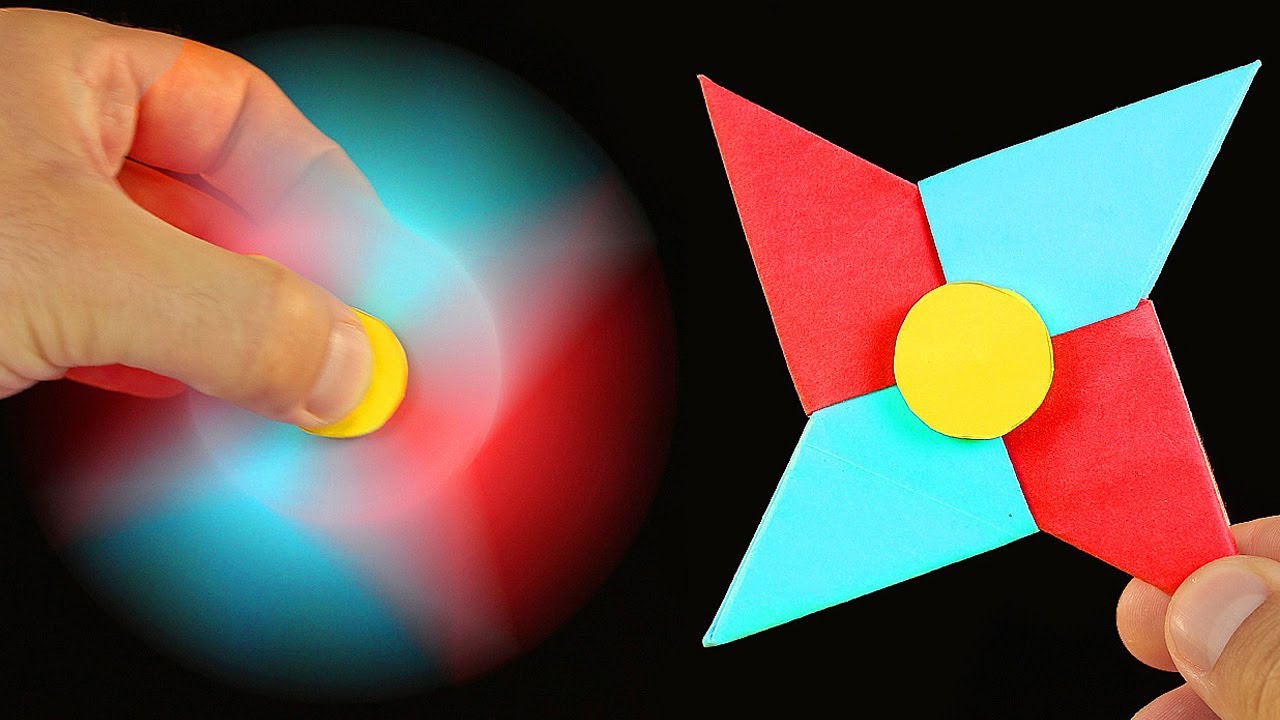
Learn How To Make A Fidget Spinner Out Of Paper Without Bearings Step By Step.
SUBSCRIBE: https://www.youtube.com/channe....l/UC99gvHiLEF9rqkkQi
Music:
Tobu - Mesmerize [NCS Release]
https://youtu.be/O3M8zZFF0WM?l....ist=PLRBp0Fe2GpglDkR
Tobu:
http://twitter.com/tobuofficial
http://facebook.com/tobuofficial
http://soundcloud.com/7obu
http://instagram.com/7obu
http://smarturl.it/Tobu_Spotify
http://smarturl.it/Tobu_iTunes
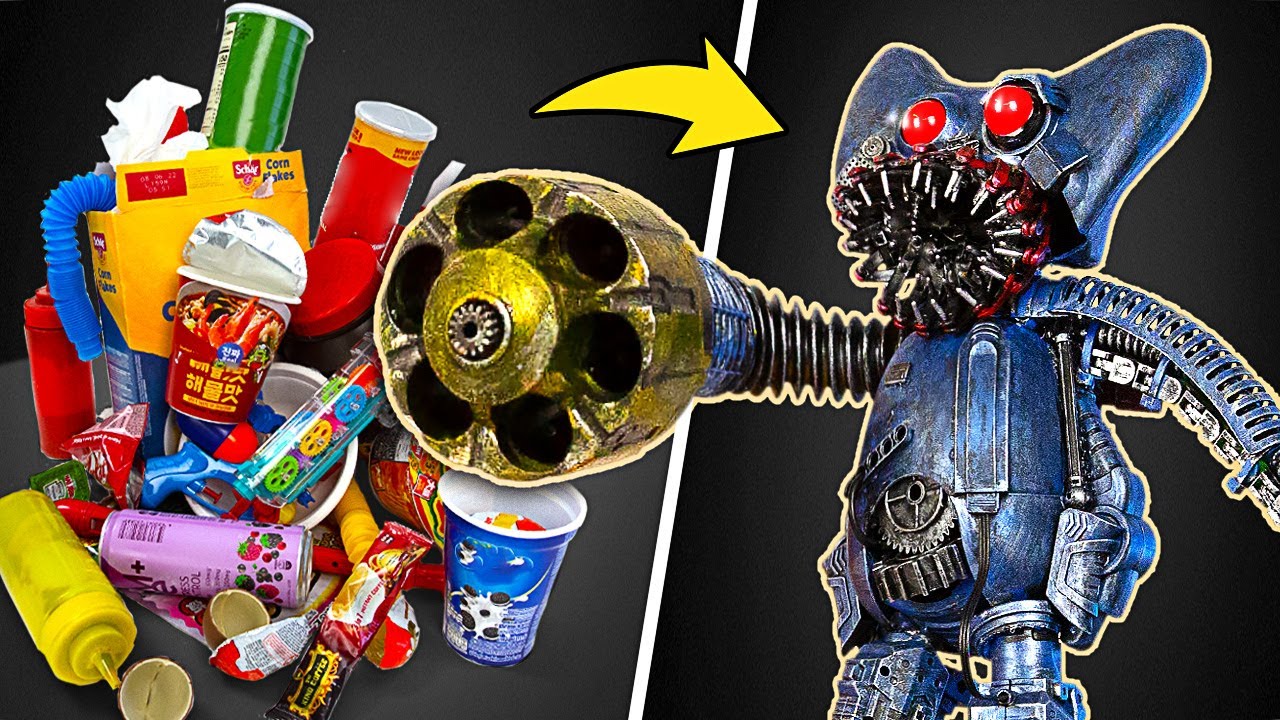
Hello friends, do you still remember Huggy Wuggy? He’s the furry monster with the terrifying face from Poppy Playtime. There are so many new horror games out there and everyone has their own preferences. But we wanted to show some love to Huggy Wuggy and make him even more frightening! So we decided to build a robotic Huggy Wuggy using some materials we found in a dumpster. This version would surely give you more nightmares than the rainbow buddies or the FNAF characters! So, let’s see what we created!
We started with the head, which we made from a disassembled joystick. We replaced the sticks with LED bulbs and connected them to a switch and a power supply. We used a plastic clip to make a jaw and attached it with a harness. We also added some details to the face to make it look more better. For the body, we used the base of a slingshot and some plastic garbage. We made the arms from plastic tubes that came from other toys. For the legs, we used two electric razor nozzles and covered them with plastic parts. We painted everything black and then added some metallic paint. We also added some blue, yellow and red accents to match Huggy Wuggy’s colors. Finally, we made a platform for our robot using foam material and putty. We painted the sides with metallic paint and added a blue spot made from melted rainbow man. We also took half of a FNAF toy and fixed it to our booth. And that’s how we made our Robotic Huggy Wuggy booth!
We hope you enjoyed our idea! If you did, please give us a Like and leave a comment! Also, share this video with your friends who love horror games and their characters! And make sure to check out our other videos:
Realistic Hobbit House Made Of Little Bricks ӀӀ Lord of the Rings Diorama - https://youtu.be/Ol4qsniE_ZI
Paper Guy vs Metal Guy: A Creative Competition with Surprising Results! - https://youtu.be/8NWKFfgiGZQ
From Broken to New – Captain America's Mask and Shield Get a Fantastic Restoration! - https://youtu.be/YQSJoLLkqk8
- - -
All product and company names shown in the video are trademarks™ or registered® trademarks of their respective holders. The use of them does not imply any affiliation with or endorsement by them.
- - -
Stock materials:
https://www.depositphotos.com
- - -
Music by Epidemic Sound: https://www.epidemicsound.com/

DIY Homemade Ratchet Wrench - How It's Made!
This video is for laughs and entertainment purposes!
Don’t forget to click the 🔔 to turn on Video Notifications for more money saving videos and tips, featuring all the brands like Stihl, Husky, Husqvarna, Honda, Echo, Kohler, Tecumseh, Dolmar, Makita, Poulan, Ariens, Powermore, Briggs and Stratton, Champion, Murray, John Deere, Craftsman, MTD, AYP, etc.
Help me make videos or buy me a coffee!!
http://patreon.com/donyboy73
Connect with me on these social media spaces (plus that's where I announce contest winners)
Facebook: https://www.facebook.com/Donyb....oy73-The-Small-Engin
Twitter: https://twitter.com/donyboy73
Instagram: https://www.instagram.com/donyboy73/
I have easy to follow and thorough step by step tutorials "do it yourself" (DIY) videos to help you with your broken lawn and garden equipment including snowblowers and zero turn mowers.
I do my best to teach you how to easily diagnose problems the fastest, quickest and most efficient way with real repairs beyond just replacing a spark plug. These tips are for both the homeowner and shop owner.
Whether it be a handheld, two stroke, two cycle engine like a chainsaw, weed eater, weed whacker, string trimmer, grass trimmer, line trimmer, hedge trimmer, strimmer, brush cutter, leaf blower, or four stroke, four cycle units like a lawnmower, wood splitter, lawn tractor, zero turn mower, snowblower, pressure washer, generator or a ride on mower that needs parts installed or replaced, I’m your go-to guy.
My favorite brands of spark plugs are NGK and Champion and are the ones I recommend.
I’ve been a small engine mechanic for many decades and also run my own repair shop so my videos are loaded with tips and tricks that I have learned and want to share with you. You will also find many tool and product reviews from top brands on my channel as well.
I have the largest Small Engine Repair Video Library on Youtube and the entire internet with over 1200 videos, just GOOGLE "DONYBOY73"!
I want "DON THE SMALL ENGINE DOCTOR" on Youtube to save you time, frustration and most importantly, MONEY with my HOW-TO videos!
Due to factors beyond the control of DONYBOY73 “The Small Engine Doctor”, it cannot guarantee against unauthorized modifications of this information, or improper use of this information. DONYBOY73 “The Small Engine Doctor” assumes no liability for property damage or injury incurred as a result of any of the information contained in this video. DONYBOY73 “The Small Engine Doctor” recommends safe practices when working with power tools, hand tools, lifting tools, jack stands, electrical equipment, blunt instruments, chemicals, lubricants, or any other tools or equipment seen or implied in this video. Due to factors beyond the control of DONYBOY73 “The Small Engine Doctor”, no information contained in this video shall create any express or implied warranty or guarantee of any particular result. Any injury, damage or loss that may result from improper use of these tools, equipment, or the information contained in this video is the sole responsibility of the user and not DONYBOY73 “The Small Engine Doctor".
Tengo tutoriales paso a paso fáciles de seguir y completos, videos de "hágalo usted mismo" (DIY) para ayudarlo con su equipo de jardín y césped roto, incluidos quitanieves y cortadoras de giro cero.
Hago todo lo posible para enseñarle cómo diagnosticar fácilmente problemas de la manera más rápida, rápida y eficiente con reparaciones reales más allá de simplemente reemplazar una bujía. Estos consejos son tanto para el dueño de la casa como para el dueño de la tienda.
Ya sea un motor manual de dos tiempos y dos ciclos como una motosierra, un desmalezador, un desmalezador, una cortadora de hilo, una cortadora de césped, una cortadora de hilo, una cortadora de setos, una podadora, una desbrozadora, un soplador de hojas o unidades de cuatro tiempos y cuatro ciclos como una cortadora de césped, una cortadora de leña, un tractor cortacésped, una cortadora de césped de giro cero, una sopladora de nieve, una lavadora a presión, un generador o una cortadora de césped que necesita que se instalen o reemplacen piezas, soy su persona indicada.
He sido mecánico de motores pequeños durante muchas décadas y también dirijo mi propio taller de reparación, por lo que mis videos están repletos de consejos y trucos que he aprendido y quiero compartir con ustedes. También encontrará muchas revisiones de herramientas y productos de las mejores marcas en mi canal.
Tengo la biblioteca de videos de reparación de motores pequeños más grande en Youtube y en todo Internet con más de 1200 videos, ¡solo GOOGLE "DONYBOY73"!
#homemade #howto #diy

The weather is starting to warm up and that makes me think about BBQ Chicken. Today we are firing up the grill but you can still make this recipe right from the comfort of your kitchen. This homemade bbq sauce is SPECIAL. Let's #makeithappen
Grab your thermo pro thermometer today for a discount https://buythermopro.com/mrmakeithappen-isale/
How To Guide https://www.youtube.com/shorts/hdXibrNhE_Y
MY FIRST EVER HARD COVER COOK BOOK IS NOW AVAILABLE! PRE-ORDER YOURS NOW https://bestofbothworldscookbook.com/
Get my All-Purpose Seasoning and Digital Food Thermometer here
https://www.mrmakeithappen.shop
CLICK THE "JOIN" BUTTON FOR MEMBERSHIP PERKS!
I Host Weekly Virtual Cooking Classes. You can sign up via Patreon here or if you just want to Support The Show: https://www.patreon.com/Mrmakeithappen
Don't forget to Subscribe, enable notifications, and give this video a thumbs up! Please take a moment to SHARE my channel to your friends and family! Thanks for your support.
Shopping List:
1 Whole 4 lb chicken
All Purpose Seasoning & Lemon Bae (use whatever seasoning you like)
BBQ Sauce:
1 tbsp butter
1/2 cup brown sugar
1 cup ketchup
1/2 cup molasses
1/4 cup honey
1 tsp liquid smoke
1 tbsp worcestershire sauce
2-3 tbsps chipotle pepper sauce
1 tbsp garlic
all purpose seasoning to taste


In Japan, vending machines generally sell beverages and simple, readymade provisions. But fresh curry over rice? You bet. Along a lonely stretch of highway in Awa-shi, Japan, you’ll find a rare vending machine selling tantalizing homemade meals. Even better? The vending machine owner, Tadashi Yoshimoto, grows the rice in every meal just down the road on his own farm. In a country that prides itself on the freshness of its food, Yoshimoto has set a new standard for readymade fare.
This Great Big Story was made in partnership with ANA.
(http://www.ana.co.jp/asw/wws/u....k/e/cid=CNN_EMEA_201
SUBSCRIBE: https://goo.gl/vR6Acb
This story is a part of our Flavors series, where we do so much more than play with our food. Come with us as we dive into deliciously different and tastefully off-beat stories in the culinary world.
Got a story idea for us? Shoot us an email at hey [at] GreatBigStory [dot] com
Follow us behind the scenes on Instagram: http://goo.gl/2KABeX
Make our acquaintance on Facebook: http://goo.gl/Vn0XIZ
Give us a shout on Twitter: http://goo.gl/sY1GLY
Come hang with us on Vimeo: http://goo.gl/T0OzjV
Visit our world directly: http://www.greatbigstory.com

30 Pro Tips for the DMZ in Modern Warfare. The best loadouts, loot weapons, and loot spots in the DMZ mode. How to exfil easier in DMZ. How to survive in DMZ.
📱DISCORD https://discord.gg/3yW5n8EY3m 📱
🍌MERCH: https://unlockedstore-shop.fourthwall.com 🍌
🐦Twitter: https://twitter.com/Legounlocked 🐦
💎Facebook: https://www.facebook.com/gaming/LegoUnlocked 💎
🩸 2nd: https://www.youtube.com/channe....l/UCDgGg_FCzNIDPUu51
💜Twitch: http://www.twitch.tv/legounlocked 💜
🍌Join this channel to get access to perks:🍌
https://www.youtube.com/channe....l/UCJffBkLaEjsL_f21k
💎Thanks to @HellZ_HBN for the thumbnail and graphics help💎
✅ Setup: (Paid links) ✅
MAIN MONITOR: https://amzn.to/3aakXns
MAIN MONITOR #2: https://amzn.to/343mx6Z
SIDE MONITORS: https://amzn.to/3oN4eLl
MONITOR MOUNT: https://amzn.to/378eh7y
STREAM DECK: https://amzn.to/3gKSYMz
CHAIR MOD: https://amzn.to/37XfnCi
ROUTER: https://amzn.to/38aH0bp
PHONE: https://amzn.to/3neLvYz
MIC: https://amzn.to/37eGdXH
PC RGB FANS: https://amzn.to/3ncofKT
MIC STAND: https://amzn.to/2KhOK2G
GPU: https://amzn.to/3qNaB2X
HEADSET: https://amzn.to/2W33PYR
CPU: https://amzn.to/2KcntPk
MOUSE PAD: https://amzn.to/2KhRRro
RAM: https://amzn.to/381uiM2
LAPTOP: https://amzn.to/37awTUI
PC CABLES: https://amzn.to/378I4Nj
WEBCAM: https://amzn.to/3mf4oZX
BACKGROUND LIGHTS: https://amzn.to/3oCJh5w
BOOT DRIVE: https://amzn.to/376kNvE
SSD: https://amzn.to/3ma2g5O
MOUSE: https://amzn.to/3a37LRm
KEYBOARD: https://amzn.to/2JNszlr
00:00 30+ PRO DMZ Tips to Survive Longer and Get More Items
00:16 Be careful what you loot in DMZ in MW2
00:55 This is OP in DMZ (Warzone 2)
01:44 Always use this in DMZ MW2
02:09 Best Ground Loot Weapons in DMZ (Warzone 2)
02:54 Run Faster in DMZ
03:25 Most crucial tip for DMZ
03:50 Try to Stack Player Mission in DMZ
04:52 Best World Event todo in DMZ
05:24 How to tell Bots VS Real Players in DMZ
05:59 Hidden Exfil Method in DMZ
07:22 How to get the HIGHEST Tier Loot in DMZ
07:55 How to Unlock any WEAPON in MW2 for free (DMZ Guide)
08:44 Free DMZ M13B Unlock Guide
09:00 Not all players have to be enemies
09:23 How to get random players to join your squad in DMZ
10:19 Don't revive teammates in DMZ
11:10 Most effective way to take out bosses in DMZ
11:30 Exfil Locations come back
12:27 Always pick these up in DMZ
13:12 How to stay ALIVE in DMZ for as long as possible
14:00 Buy this BEFORE you Exfil in DMZ
14:28 Best Spawn LOOT spot in DMZ in MW2
15:28 Look out for this on the MINI map
15:57 Always put these on before you load into DMZ
16:27 Hidden high-value enemies in DMZ
17:08 Look for these Hidden Daed Drop containers around the DMZ map
18:03 Why you always want a 3rd weapon in DMZ
18:39 Suppressors are pretty good in DMZ MW2
19:15 This is the FINAL Exfil in DMZ
20:00 Thanks for Watching :)




The Rainbow is a sign of God's covenant love for the world, unfortunately it has been hijacked by a movement that is in contradiction with God's kingdom. Join Rabbi in taking The Rainbow Back!
****SIGN UP FOR THE MOVEMENT**** https://takingtherainbowback.com/
#TakingTheRainbowBack

The letters of Apostle Paul, are foundational within our walk with Messiah, however many of his letters introduced doctrinal concepts, such as predestination, that have left many believers perplexed. Join Rabbi today as he introduces the concept of predestination and how it was understood through the eyes of Paul.
**********************************************
***** FIND JESUS ***** https://djj.show/YTFindJesus
***** BECOME A MONTHLY PARTNER ***** https://djj.show/8c9
***** DONATE **** https://djj.show/736
**********************************************
Series: Identity and Destiny
Episode: 2 of 10
***** Click here to order this series-https://djj.show/b4v
**********************************************
Episode 1 of 10 https://www.youtube.com/watch?v=8LBMsU7C7yw&list=PLJWIjgjmE9RkyxU8Y-cxQjl73wdJUmVxs&index=1
Episode 3 of 10 https://www.youtube.com/watch?v=nIDP8wDf6-Q&list=PLJWIjgjmE9RkyxU8Y-cxQjl73wdJUmVxs&index=3
Episode 4 of 10 https://www.youtube.com/watch?v=Ls3Z_yIXIZg&list=PLJWIjgjmE9RkyxU8Y-cxQjl73wdJUmVxs&index=4
Episode 5 of 10https://www.youtube.com/watch?v=Bs0ecPbJ9dM&list=PLJWIjgjmE9RkyxU8Y-cxQjl73wdJUmVxs&index=5
Episode 6 of 10 https://www.youtube.com/watch?v=wNB15iVT9PU&list=PLJWIjgjmE9RkyxU8Y-cxQjl73wdJUmVxs&index=6
Episode 7 of 10https://www.youtube.com/watch?v=FCo7n4pIihg&list=PLJWIjgjmE9RkyxU8Y-cxQjl73wdJUmVxs&index=7
Episode 8 of 10 https://www.youtube.com/watch?v=nPckNCYNnj0&list=PLJWIjgjmE9RkyxU8Y-cxQjl73wdJUmVxs&index=8
Episode 9 of 10 https://www.youtube.com/watch?v=gYqbwNurzaw&list=PLJWIjgjmE9RkyxU8Y-cxQjl73wdJUmVxs&index=9
Episode 10 of 10 https://www.youtube.com/watch?v=sfg1zeRH_10&list=PLJWIjgjmE9RkyxU8Y-cxQjl73wdJUmVxs&index=10
