- Film & Animation
- Music
- Pets & Animals
- Sports
- Travel & Events
- Gaming
- People & Blogs
- Comedy
- Entertainment
- News & Politics
- How-to & Style
- Non-profits & Activism
- Religion & Spiritual
- Health Natural Remedies
- Gardening +
- Arts & Crafts
- Action
- Hair & Beauty
- Hunting & Survival
- Shopping & Reviews
- Motivational & Self Help
- Jesus
- Marriage
- Live TV
- Programing & Coding
- Latest & Gadgets
- Make You Own
- Unexplained & Stange
- Jesus Christ
- Food & More
- Other
Top videos


In this tutorial we will be using RPC calls to sync the shooting of our weapons across the network using photon and unity3d. If you require any assistance please don't forget to join our discord server as there are plenty of us there that can give you a helping hand!
Discord: http://bit.ly/2DnVbdE
Right now the gun looks like it reloads, now make it reload. Create the script that handles all your ammo in the gun and make the gun behave as it should.
Reference Scripts and Download Thread Here (FPS1.33):
http://forum.unity3d.com/threa....ds/127273-ETeeskiTut
Got a questions, problems, glitches? Get help here:
http://forum.unity3d.com/threa....ds/126207-ETeeskiTut
Reference Code:
http://forum.unity3d.com/threa....ds/124970-ETeeskiTut
Unity Engine used in accordance to the Unity3D End User License Agreement, found here:
http://unity3d.com/unity/unity....-end-user-license-3.
Do you want to build an Android app? Learn to use Android Studio to create a complete app using Kotlin and the latest technologies from Google in the tutorial series specifically made for 2021.
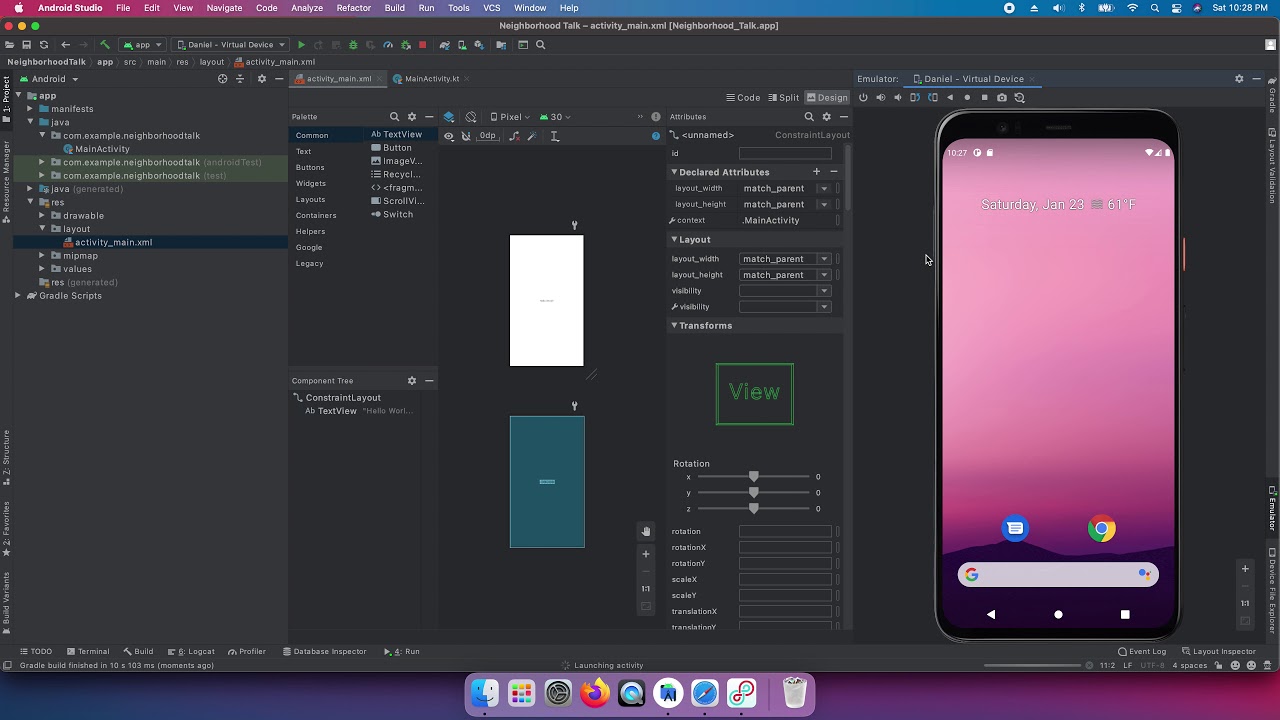
In this video we download and install the required software for Android app development, create a new project, then create a new emulator -- or virtual device -- in which to run our new app.
At the end of this we'll modify some XML code to update some text on our screen. Videos scheduled every week!
Why is this series updated every year?
My yearly Android developer's course is refreshed yearly to keep pace with changes in the creation of apps. Google constantly updates the OS, adds new libraries and recommends new practices.
What makes this different?
This course uses Kotlin, a programming language based on Java. Most apps in Google Play are either built entirely using Kotlin or are actively being converted to Kotlin. (I can't recommend using Java for apps.)
Who are you?
I'm Daniel Malone, an Android Engineer in downtown Austin, TX. My first start with computers was coding websites when I was twelve before transitioning to mobile engineering.
Join this channel to get access to perks:
https://www.youtube.com/channe....l/UCi3r7qQejDD-joRZC
Start saving time now by planning weekly with Week Sweep: http://bit.ly/2Jf3QA0
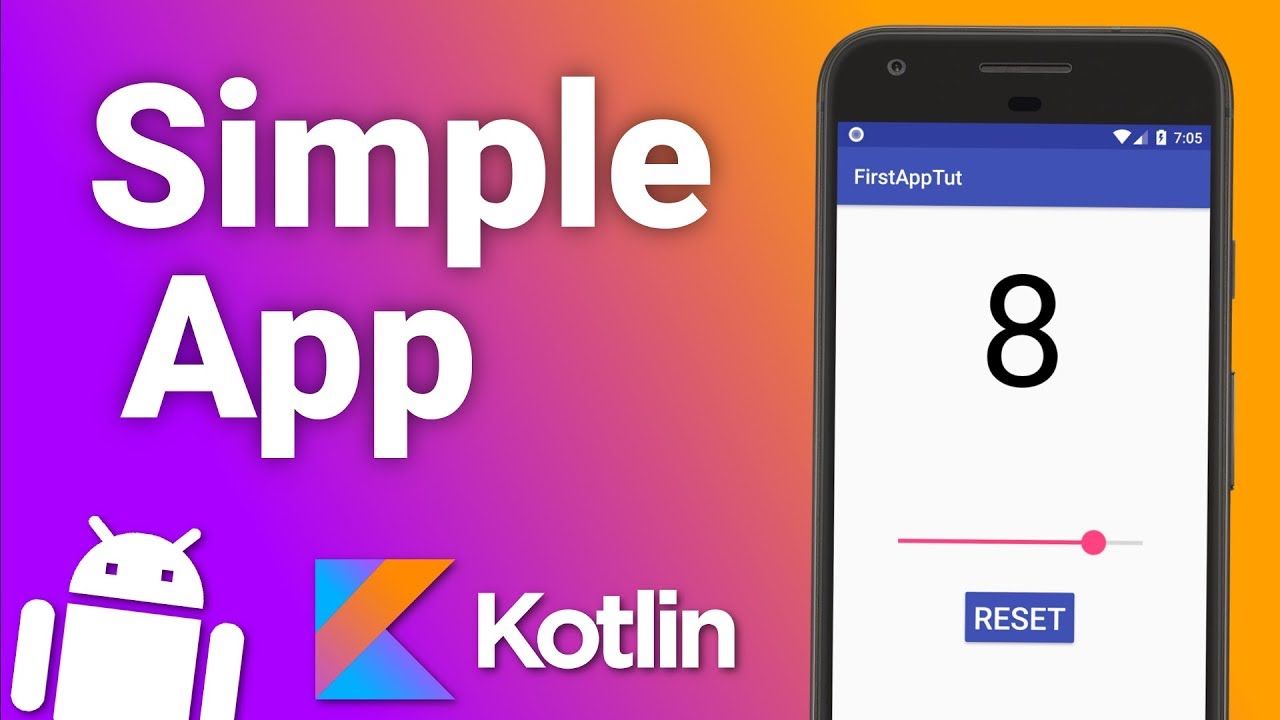
In this tutorial you will learn how to make android apps in Kotlin.
Kotlin is a new official language for Android development. It's certainly a step towards safer, readable and quicker to write code.
Kotlin supports properties, you don't have to call "findViewById()", and it also tries to get rid of the dreaded null reference exception.
Whether you are a complete beginner who is just starting out in Android app development or you are a Java Android developer looking for something new, you cannot go wrong with Kotlin in Android.
Get the code from this tutorial: https://wp.me/p8jOJP-5y
Go to my website for more information, code examples and articles:
● http://resocoder.com
Follow me on social media:
● https://www.facebook.com/resocoder
● https://twitter.com/resocoder
In this Kivy tutorial, you will learn to create games and applications with Python for every platform (Windows, Mac, iOS, Android).
First you will learn how to use the Kivy library. You will create graphical user interfaces with buttons, labels, and images. You will learn how to implement many kinds of layouts to create interfaces that can adapt to every screen size from desktop to mobile.
Then you will create a full game with Kivy and Python. The GALAXY project is a perspective game where you need to keep your spaceship on the track.
✏️ Course developed by Jonathan Roux. Check out his channel:
https://www.youtube.com/channe....l/UCvRpzbxj9iKxFBLuh
💻 Source code and resources files:
https://codewithjonathan.net/resourceskivy
🕹 Try GALAXY on your mobile:
http://onelink.to/6w47wy
⭐️ Course Contents ⭐️
Introduction
0:00:00 Introduction
0:02:03 The GUI libraries with Python (tkinter, QT, pygame...)
0:02:44 The course curriculum
0:03:37 Prerequisites
Setup
0:04:09 Project creation and installation of Kivy
0:13:03 Download the resources files
The Lab project | 1 - Layouts
0:13:31 Introduction
0:16:55 Button and Label
0:23:51 BoxLayout
0:30:49 Size_hint and Pos_hint
0:37:18 What can we do with Kivy ?
0:39:23 Embed a layout
0:41:10 AnchorLayout
0:45:36 GridLayout
0:50:15 StackLayout
0:59:30 ScrollView
1:02:28 PageLayout
1:05:05 Conclusion
1:07:10 Layouts : a practical example
The Lab project | 2 - Widgets
1:08:58 Introduction
1:10:39 Button click
1:15:42 Exercise : Create a counter
1:18:06 Custom font
1:20:09 Toggle Button
1:24:00 Exercise : Enable/disable the counter
1:25:41 Disabled button
1:27:52 Switch
1:29:55 Slider
1:32:13 Exercise : Display the value of the slider
1:35:38 Exercise : Enable the slider
1:37:34 Progress bar
1:39:05 TextInput
1:43:31 Images
1:46:56 Create an application with multiple screens ?
The Lab project | 3 - Canvas
1:47:39 Introduction
1:51:34 Rectangle and ellipse
1:56:32 Line
1:58:28 Exercise : Cross
2:00:32 Lines (Circle, ellipse, rectangle) and colors
2:04:15 Canvas from the code
2:07:30 Move the rectangle
2:10:41 Exercise : borders of the screen
2:13:25 Ball and animation
2:19:19 Exercise : Make the ball rebound
2:23:05 Coordinates and RelativeLayout
2:28:56 Exercise : Flag
The Galaxy project | V1
2:30:32 Introduction
2:37:40 Project creation
2:39:09 Perspective point
2:44:35 Vertical lines
2:55:11 Principle : Perspective transformation
3:01:21 Perspective transformation
3:11:34 Exercise : Re-center
3:14:37 Horizontal lines
3:21:52 Horizontal lines perspective
3:28:33 Forward movement
3:36:08 Delta time
3:40:34 Exercise : Lateral movement
3:44:01 Exercise : Key press
3:47:58 Keyboard
The Galaxy project | V2
3:53:58 Introduction
3:55:02 Structure our code
3:57:41 Tiles and lines coordinates
4:05:24 Exercise : Line Y from index
4:07:26 Display a tile
4:13:30 Move the tile
4:16:22 Display several tiles
4:20:36 Tiles : infinite generation
4:28:10 Random land generation
4:34:16 Exercise : Do not exit the land
4:36:42 Exercise : Start with a straight line
4:38:49 Exercise : Display the ship
4:44:52 Exercise : Fix the game speed
4:49:13 Collisions
The Galaxy project | V3
4:58:34 Introduction
4:59:34 « Game over » state
5:04:07 Create the menu
5:08:32 Start of the game
5:16:25 Restart the game
5:19:45 Finalise the menu
5:24:38 Exercise : Add the background image
5:26:15 Exercise : Score
5:31:11 Exercise : Add the sounds
5:40:22 Conclusion
--
Learn to code for free and get a developer job: https://www.freecodecamp.org
Read hundreds of articles on programming: https://freecodecamp.org/news
Access 7000+ courses for 15 days FREE: https://pluralsight.pxf.io/c/1291657/431340/7490
Making a new Android Application Project, getting familiar with the components and folders of the project in Android Studio. .
.
Please donate and support my work
(If you think my free tutorials are better than paid ones :)
- Patreon: https://bit.ly/patreon-donate
- Paypal/Payoneer: sriyank123@gmail.com
- UPI (only for India): smartherd@okaxis
:: If you want to develop a website or a mobile app, email me your requirement at sriyank.siddhartha@gmail.com :: Free demos provided beforehand ::
- Access my premium courses: https://bit.ly/sriyank-courses
Free Programming courses:
- Ruby Programming: https://bit.ly/smyt-r
- Dart Programming: https://bit.ly/smyt-d
- Kotlin Programming: https://bit.ly/smyt-k
- Java Programming: https://bit.ly/smyt-j
- Kotlin Coroutines: https://bit.ly/smyt-coru
Free Flutter course:
- Flutter App Development: https://bit.ly/2Rg7EFR
Free Android courses:
- Android using Kotlin: https://bit.ly/smyt-ka
- Android using Java: https://bit.ly/smyt-ja
- Android Material Design: https://bit.ly/2SMJqU6
- Android Jetpack Architecture: https://bit.ly/yt-j
- Android Multiple Screen Support: https://bit.ly/smyt-mss
- Android Retrofit: https://bit.ly/2Ee6GHn
More free programming courses:
- https://bit.ly/smy-list
Check out my website:
- https://bit.ly/smartherd
Let's get in touch! [Sriyank Siddhartha]
LinkedIn: https://bit.ly/sriyank-linkedin
Facebook: https://bit.ly/smartherd-facebook
Instagram: https://bit.ly/sriyank-instagram
Twitter: https://bit.ly/sriyank-twitter
Github: https://bit.ly/smartherd-github
---- Thank you for your love and support ----

BEST VIDEO EDITING APP for SMARTPHONES!
+ Smartphone Video Editing Tutorial
Download CapCut Video Editor: https://capcut.onelink.me/qqEZ/download
BEST VIDEO EDITING APP FOR ANDROID
ANDROID VIDEO EDITING APP
IPHONE VIDEO EDITING APP
CAPCUT TUTORIAL
Where i get my MUSIC and SOUND EFFECTS?
HERE!:
http://share.epidemicsound.com/Nb32B
MY SOCIAL MEDIA ACCOUNTS
http://instagram.com/miko_tiotangco
http://facebook.com/tiotangcomiko
For Business, collaborations and sponsorships -- Hit my inbox at: tiotangcomiko@gmail.com
#smartphone #iphonephotography #CapCut #tutorialCapCut #CapCutCreator #CapCutEdit #transitions
*ignore*
best video editing app for Android, best video editing app, video editing app android, mobile video editing tutorial, best video editor for android, android video editing apps, capcut edit tutorial, free editing apps, vlog editor, mobile video editor, no watermark video editor for android
I’m Jason and I teach non-technical people, like myself, how to build apps without writing one line of code!
In this video we use Bubble to make a simple to-do app in under 10 minutes.
🔔 Subscribe for more no-code tutorials just like this: https://www.youtube.com/builda....ppswithoutcode?sub_c
⚠️ Do you want view-only access to all my Bubble projects from YouTube? Head over to https://www.buildappswithoutcode.com and you can grab the URLs for free!
🚀 Do you need extra help with your no-code project and want to work with me directly? Let's chat! Go to https://bawcsolutions.com/.
If you enjoyed this video please leave a comment and let me know and I will make more!
Thank you!
#nocode #bubble #buildappswithoutcode
Learn the basics of building mobile apps with Xamarin Forms.
🔥Get the complete Xamarin Forms course: http://bit.ly/2ITWcyL
Table of content:
00:00 What is Xamarin Forms
03:55 Setting Up the Development Environment
07:45 Creating an App Using Visual Studio
14:34 Creating an App Using Xamarin Studio
17:37 Your First Xamarin Forms App
24:57 How Xamarin Works
30:12 Course Layout
34:03 XAML vs Code
38:52 Content Property
42:26 Accessing Elements in Code-behind
47:23 Data Binding
52:06 Binding Context
56:07 Dealing with Device Differences
62:02 Property Element Syntax
66:47 XAML Compilation
70:58 Exercise
Stay in touch:
https://www.facebook.com/programmingwithmosh/
https://twitter.com/moshhamedani
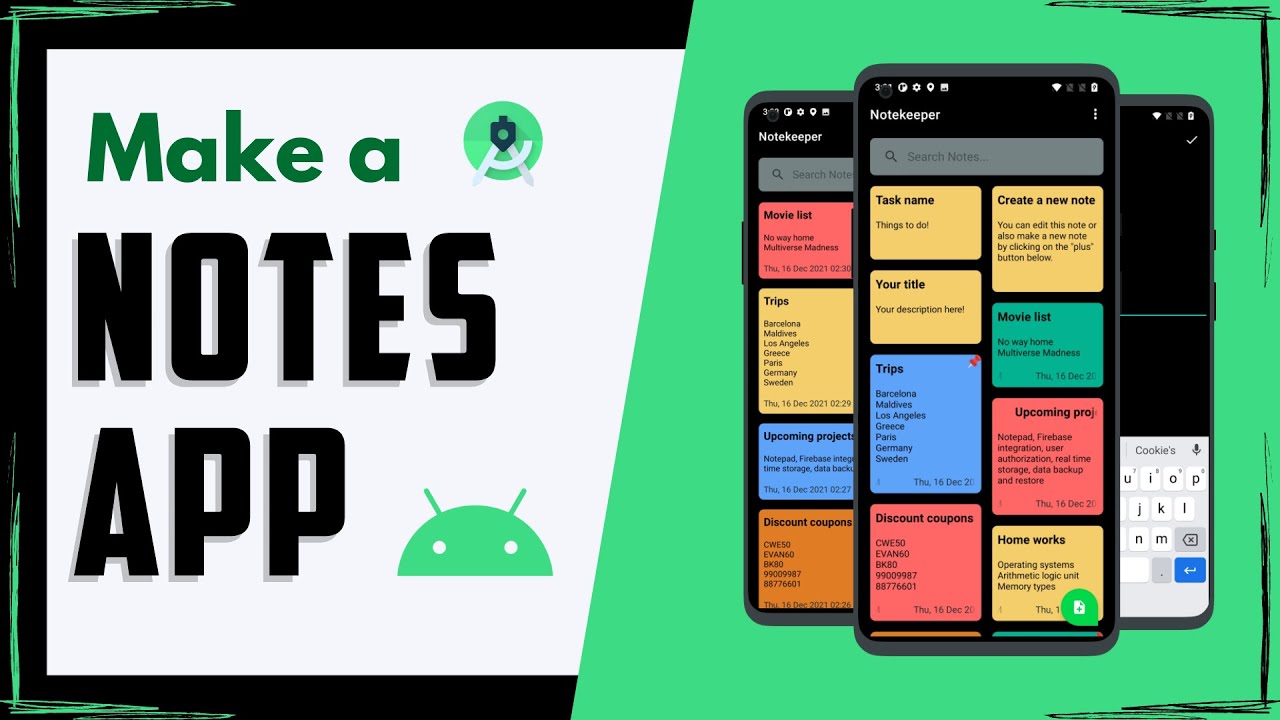
In this video we will make a Notes app for android with room database. Android database project.
Links:
My Notes App: https://play.google.com/store/....apps/details?id=com.
Room Database Dependency: https://developer.android.com/....jetpack/androidx/rel
----------------------------------------------------------------------------------------------------
Join our Community:
Facebook Group: https://www.facebook.com/groups/codingwithevan
Facebook Page: https://www.facebook.com/codingwithevan
Instagram: https://www.instagram.com/codingwithevan/
Telegram: https://t.me/codingwithevan
Discord Server: https://discord.gg/rkewgrEwYS
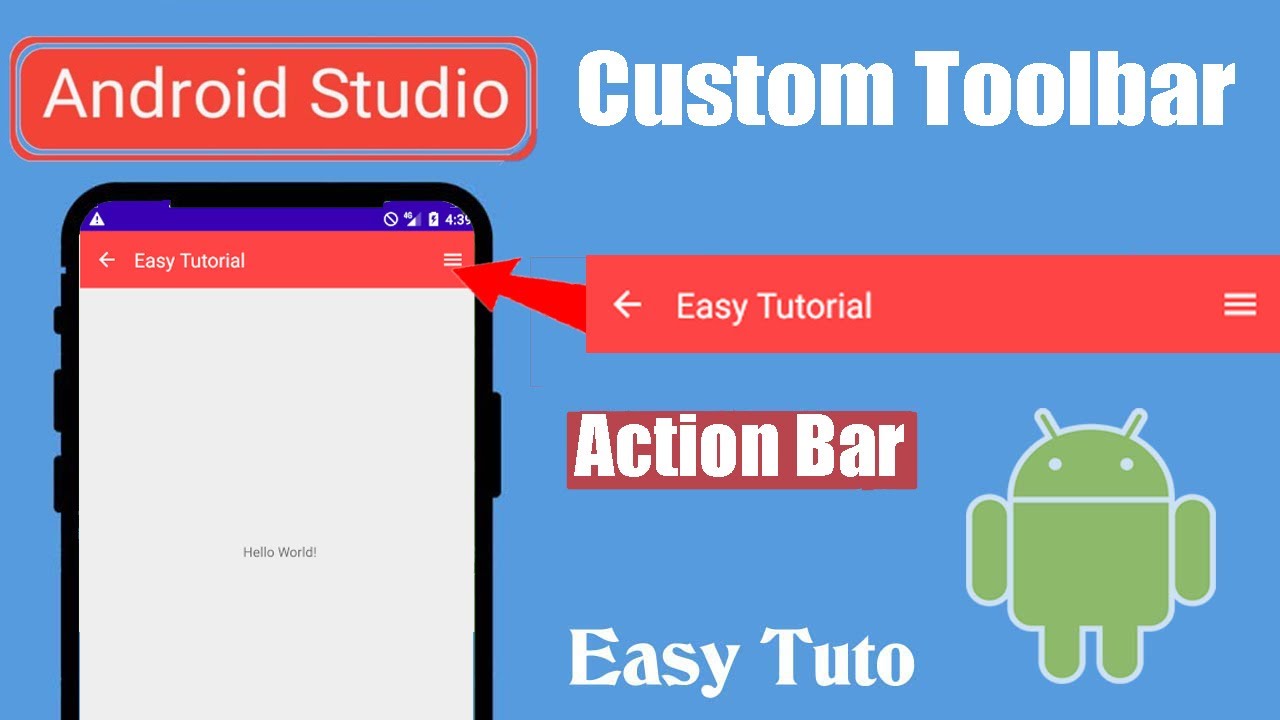
In this video you will learn How to create a custom actionbar or toolbar for our app.
So we have created a xml file for toolbar and included two ImageView and TextView to show so that we can include that toolbar.xml to anywhere in the project we want.
So this tutorial will teach you how to create our own custom toolbar or action bar in android studio.
Just follow the steps in the video.
More videos about Android Application Development will uploaded so get in touch with the channel.
So you are no more far.You can be developer.
-------------------------------------------------------------------------------------------------------------------------------------------------------------------------------------------------------------------------------
ACCESS THIS IMPORTANT PLAYLIST
https://youtube.com/playlist?l....ist=PLgpnJydBcnPAzUM
---------------------------------------------------------------------------------------------------------------
If you have any queries or doubt Comment below,I will reply.
And Don't forget to Subscribe for more Stuffs.
------------------------------------------------------------------------------------------------------------------------------------------------------
Like Our Facebook Page for regular Updates:
https://www.facebook.com/easytutoYT
------------------------------------------------------------------------------------------------------------------------------------------------------
#customtoolbar #actionbar Also follow us on instagram :
https://www.instagram.com/easytutoyt/
** Android Certification Training: https://www.edureka.co/android....-development-certifi **
This Edureka video on "Android SDK Tutorial" (Blog Series: http://bit.ly/2MJ6zbc ) will help you understand how Android SDK works. This Edureka video provides knowledge on the following topics:
1:34 What is Android SDK?
4:22 How to install Android SDK?
7:53 Android SDK Features
10:16 SDK Tools
13:35 Android SDK Manager
Subscribe to our channel to get video updates: http://bit.ly/2ApSck8
Instagram: https://www.instagram.com/edureka_learning/
Facebook: https://www.facebook.com/edurekaIN/
Twitter: https://twitter.com/edurekain
LinkedIn: https://www.linkedin.com/company/edureka
#EdurekaAndroid #AndroidSDK#AndroidSDKTutorial#SDKTutorialEdureka#AndroidDeveloper #AndroidDeveloper #AndroidDevelopment #AndroidTutorial #androidtraining #androidstudio #androidtutorialforbeginners
Check our complete Android Playlist here: http://bit.ly/2NXLTtK
How does it work?
1. Android for beginners is a 6-week practical course on Android App Development.
2. We have a 24x7 One-on-One LIVE Technical Support to help you with any problems you might face or any clarifications you may require during the course.
3. At the end of the training, you will be working on a real-time project for which we will provide you a Grade and a Verifiable Certificate!
- - - - - - - - - - - - - - - - -
About the Course
Edureka’s Android App Development Certification Training course is aligned with Google’s vision of helping to make India a global hub of high-quality mobile developers and towards that supporting Google in their endeavor to train two million android developers. Our Android course is taught by top practitioners who are working full time, developing complex mobile apps. Our instructors work closely with Edurekas in-house instructional design team to develop comprehensive and latest course content along with projects. Our interactive sessions and hands-on projects will ensure that you come out of this Android training as an ace developer.
The Google authorized Android Development course is primarily designed for programmers who want to learn how to create mobile applications on the Android platform. As a part of this course, you will create widgets, Customize List view, Grid view, Spinners etc, create applications using audio, video and sqlite database and finally publish it on Google Play. This course will help you learn mobile app development from scratch and unlock new job opportunities for you in start-ups as well as large organizations. Master Android app development, learn how to set up Android Studio, understand Android architecture in detail, learn about integrating your mobile apps with Facebook, Twitter and other social media, Google Drive, Google Maps, SQLite and learn how to create and optimize app user experience.
Who should go for this course?
All those students and professionals who are keen to create amazing Apps in Android should go for this course.
Why learn Android?
Android is fast becoming one of the biggest platforms for programmers today. There is a huge demand for skilled Android developers all over the world. Most businesses across multiple domains are building Android Apps both for enterprise and retail products. Whether you are student or in the IT industry, possessing Android Development skills will help you take the next big leap in your career.As a part of this course, you'll develop your own mobile applications under the guidance of our expert instructors to give you a hands-on experience.This course is designed to help you become a top mobile app developer.
For more information, Please write back to us at sales@edureka.in or call us at IND: 9606058406 / US: 18338555775 (toll free).


Quick start: how to use the planner | Penly app tutorial
✨ Find Penly app in the Google play store:
https://play.google.com/store/apps/details?id=com.penly.penly&hl=en_GB&gl=US
✨ Penly instagram: https://www.instagram.com/penly.app/?hl=en
✨ Penly website: https://www.penly.net/
✨ Contact info: developer@penly.net
✨ Watch Penly plan with me videos: https://youtube.com/playlist?l....ist=PLuZB_6i6ramRbnm
✨ Shop more digital planners: https://www.happydownloads.net..../product-category/di
✨ Shop more digital stickers: https://www.happydownloads.net..../product-category/di

Hi Friends In today's videos I am going to show you how you can create a dashboard User Interface in Android Studio
🔥Python for Beginners - Learn Python in 1 Video https://youtu.be/SNE26-sI-OE
Donate me:
Paypal: https://paypal.me/finegap?country.x=AE&locale.x=en_US
Binance Pay ID: 253333352
==============================
Follow us Links:
Instagram: https://www.instagram.com/fine_gap
Facebook: https://www.facebook.com/finegap
Whatsapp: +923041100028
================================================
Disclaimer
Copyright Disclaimer Under Section 107 of the Copyright Act 1976, allowance is made for "fair use" for purposes such as criticism, comment, news reporting, teaching, scholarship, and research, Fair use is a use permitted by copyright statute that might otherwise be infringing, Non-profit, educational, or personal use tips the balance in favor of fair use.
Some photos in the video are free-to-use photos downloaded from pixabay.com. The picture used in this video is protected by the Fair Use Law, section 107 used for commentary, criticism, news reporting, or education for transformative use.
The video Has been made for available informational and educational purposes only, Everything in this video is based on information we learned from online resources, our own experience, and books we have read.
#androidstudio #dashboarddesign #uiux
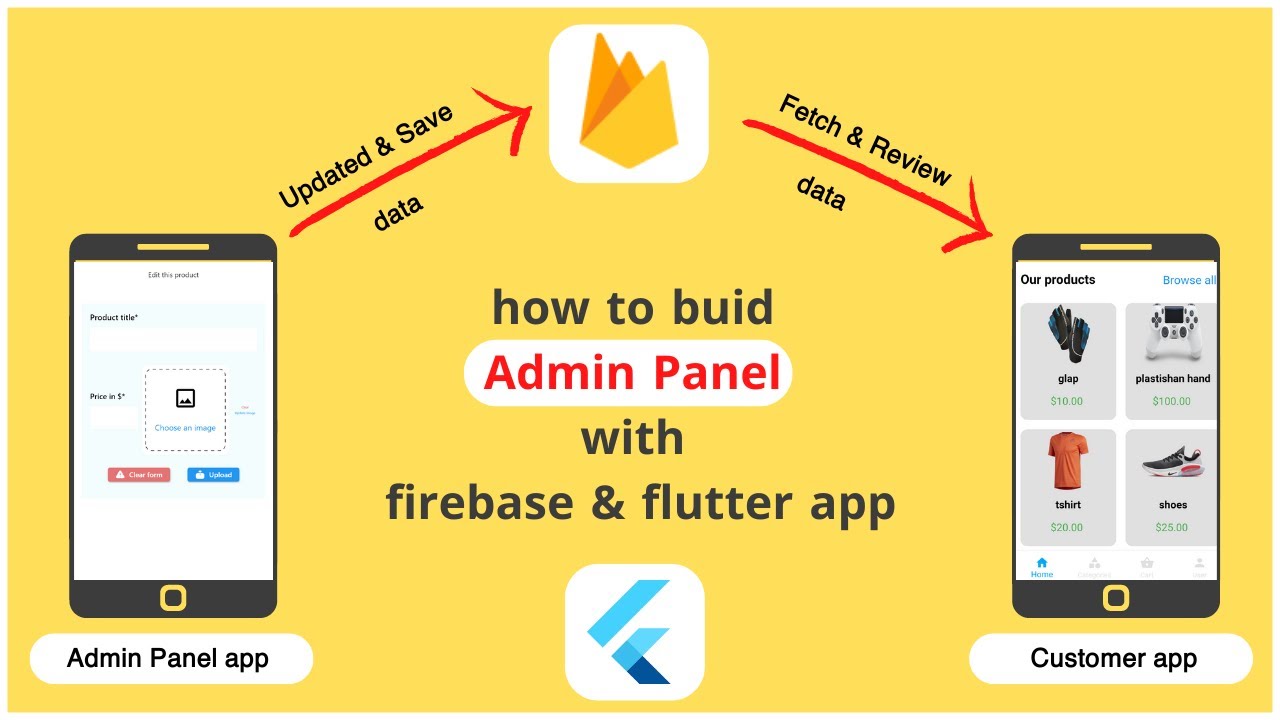
In this video, we will explain the idea of creating an admin panel for any application
The idea is for two applications with different names and they will be linked to each other with Firebase,
the first for the admin of the application in order to update and save products to the Firebase database, and the second is a customer application to fetch and review products from the Firebase database
At first, we created a new flutter appl for the customer, we called it “customers_app” and we linked it with Firebase as shown in the video of the sign in & sign up page, and I will quickly review how to do that:
After that we created a new flutter app for the admin app , we called it “admin_panel_customers_app” and we linked it with firebase
Before linking the "admin_panel customers_app" application with firebase, there are some requirements
1- Download node.js, if it is not already installed, download it via this link
https://nodejs.org/
or
https://docs.npmjs.com/downloa....ding-and-installing-
2- Download the Java version to Java Jdk 11 or higher. If it is not already installed, download it through this link
https://www.oracle.com/java/te....chnologies/javase/jd
After applying the steps in the video, the two applications will be successfully linked together. In the next video, we will explain both:
Codes for the admin panel app in order to upload and store product data to Firebase & codes for the customer app in order to fetch product data from Firebase and review it in the app
join and support me 💪 if you can: https://www.youtube.com/channe....l/UCw4csCBgM6IHy7ufz
Play List Tutorials:
Complete Tutorial Flutter & Firebase an Ecommerce App & WEB Admin Panel: https://www.youtube.com/playli....st?list=PLPlli7z6xeL
flutter apps tutorial with example: https://www.youtube.com/playli....st?list=PLPlli7z6xeL
flutter tutorial favorite button: https://www.youtube.com/playli....st?list=PLPlli7z6xeL
flutter tutorial search bar: https://www.youtube.com/playli....st?list=PLPlli7z6xeL
flutter tutorial firebase: https://www.youtube.com/playli....st?list=PLPlli7z6xeL
flutter tutorials migrate apps: https://www.youtube.com/playli....st?list=PLPlli7z6xeL
flutter tutorial admob and face book ads: https://www.youtube.com/playli....st?list=PLPlli7z6xeL
Flutter UI Design: https://www.youtube.com/playli....st?list=PLPlli7z6xeL
short video: https://www.youtube.com/playli....st?list=PLPlli7z6xeL
community: https://www.youtube.com/@fluttermaker/community
my site: https://brhomapps.blogspot.com
face book: https://www.facebook.com/appsmaker1
instagram: https://www.instagram.com/appsmaker_/
twitter: https://twitter.com/AppsMaker_
:Tags
flutter#
admin_panel#
firebase#
firebase_admin#
dashboard#
flutter_firebase#
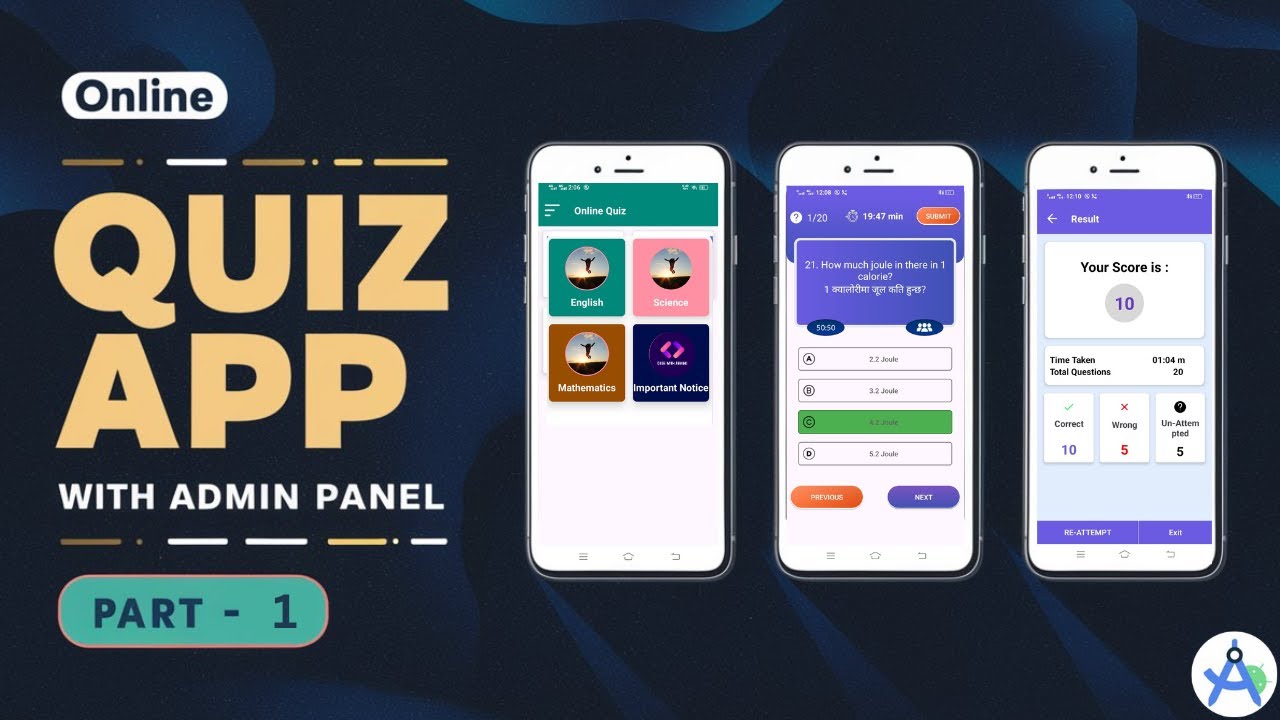
Create Online Quiz App with Admin Panel in Android Studio | Online Quiz App using Firebase | Part -1
In this video, you will learn how to create an online quiz app with an admin panel using Firebase.
Assets:- https://t.me/codewitharvindchat/3083
For Business Inquires:- Please Feel Free to Contact me
Email:- arvindyd010@gmail.com
🤝😊 WhatsApp -: https://wa.me/917761098242
Follow us on Social Media
Telegram Group: https://t.me/codewitharvindchat
Instagram: https://www.instagram.com/codewitharvind/
Facebook: https://www.facebook.com/codewitharvin
DISCLAIMER:-
Copyright Disclaimer: Under Section 107 of the Copyright Act 1976, allowance is made for "fair use" for purposes such as criticism, comment, news reporting, teaching, scholarship and research. Fair use is a use permitted by copyright statute that might otherwise be infringing. Non-profit, educational or personal use tips the balance in favor of fair use.
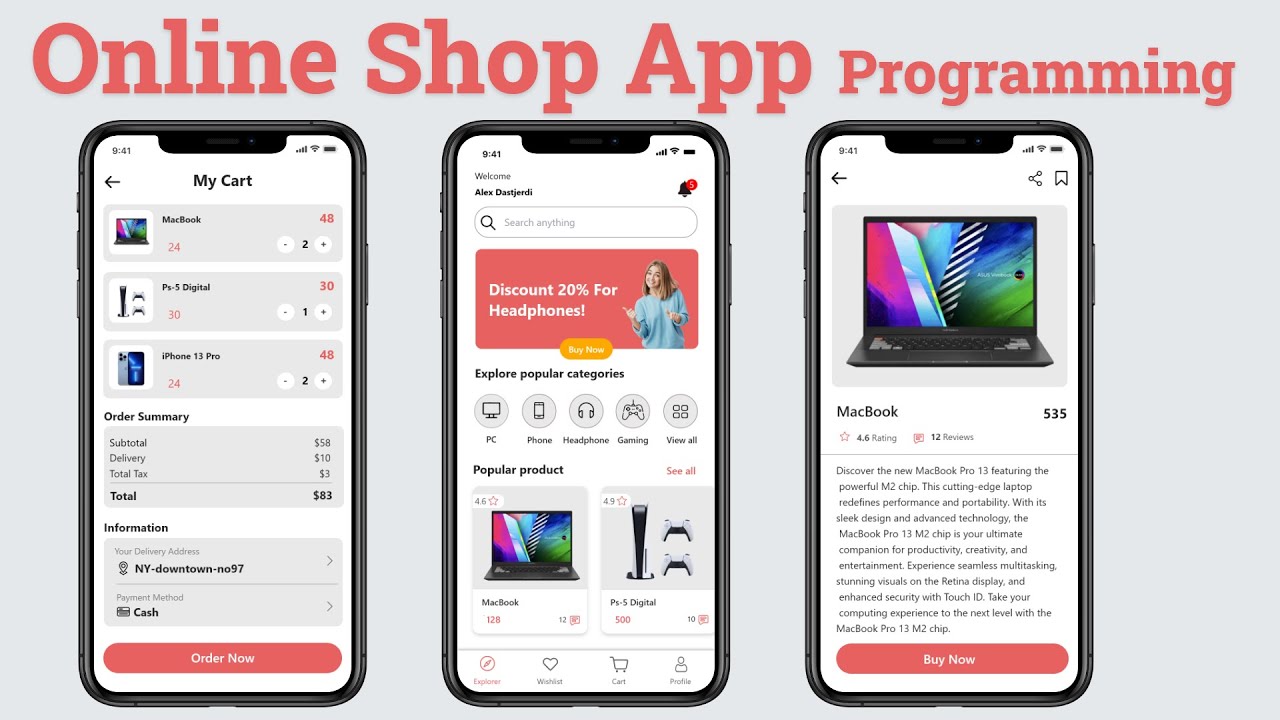
This tutorial video will show you how to create an app with Android material Modern Dashboard page and cart activity and detail activity.
Write in the comment section if you have any questions!
For more awesome Android tutorial videos please subscribe to this channel and don't forget to click the bell icon!
Main Activity UI: 00:00
Detail Activity UI: 28:18
Cart Activity UI: 45:44
Popular Item UI: 1:06:03
Cart Item UI 1:15:07
Main Activity Backend: 1:26:04
Management Cart Class: 1:45:41
Detail Activity Backend: 1:56:12
Cart Activity UI: 2:09:34
*********************************
Resource: https://github.com/worldsat/project143
Source Code: https://www.youtube.com/channe....l/UCpuuunu6eo-TLa1eT
*********************************
Android Studio Project source code for members android project Material Design with Android Studio Modern Tutorial with Adobe XD to Android Studio XML and Android Studio Projects material online shop app
