
- Film & Animation
- Music
- Pets & Animals
- Sports
- Travel & Events
- Gaming
- People & Blogs
- Comedy
- Entertainment
- News & Politics
- How-to & Style
- Non-profits & Activism
- Religion & Spiritual
- Health Natural Remedies
- Gardening +
- Arts & Crafts
- Action
- Hair & Beauty
- Hunting & Survival
- Shopping & Reviews
- Motivational & Self Help
- Jesus
- Marriage
- Live TV
- Programing & Coding
- Latest & Gadgets
- Make You Own
- Unexplained & Stange
- Jesus Christ
- Food & More
- Other
Top videos



Time to watch and pray as bible prophecy continue to unfolds before our eyes in 2024. Israel, Hamas, Earthquakes, etc...Powerful end time prophecy and prophetic events message.
► LIKE! 👍
► COMMENT! 💬
► SHARE! ➤
► SUBSCRIBE! 👉 https://www.youtube.com/@Daily....JesusDevotional?sub_
► TURN ON THE NOTIFICATION BELL! 🔔
► CONTACT US! 👉 dailyjesusdevotional2023@gmail.com
► OUR NEW PRAYER CHANNEL
👉 https://www.youtube.com/@Daily....JesusPrayers?sub_con
If you are led to support our ministry, you may do so here:
► DONATIONS 👉 https://www.buymeacoffee.com/dailyjesusdevotional
We appreciate your support!
Welcome to Daily Jesus Devotional, a channel dedicated to daily Christian motivation, inspiration, prayers and devotions. Our mission is to provide you with enriching, faith-based content to inspire, educate and uplift your spirit every day.
Immerse yourself in our thought-provoking scriptures, daily prayers, and insightful teachings, designed to draw you closer to God and transform your life through the power of His Word.
Thank you for supporting us, May the Lord bless you and keep you, and may His love, grace and peace be with you always.
@dailyjesusdevotional
God Bless You Always! ❤️ 🙏🏻
COPYRIGHT NOTICE: We take copyright seriously. Unauthorized copying or reusing of our content is strictly prohibited.
#christianinspiration #dailyjesusdevotional #christianmotivation
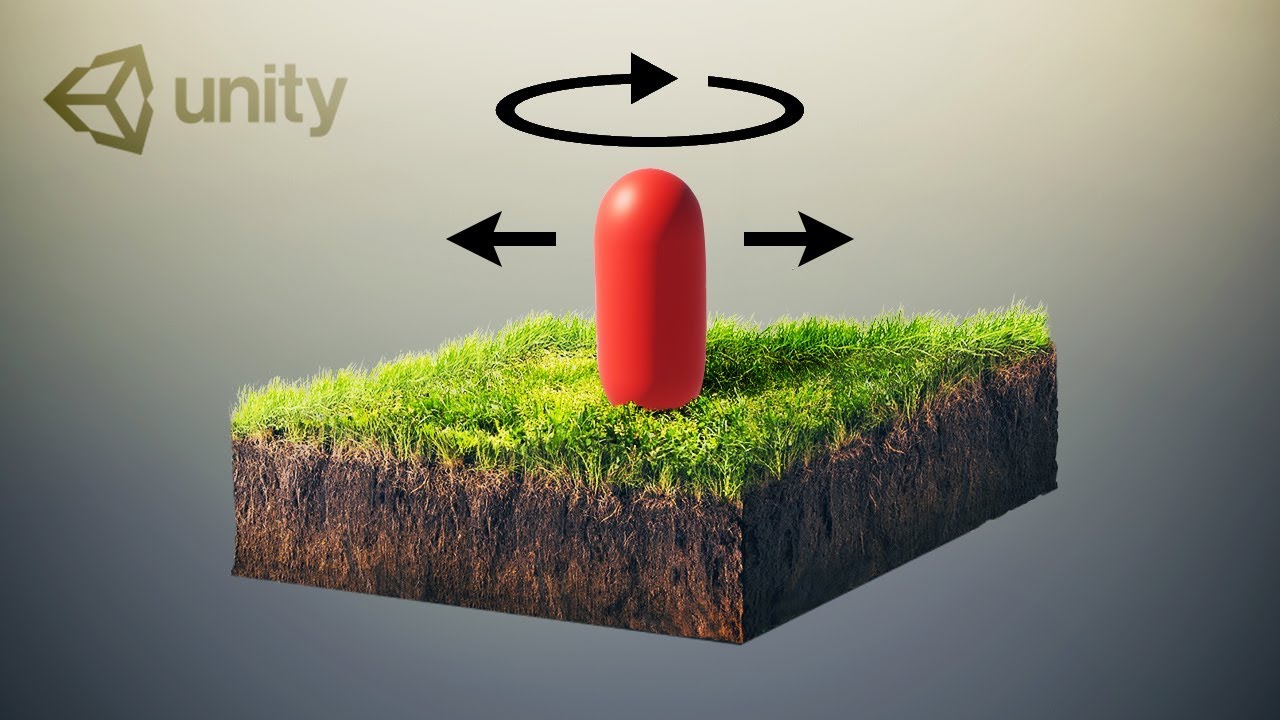
Let's see how to get an FPS Character Controller up and running in no time!
REGISTER with APPTUTTI: https://www.apptutti.com/partners/registration.php?utm_source=brackeys&utm_medium=social&utm_campaign=brackeyssponsor1
LEARN MORE: https://www.apptutti.com/corporate/?utm_source=brackeys&utm_medium=social&utm_campaign=brackeyssponsor1
● Ultimate FPS asset: https://assetstore.unity.com/p....ackages/templates/sy
● New Input System: https://youtu.be/Pzd8NhcRzVo
● FPS Shooting: https://youtu.be/THnivyG0Mvo
····················································································
❤️ Donate: https://www.paypal.com/donate/....?hosted_button_id=VC
► Join Discord: https://discord.gg/brackeys
● Website: http://brackeys.com/
● Twitter: https://twitter.com/BrackeysTweet/
● Instagram: https://instagram.com/brackeysteam/
····················································································
► All content by Brackeys is 100% free. We believe that education should be available for everyone.
❤️ Donate: https://www.paypal.com/donate/....?hosted_button_id=VC
····················································································
♪ "ES_Dress Code_Black - oomiee" by Epidemic Sound
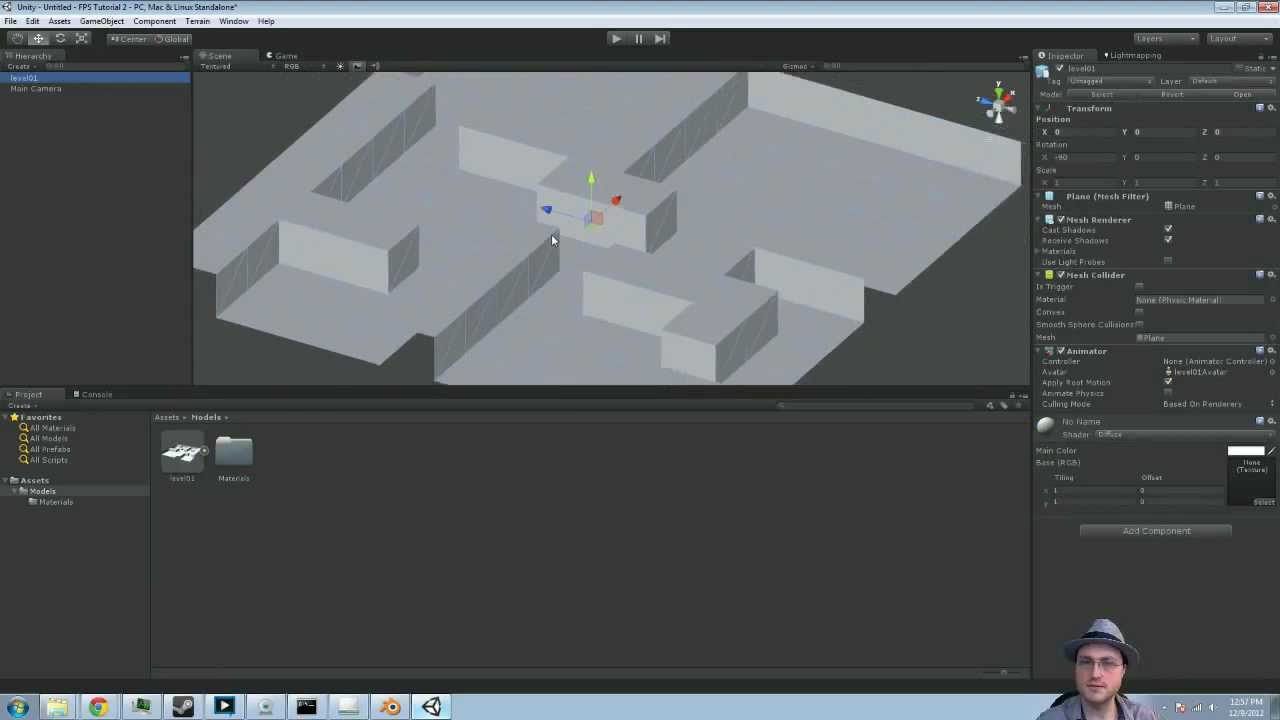
Feel free to ask lots and lots of questions in the comments!
Download complete projects here: http://quill18.com/unity_tutorials/
====================
Visit my website and vote on games!
http://towerdive.com
Follow me on Facebook and Twitter to chat!
http://www.facebook.com/quill18
http://www.twitter.com/quill18
I occasionally do live streams, follow me on Twitch to get alerted when I do!
http://www.twitch.tv/quill18
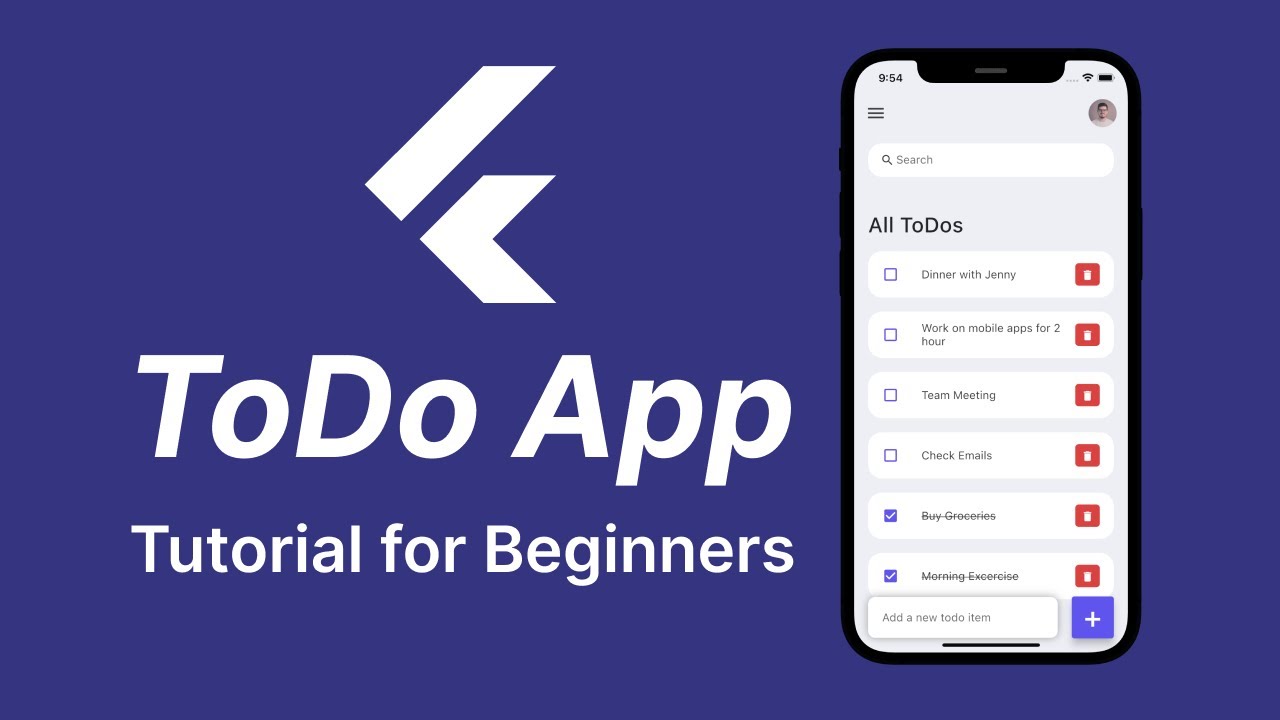
In this tutorial, you'll learn how to create a simple ToDo app in Flutter. In this app, I have shown you how to add and delete new to-do items and search for existing to-do items from the list.
Flutter Widgets Explained Series Playlist https://youtube.com/playlist?l....ist=PLQWFhX-gwJbkU81
→ Create Tic-Tac-Toe Game from Scratch in Flutter https://youtu.be/ZWyeW6VWJC8
→ Onboarding Screen UI Tutorial with PageView https://youtu.be/oS7iK5ivgD0
→ Google Map in Flutter https://youtu.be/gTHKFRRSPss
→ Chat App UI in Flutter Tutorial https://youtu.be/aPxby9OgVVM
→ Weather App UI in Flutter Tutorial https://youtu.be/A9EWCl67hKw
► Timestamps
0:00 Introduction
1:54 Discussing Project Structure
3:06 Creating Custom AppBar
6:55 Creating Search Bar
10:00 Creating To-Do Items by Using ListTile
19:06 Create Add ToDo Item Section Using Stack Widget
23:03 Functionality to Mark a ToDo Item as Done or not
25:24 Functionality to Delete a ToDo Item
26:54 Functionality to Add New ToDo to the App
29:24 Functionality to Search ToDo Items
GitHub Repo Link https://bit.ly/3zun2Hg
If you found my tutorials helpful, you can buy me a coffee from this link https://paypal.me/itzpradip
Follow me on Twitter https://twitter.com/itzpradip
Follow me on GitHub https://github.com/itzpradip
Subscribe to my Channel http://bit.ly/2PaUqOk
For more tutorials on WordPress, React JS, React Native and Flutter visit: http://www.pradipdebnath.com/blog/
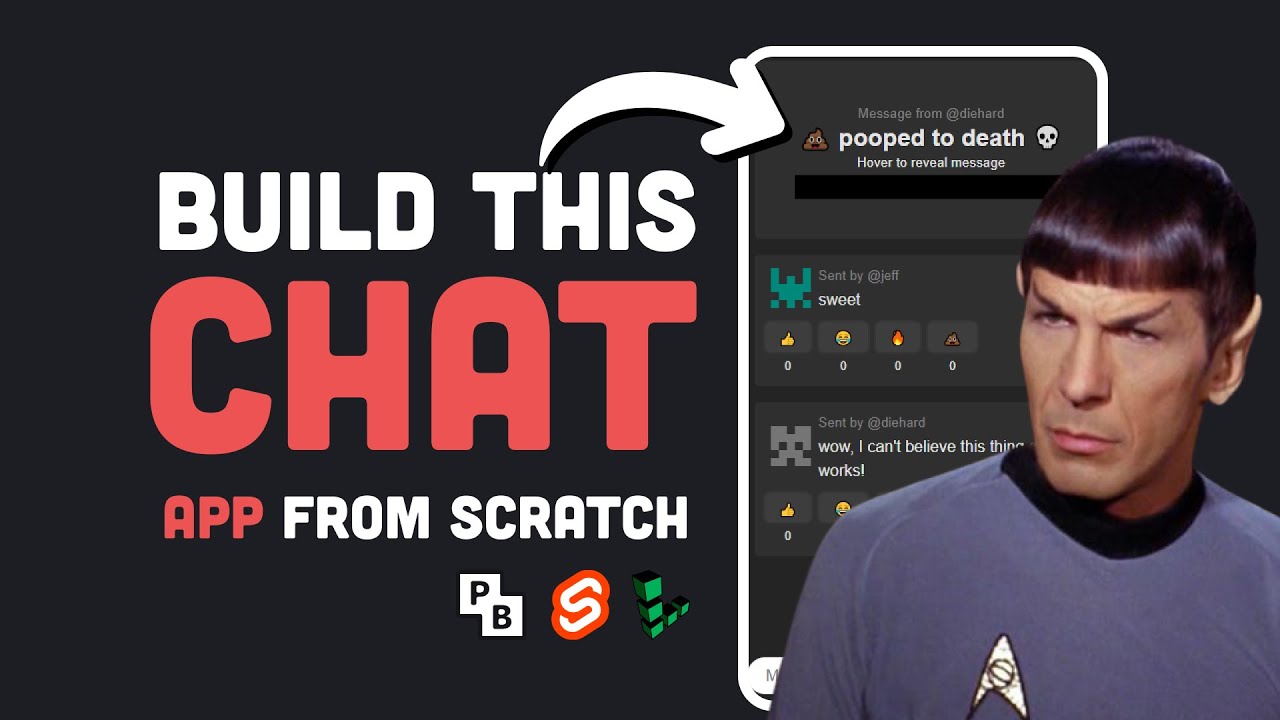
Learn how build a fullstack realtime chat app with Svelte and Pocketbase, then deploy it to a Linux server for just $5. Let's find out if the Spock stack can scale...
💵 Get started with Linode at https://www.linode.com/fireship ($100 Credit good for 60 days as a new user)
#webdevelopment #project #linux
💬 Chat with Me on Discord
https://discord.gg/fireship
🔗 Resources
- Chat App Live Demo https://pocketchat.fireship.app
- Fireship Pocketbase Tutorial https://fireship.io/lessons/pocketbase-chat-app
- Full Source Code https://github.com/fireship-io/pocketchat-tutorial
- Pocketbase Docs https://pocketbase.io/
- Pocketbase First look https://youtu.be/Wqy3PBEglXQ
🔥 Get More Content - Upgrade to PRO
Upgrade at https://fireship.io/pro
Use code YT25 for 25% off PRO access
🎨 My Editor Settings
- Atom One Dark
- vscode-icons
- Fira Code Font
🔖 Topics Covered
- Build an app with Svelte
- What is Pocketbase?
- Can Pocketbase scale?
- Deploying Pocketbase to Linode

Get all the info here: https://bit.ly/3mOi6Et
Ensure you read and are aware of all security risks, data retention and privacy policy before you decide to try or purchase the software.
Try mSpy for parental control and tracking smartphone activity.
Features:
1. View all incoming/outgoing calls with contact info, timestamps, and call duration
2. Check and track call history
3. Track the GPS location of the device
4. Access chats from all popular messengers like WhatsApp, Viber, Snapchat, Telegram, etc (root required)
5. Works on iPhone, iPad, or any Android device
6. Read all incoming/outgoing text messages even after they are deleted from the device
7. Check browser history of the device, including searches done in the Incognito mode
8. See activity on social apps like Instagram, Facebook, Tinder, etc (through screen-recorder)
9. View photos, videos, and other media that is shared or stored on the device
10. Get information about installed apps, calendar activity, emails, and more
11. Get the abiilty to block wi-fi networks, block use of specific apps, block visiting specific websites.
12. Get notified if your child enters into restricted areas as defined by you or exchanges messages with certain keywords.
Easy installation & remote monitoring. It takes less than 10 minutes to install.
Works in a background mode. The app is not visible on the target device.
Affordable solution. Monitor your child’s device for less than $1 per day.
Secure and reliable. All data is encrypted and protected. Only you can access it.
Up-to-date information. Data about the target phone activities updates every 5 min.
Around-the-clock support. Our multilingual support team has your back 24/7.
I encourage you to try the software before you purchase a long term subscription.

In this video, I will show you twelve tips and tricks on Discord that you might have not know about. P.S., I am now out of school, so expect more videos.
Join my brand new Discord server:https://discord.gg/JwGnUa5tHv
Join my friends Discord server: https://discord.gg/7dWwJtEK
Follow me on Twitter: https://twitter.com/StackssYT
Did you enjoy the video and/or find it helpful? Subscribe to the channel. It helps out a lot.
© 2021 Stacks Inc. All rights reserved.

To watch The Word of the Lord and for more of our content, try our All Access Membership!
➡️ https://stpaulcenter.co/wordofthelord
This past 27th Sunday of Ordinary Time, Dr. John Bergsma and Dr. Scott Hahn walk us through the Sunday readings. This Sunday's readings revolved around marriage.
We first see marriage established in Genesis when Eve is created. Jesus refers to this when challenged by the Pharisees in the Gospel on the indissolubility of marriage. Dr. Bergsma and Dr. Hahn go on to discuss the origins of divorce in the Old Testament and how this steering away from God's Law has led to confusion and greater social consequences.
In this episode, Scott Hahn and John Bergsma explain how Christ and His Church address divorce as Jesus clarifies and reestablishes the dignity and sacredness of Matrimony in the Gospel.
✨ Want the Ignatius Catholic Study Bible for FREE? Sign up for our annual All Access Membership:
➡️ https://stpaulcenter.co/bible
Other ways to grow with the St. Paul Center:
📖 Start a Bible study with the St. Paul Center:
https://stpaulcenter.co/biblestudies
✈️ Go on a pilgrimage with us:
https://stpaulcenter.co/pilgrimages
🛒 Browse our bookstore:
https://stpaulcenter.co/emmausroadpublishing
🔥 Support our mission:
https://stpaulcenter.co/donate
#stpaulcenter #stpaulcenterforbiblicaltheology #thewordofthelord #marriage #divorce


For more info, visit: http://www.thelongevitynowconference.com
Don't miss this exclusive video series LIVE from The Longevity Now® Conference September 2011 where Dr. Dave Woynarowski reveals the 80-20 rule and what factors determine how your genes express themselves... and how you can protect your cell from leaking free radicals by building up a healthy cell membrane with Omega-3 fatty acids. Don't miss this exclusive video excerpt!
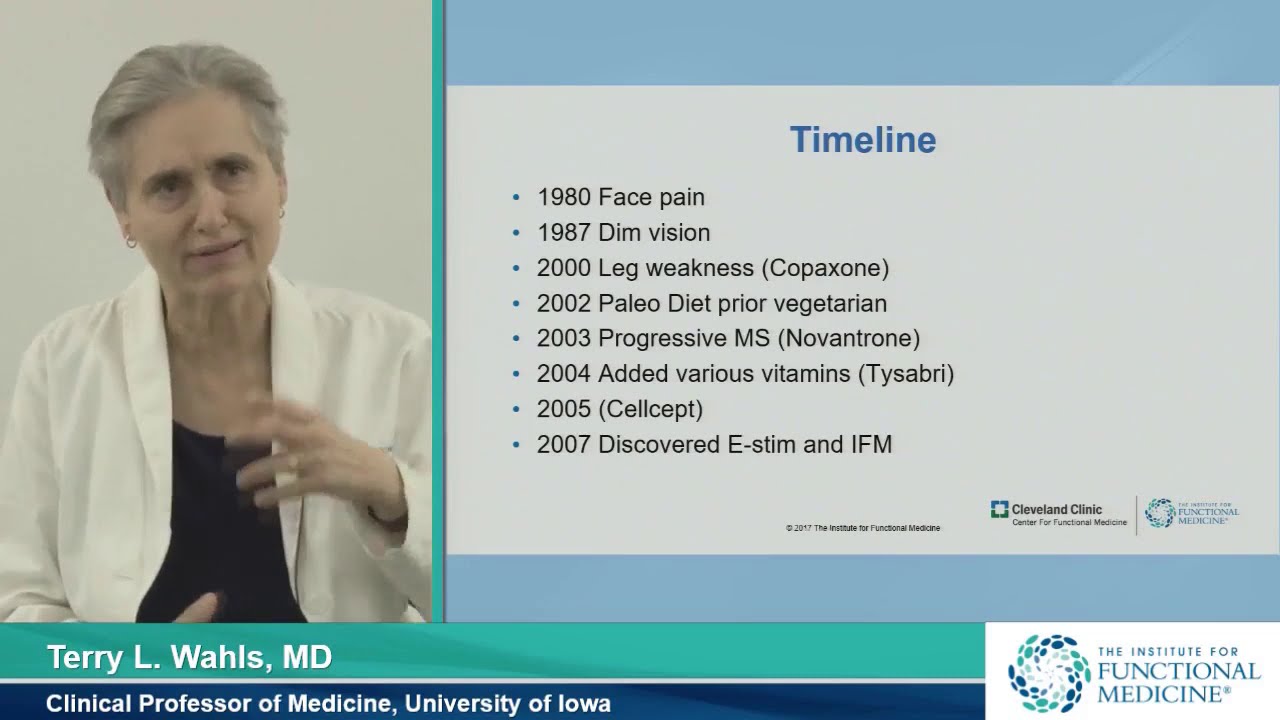
Research continues to suggest a significant role for modifiable lifestyle factors in arresting and reversing neurodegeneration. In this grand rounds lecture Terry Wahls, MD, discusses the research. Dr. Wahls is a clinical professor of medicine at the University of Iowa Carver College of Medicine.
Hosted by Mark Hyman, MD, Head of Strategy and Innovation, Cleveland Clinic, Center for Functional Medicine
To view part 2, please click https://youtu.be/YfZ_pPNGiQk
▶Share this video with others: https://youtu.be/FGjIO4JTb4I
▶For more Grand Round videos from Functional Medicine: https://www.youtube.com/playli....st?list=PLMG0zKOgNqN
▶Subscribe to learn more about Cleveland Clinic: https://www.youtube.com/user/C....levelandClinic?sub_c
See NordPass Business in action now with a 3-month free trial here http://nordpass.com/techwithtim with code techwithtim
If you're interested in becoming a developer that writes any type of code in python, then you need to understand these 5 Python concepts. In today's video, I'm going to break down 5 key Python concepts for any aspiring developer. Master Python, elevate your skills.
💻 Master Blockchain and Web 3.0 development today by using BlockchainExpert: 🔗 https://algoexpert.io/blockchain (Use code "tim" for a discount!)
💻 Accelerate your software engineering career with ProgrammingExpert: 🔗 https://programmingexpert.io/tim (Use code "tim" for a discount!)
🎬 Timestamps
00:00 | Introduction
00:38 | Sponsor
01:43 | Mutable vs Immutable
06:20 | List Comprehensions
08:22 | Function Argument & Parameter Types
14:44 | if __name__ == "__main__"
16:34 | Global Interpreter Lock (GIL)
◼️◼️◼️◼️◼️◼️◼️◼️◼️◼️◼️
👕 Merchandise: 🔗 https://teespring.com/stores/t....ech-with-tim-merch-s
📸 Instagram: 🔗 https://www.instagram.com/tech_with_tim
📱 Twitter: 🔗 https://twitter.com/TechWithTimm
🔊 Discord: 🔗 https://discord.gg/twt
📝 LinkedIn: 🔗 https://www.linkedin.com/in/tim-ruscica-82631b179/
🌎 Website: 🔗 https://techwithtim.net
📂 GitHub: 🔗 https://github.com/techwithtim
One-Time Donations: 💲 https://www.paypal.com/donate?....hosted_button_id=CU9
Patreon: 💲 https://www.patreon.com/techwithtim
◼️◼️◼️◼️◼️◼️◼️◼️◼️◼️◼️
⭐️ Tags ⭐️
- Tech With Tim
- Top 5 Python Concepts
- Master Python
⭐️ Hashtags ⭐️
#techwithtim #top5python #pythonprogramming

Hi friends! In this video we are going to be automating our financial lives with Python by building a simple expense tracking app. This is a great project whether you are new to Python or have some coding experience and want to create a practical, useful application.
The purpose of this expense tracker is to help you easily log and categorize your expenses, giving you better visibility into your spending habits. You'll learn how to take in user input, store and manipulate data, and display helpful expense breakdowns and summaries.
Even if you are an experienced developer, this project is a fun way to practice your Python skills while creating a tool that can help you better manage your personal finances. I hope you enjoy building this app along with me!
Github: https://github.com/TiffinTech/....python-expense-track
LinkedIn: https://www.linkedin.com/in/tiffany-janzen/
Instagram: https://www.instagram.com/tiffintech
Tiktok: https://www.tiktok.com/@tiffintech
❤️ Subscribe for more Python project tutorial videos: https://www.youtube.com/tiffin....tech?sub\_confirmati
Business inquiries: partnerships@tiffintech.com
Let me know if you would like me to modify this description further. I aimed to keep a similar friendly and encouraging tone while focusing the content on building an expense tracking app in Python.
#CodeWithme #tiffintech

#coding #pythonprogramming #pythonforbeginners #python #pythonforkids
Python is a friendly and fun programming language that is used by millions of coders. Guido Van Rossum developed Python in the late 1980s as an open-source language similar to Java.
Python is powerful, simple and flexible, and it's really good for kids. It is easy to read and quickly turns their ideas into applications.
CodeMonkey has amazing Python coding courses for ages 11-13:
https://[a]www.codemonkey.com%2Fcourses%2Fbanana-tales[/a]
https://[a]www.codemonkey.com%2Fcourses%2Fcoding-chatbots[/a]
--------------------------------------------------------------------
Sign up for a free trial: https://app.codemonkey.com/users/sign_up
Visit Us: www.codemonkey.com
--------------------------------------------------------------------
Follow us on all social media channels:
➤ Twitter: www.twitter.com/codemonkeystu
➤ Instagram:www.instagram.com/codemonkeystu
➤ LinkedIn: www.linkedin.com/company/codemonkeystu
➤ Facebook: www.facebook.com/CodeMonkeySTU
#python #pythonforkids #pythonbeginner

🔥Alpha 4.0 Placement Batch (Java+DSA) : https://www.apnacollege.in/course/alpha-batch-4
------------------------------------------------------
Link for International Students: https://buy.stripe.com/bIY9AMcnq2Bo24waEL
Fill this form for Free Counselling : https://forms.gle/skaqCofAKfZ2te7L7
Join the Apni Community🔥 : https://telegram.me/+k4rdgTPwmm5kMGVl

Watch me code live for 12 hours with no breaks during this 12 HOUR CODING LIVESTREAM. I am going to be creating an online multiplayer game with python, networking, sockets and pygame. Hopefully by the end of the stream I will have the game fully functioning and you guys can join the server and play with me!
Playlist: https://www.youtube.com/watch?v=iLHAKXQBOoA&list=PLzMcBGfZo4-nTARLniGMmigJT7P17wDDX
Thanks to the sponsors of this stream:
Linode! get a $20 credit towards your first server using the code "TWT19" or by clicking: https://linode.com/techwithtim
Kite! Download the best AI automcolplete for python programming for free: https://kite.com/download/?utm_medium=referral&utm_source=youtube&utm_campaign=techwithtim&utm_content=live-stream-multiplayer-pictionary
Music: https://soundcloud.com/dormroom-ambiance
GitHub Repo: https://github.com/techwithtim..../Pictonary-Livestrea
◾◾◾◾◾
💻 Enroll in The Fundamentals of Programming w/ Python
https://tech-with-tim.teachable.com/p...
📸 Instagram: https://www.instagram.com/tech_with_tim
🌎 Website https://techwithtim.net
📱 Twitter: https://twitter.com/TechWithTimm
⭐ Discord: https://discord.gg/pr2k55t
📝 LinkedIn: https://www.linkedin.com/in/tim-rusci...
📂 GitHub: https://github.com/techwithtim
🔊 Podcast: https://anchor.fm/tech-with-tim
💵 One-Time Donations: https://www.paypal.com/donate/?token=...
💰 Patreon: https://www.patreon.com/techwithtim
◾◾◾◾◾◾
⚡ Please leave a LIKE and SUBSCRIBE for more content! ⚡
Tags:
- Tech With Tim
- Python Tutorials
- Coding Livestream
- Live Coding
- Programming Livestream
- Python Livestream
- Online Game Python
#Python #CodingLivestream #LiveCoding

Welcome back to another video! In this video, I will be showing 5 mini python projects for beginners.
I'll be showing you how I would create a template from scratch. Using this template, you can keep building and practicing your programming skills.
💻 AlgoExpert is the coding interview prep platform that I used to ace my Microsoft and Shopify interviews. Check it out and get a discount on the platform using the code "techwithtim" https://algoexpert.io/techwithtim
📄 Resources 📄
Projects Code Download: https://github.com/techwithtim..../5-Python-Projects-F
Download VSCode: https://code.visualstudio.com/
Fix Pip (Windows): https://www.youtube.com/watch?v=AdUZArA-kZw
Fix Pip (Mac/Linux): https://www.youtube.com/watch?v=E-WhAS6qzsU&t=4s
Fernet Cryptography Documentation: https://cryptography.io/en/latest/fernet/
⭐️ Timestamps ⭐️
00:00 | Introduction
02:09 | List of Projects
02:53 | Environment Setup
04:51 | Project #1 - Quiz Game
25:05 | Project #2 - Number Guessing Game
42:53 | Project #3 - Rock, Paper, Scissors
57:44 | Project #4 - Choose Your Own Adventure
01:09:53 | Project #5 - Password Managers (Most Advanced)
◼️◼️◼️◼️◼️◼️◼️◼️◼️◼️◼️◼️◼️◼️
💰 Courses & Merch 💰
💻 The Fundamentals of Programming w/ Python: https://tech-with-tim.teachabl....e.com/p/the-fundamen
👕 Merchandise: https://teespring.com/stores/t....ech-with-tim-merch-s
🔗 Social Medias 🔗
📸 Instagram: https://www.instagram.com/tech_with_tim
📱 Twitter: https://twitter.com/TechWithTimm
⭐ Discord: https://discord.gg/twt
📝 LinkedIn: https://www.linkedin.com/in/tim-ruscica-82631b179/
🌎 Website: https://techwithtim.net
📂 GitHub: https://github.com/techwithtim
🔊 Podcast: https://anchor.fm/tech-with-tim
🎬 My YouTube Gear 🎬
🎥 Main Camera (EOS Canon 90D): https://amzn.to/3cY23y9
🎥 Secondary Camera (Panasonic Lumix G7): https://amzn.to/3fl2iEV
📹 Main Lens (EFS 24mm f/2.8): https://amzn.to/2Yuol5r
🕹 Tripod: https://amzn.to/3hpSprv
🎤 Main Microphone (Rode NT1): https://amzn.to/2HrZxXc
🎤 Secondary Microphone (Synco Wireless Lapel System): https://amzn.to/3e07Swl
🎤 Third Microphone (Rode NTG4+): https://amzn.to/3oi0v8Z
☀️ Lights: https://amzn.to/2ApeiXr
⌨ Keyboard (Daskeyboard 4Q): https://amzn.to/2YpN5vm
🖱 Mouse (Logitech MX Master): https://amzn.to/2HsmRDN
📸 Webcam (Logitech 1080p Pro): https://amzn.to/2B2IXcQ
📢 Speaker (Beats Pill): https://amzn.to/2XYc5ef
🎧 Headphones (Bose Quiet Comfort 35): https://amzn.to/2MWbl3e
🌞 Lamp (BenQ E-reading Lamp): https://amzn.to/3e0UCr8
🌞 Secondary Lamp (BenQ Screenbar Plus): https://amzn.to/30Dtafi
💻 Monitor (BenQ EX2780Q): https://amzn.to/2HsmUPZ
💻 Monitor (LG Ultrawide 34WN750): https://amzn.to/3dSD7tS
🎙 Mic Boom Arm (Rode PSA 1): https://amzn.to/30EZw9m
🎚 Audio Interface (Focusrite Scarlet 4i4): https://amzn.to/2TjXsih
💸 Donations 💸
💵 One-Time Donations: https://www.paypal.com/donate?....hosted_button_id=CU9
💰 Patreon: https://www.patreon.com/techwithtim
◼️◼️◼️◼️◼️◼️◼️◼️◼️◼️◼️◼️◼️◼️
⭐️ Tags ⭐️
- Tech With Tim
- Python Projects
- Beginner Projects
- Python For Beginners
- 5 Mini Python Projects
⭐️ Hashtags ⭐️
#TechWithTim #PythonProjects
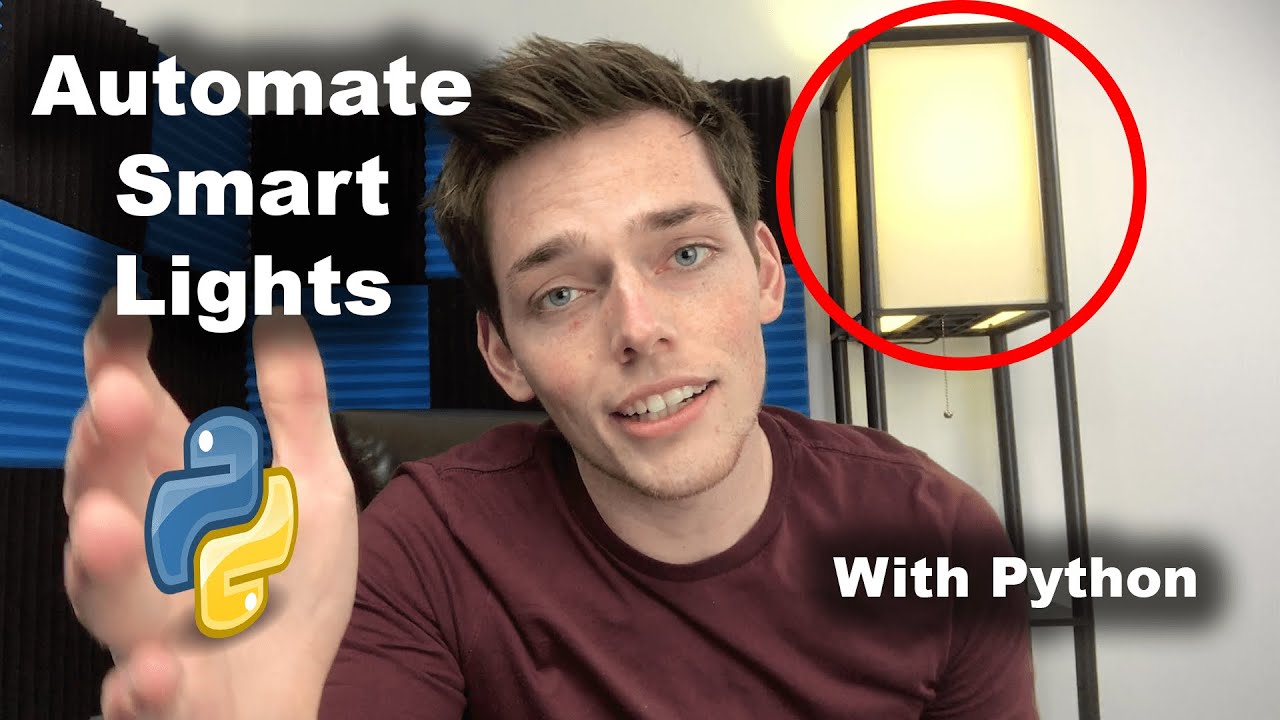
Let's automate some lights with python?
Kite helps fund the channel, thanks for checking them out and supporting me --
⭐ Kite is a free AI-powered coding assistant that will help you code faster and smarter. The Kite plugin integrates with all the top editors and IDEs to give you smart completions and documentation while you’re typing. https://www.kite.com/get-kite/?utm_medium=referral&utm_source=youtube&utm_campaign=derricksherrill&utm_content=description-only
Support the Channel on Patreon --
https://www.patreon.com/join/derricksherrill
Join The Socials --
Reddit - https://www.reddit.com/r/CodeWithDerrick/
FB - https://www.facebook.com/CodeWithDerrick/
Insta - https://www.instagram.com/codewithderrick/
Twitter - https://twitter.com/codewithderrick
LinkedIn - https://www.linkedin.com/in/derricksherrill/
GitHub - https://github.com/Derrick-Sherrill
*****************************************************************
Full code from the video:
from phue import Bridge
from ip_address import bridge_ip_address
import time
def access_lights(bridge_ip_address):
b = Bridge(bridge_ip_address)
light_names_list = b.get_light_objects('name')
return light_names_list
def film_lights():
lights = access_lights(bridge_ip_address)
for light in lights:
lights[light].on = True
lights[light].hue = 7000
lights[light].saturation = 100
def danger_mode():
lights = access_lights(bridge_ip_address)
while True:
time.sleep(1)
for light in lights:
lights[light].on = True
lights[light].hue = 180
lights[light].saturation = 100
time.sleep(1)
for light in lights:
lights[light].on = True
lights[light].hue = 7000
lights[light].saturation = 100
if __name__ == '__main__':
film_lights()
Thanks so much for all the continued support! You guys are awesome. Super thankful that I get the opportunity to make youtube videos for you all. I hope you enjoy this one - A bit different than what I typically put out, but just testing to see if it's a style that you all like. Let me know!
https://github.com/Derrick-Sherrill/DerrickSherrill.com/blob/master/hue_lights.py
Packages (& Versions) used in this video:
PHue - https://github.com/studioimaginaire/phue
Time
*****************************************************************
Code from this tutorial and all my others can be found on my GitHub:
https://github.com/Derrick-Sherrill/DerrickSherrill.com
Check out my website:
https://www.derricksherrill.com/
If you liked the video - please hit the like button. It means more than you know. Thanks for watching and thank you for all your support!!
--- Channel FAQ --
What text editor do you use?
Atom - https://atom.io/
What Equipment do you use to film videos?
https://www.amazon.com/shop/derricksherrill
What editing software do you use?
Adobe CC - https://www.adobe.com/creativecloud.html
Premiere Pro for video editing
Photoshop for images
After Effects for animations
Do I have any courses available?
Yes & always working on more!
https://www.udemy.com/user/derrick-sherrill-2/
Where do I get my music?
I get all my music from the copyright free Youtube audio library
https://www.youtube.com/audiolibrary/music?nv=1
Let me know if there's anything else you want answered!
-------------------------
Always looking for suggestions on what video to make next -- leave me a comment with your project! Happy Coding!

Building Web APIs in Python Using Flask & Jsonify: In this video we will see how to use Python Flask and Jsonify to create APIs in python
Python Practice Playlist: https://www.youtube.com/playli....st?list=PLu0W_9lII9a
►Checkout my English channel here: https://www.youtube.com/ProgrammingWithHarry
►Click here to subscribe - https://www.youtube.com/channe....l/UCeVMnSShP_Iviwkkn
Best Hindi Videos For Learning Programming:
►Learn Python In One Video - https://www.youtube.com/watch?v=ihk_Xglr164
►Python Complete Course In Hindi - https://www.youtube.com/playli....st?list=PLu0W_9lII9a
►C Language Complete Course In Hindi -
https://www.youtube.com/playlist?list=PLu0W_9lII9aiXlHcLx-mDH1Qul38wD3aR&disable_polymer=true
►JavaScript Complete Course In Hindi -
https://www.youtube.com/playli....st?list=PLu0W_9lII9a
►Learn JavaScript in One Video - https://www.youtube.com/watch?v=onbBV0uFVpo
►Learn PHP In One Video - https://www.youtube.com/watch?v=xW7ro3lwaCI
►Django Complete Course In Hindi -
https://www.youtube.com/playli....st?list=PLu0W_9lII9a
►Machine Learning Using Python - https://www.youtube.com/playli....st?list=PLu0W_9lII9a
►Creating & Hosting A Website (Tech Blog) Using Python - https://www.youtube.com/playli....st?list=PLu0W_9lII9a
►Advanced Python Tutorials - https://www.youtube.com/playli....st?list=PLu0W_9lII9a
►Object Oriented Programming In Python - https://www.youtube.com/playli....st?list=PLu0W_9lII9a
►Python Data Science and Big Data Tutorials - https://www.youtube.com/playli....st?list=PLu0W_9lII9a
Follow Me On Social Media
►Website (created using Flask) - http://www.codewithharry.com
►Facebook - https://www.facebook.com/CodeWithHarry
►Instagram - https://www.instagram.com/codewithharry/
►Personal Facebook A/c - https://www.facebook.com/geekyharis
Twitter - https://twitter.com/Haris_Is_Here
