
- Film & Animation
- Music
- Pets & Animals
- Sports
- Travel & Events
- Gaming
- People & Blogs
- Comedy
- Entertainment
- News & Politics
- How-to & Style
- Non-profits & Activism
- Religion & Spiritual
- Health Natural Remedies
- Gardening +
- Arts & Crafts
- Action
- Hair & Beauty
- Hunting & Survival
- Shopping & Reviews
- Motivational & Self Help
- Jesus
- Marriage
- Live TV
- Programing & Coding
- Latest & Gadgets
- Make You Own
- Unexplained & Stange
- Jesus Christ
- Food & More
- Other
Top videos


How to Make Your Own Chemical Free Natural Deodorant Recipe
In this video, I am showing you how to make your own chemical free natural deodorant recipe. This simple deodorant diy uses all-natural ingredients and is very easy to make.
All of the ingredients can be purchased at your local health food market.
I am excited to show you how to make your own deodorant because many deodorants contain toxic ingredients.
I discovered that our bodies are getting filled with toxic elements while performing a hair mineral analysis. This is a test I do in my clinic to check the mineral levels in your body. It allows me to see what nutrient deficiencies you may have. These deficiencies are usually the cause of your hair loss and other scalp issues.
Aluminum and Zirconium are usually the main ingredients in most deodorants.
The amount of aluminum and zirconium that shows up in your body is alarming!
Aluminum can cause chronic illness and could be the cause of many health issues that you suffer with.
For more info about a hair mineral analysis please click here
https://www.askdebbieabouthair.....com/heres-what-i-kn
Here is the link to the Deodorant Containers: http://bit.ly/deodorantcontainer
If you like my videos, please subscribe to my channel.
Want to check out my hair products? Visit https://www.hairandscalpmeds.com
Click the link below to read more of my articles:
https://www.askdebbieabouthair.com/blog/
Follow me on Facebook: https://www.facebook.com/askdebbieabouthair/
Follow me on Instagram:
https://www.instagram.com/askdebbieabouthair/
The information provided on this channel is general. The words and other content provided on this channel, and in any linked materials, are not intended and should not be construed as medical advice. Please consult your doctor, with your medical concerns.
Keep in mind that I may receive commissions when you click my links and make purchases. However, this does not impact my reviews and comparisons. I try my best to keep things fair and balanced, in order to help you make the best choice for you.

Official Audio for Disney Girls performed by The Beach Boys.
Follow The Beach Boys:
Facebook: www.facebook.com/thebeachboys
Instagram: www.instagram.com/thebeachboys
Twitter: https://twitter.com/TheBeachBoys
Website: https://thebeachboys.com/
#TheBeachBoys #DisneyGirls #SoundsOfSummer

This video show a demonstration on how to create a graphical user interface (GUI) using Python's Tkinter module. You can find out more about Tkinter by reading the docs here: https://docs.python.org/3.8/library/tkinter.html
⭐ Join my Patreon: https://www.patreon.com/b001io
💬 Discord: https://discord.gg/jA8SShU8zJ
🐦 Follow me on Twitter: https://twitter.com/b001io
🔗 More links: https://linktr.ee/b001io
Background music:
Pillow Fort by Purrple Cat | https://purrplecat.com
Music promoted by https://www.free-stock-music.com
Creative Commons Attribution-ShareAlike 3.0 Unported
https://creativecommons.org/li....censes/by-sa/3.0/dee
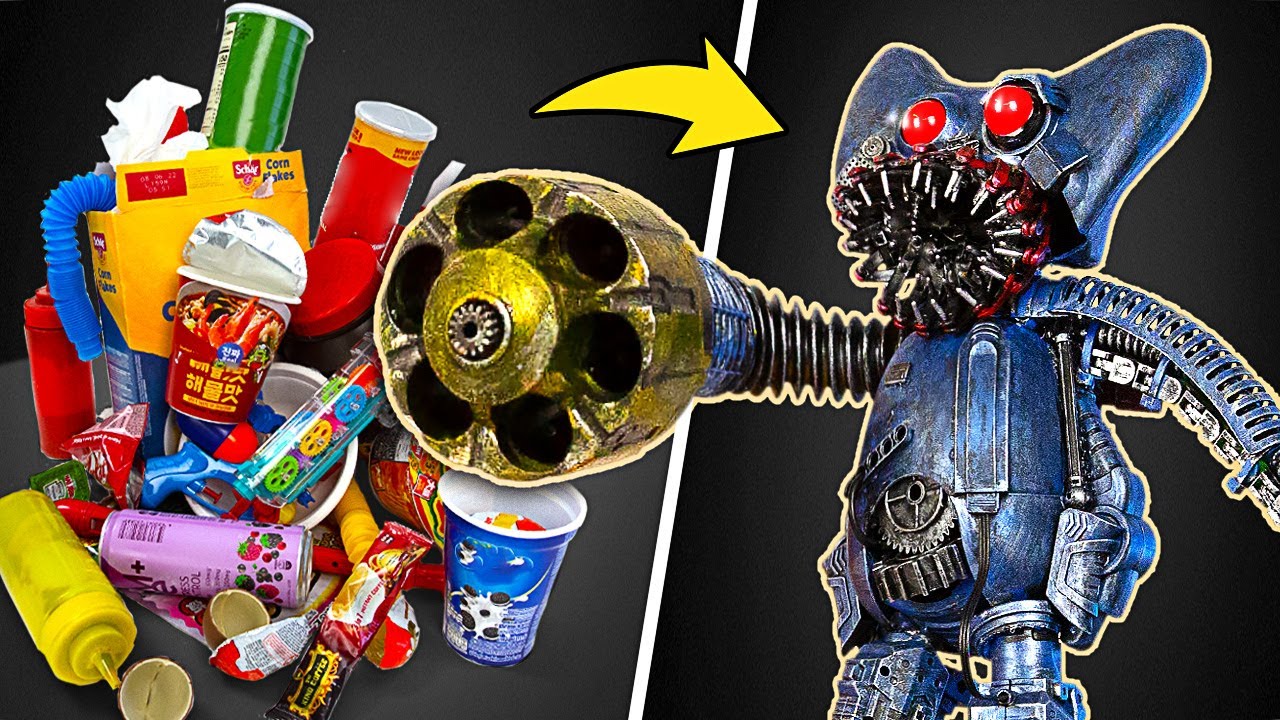
Hello friends, do you still remember Huggy Wuggy? He’s the furry monster with the terrifying face from Poppy Playtime. There are so many new horror games out there and everyone has their own preferences. But we wanted to show some love to Huggy Wuggy and make him even more frightening! So we decided to build a robotic Huggy Wuggy using some materials we found in a dumpster. This version would surely give you more nightmares than the rainbow buddies or the FNAF characters! So, let’s see what we created!
We started with the head, which we made from a disassembled joystick. We replaced the sticks with LED bulbs and connected them to a switch and a power supply. We used a plastic clip to make a jaw and attached it with a harness. We also added some details to the face to make it look more better. For the body, we used the base of a slingshot and some plastic garbage. We made the arms from plastic tubes that came from other toys. For the legs, we used two electric razor nozzles and covered them with plastic parts. We painted everything black and then added some metallic paint. We also added some blue, yellow and red accents to match Huggy Wuggy’s colors. Finally, we made a platform for our robot using foam material and putty. We painted the sides with metallic paint and added a blue spot made from melted rainbow man. We also took half of a FNAF toy and fixed it to our booth. And that’s how we made our Robotic Huggy Wuggy booth!
We hope you enjoyed our idea! If you did, please give us a Like and leave a comment! Also, share this video with your friends who love horror games and their characters! And make sure to check out our other videos:
Realistic Hobbit House Made Of Little Bricks ӀӀ Lord of the Rings Diorama - https://youtu.be/Ol4qsniE_ZI
Paper Guy vs Metal Guy: A Creative Competition with Surprising Results! - https://youtu.be/8NWKFfgiGZQ
From Broken to New – Captain America's Mask and Shield Get a Fantastic Restoration! - https://youtu.be/YQSJoLLkqk8
- - -
All product and company names shown in the video are trademarks™ or registered® trademarks of their respective holders. The use of them does not imply any affiliation with or endorsement by them.
- - -
Stock materials:
https://www.depositphotos.com
- - -
Music by Epidemic Sound: https://www.epidemicsound.com/


Why are America’s super-rich backing Tommy Robinson?
Robinson - real name: Stephen-Yaxley Lennon - is the UK’s best known Far Right influencer.
He’s attempting a glossy re-brand from “fringe extremist with a criminal record” to a self-styled “anti-Islam citizen journalist” with the ability to command large - sometimes violent - crowds.
That transformation is - in part - being turbo-charged by millionaires and billionaires in the United States.
In this two part special we profile Robinson’s rise and his relationship with the world’s richest man Elon Musk.
But first, we reveal the Conservative US pro Israel backers boosting his operation.
Support stories that matter. Join this channel to get access to perks:
https://www.youtube.com/channe....l/UCR0fZh5SBxxMNYdg0
Catch previous episodes of MEE LIVE, our biweekly news programme exploring the stories shaping our world through breaking coverage, expert analysis, and hard-hitting interviews.
Originally airing Tuesdays & Thursdays at 12pm ET | 5pm BST
Got a story tip or question? Reach us at MEELive@middleeasteye.org
Subscribe to our channel: http://ow.ly/AVlW30n1OWH
Subscribe to MEE Telegram channel to stay up to date: https://t.me/MiddleEastEye_TG
Middle East Eye Website: https://middleeasteye.net
Follow us on TikTok: https://www.tiktok.com/@middleeasteye
Follow us on Instagram: https://instagram.com/MiddleEastEye
Like us on Facebook: https://facebook.com/MiddleEastEye
Follow us on Twitter: https://twitter.com/MiddleEastEye


Visit http://PastorMikeOnline.com - In today's show, Pastor Mike Hoggard asks the question: Do you think that TV stations, companies and networks are actively trying to promote the agenda and religion of the NWO? There certainly seems to be plenty of evidence that an agenda is being pushed by TV networks, subtly introducing the occult, making it just another part of day-to-day living. The advertising of TV programs also has subliminal messages. Let's look at 666 for example. Some music and programs are overtly satanic, while others are more subtle, hidden from most folks. To combat the subliminal influences we are assaulted with, We need to be able to recognize and identify them for what they really are.
The Grand Masonic Lodge of North America has developed the Chip Program (Child Identification Program) that works with other non-profit agencies, government and law enforcement to create an I.D. for children stored in a database to help recover children who may be abducted. The Masonic Lodges are evil from the git-go; they are following, sometimes unbeknownst to its own members, the mystery religion of Lucifer. Pastor Mike raises the question as to why the lodges need to have a DNA database on our children. Masons are all about secrets and symbology, but the Bible reveals the secrets of man.
Pastor Mike answers viewers' questions: The Baptist Standard's true affiliation; What does little "g" in "gods" mean in Scripture; Is Cremation okay; Why do I fall asleep every time I read the Bible; Why did Moses make the Israelites eat the god they made? And many, many more questions!!
LIVE Webcast airs every Tuesday and Thursday at 1pm CST on PastorMikeOnline.com hosted by Mike Hoggard. Send in your questions during the webcast by using the form on the page or email PastorMikeOnline@gmail.com - Visit http://PastorMikeOnline.com
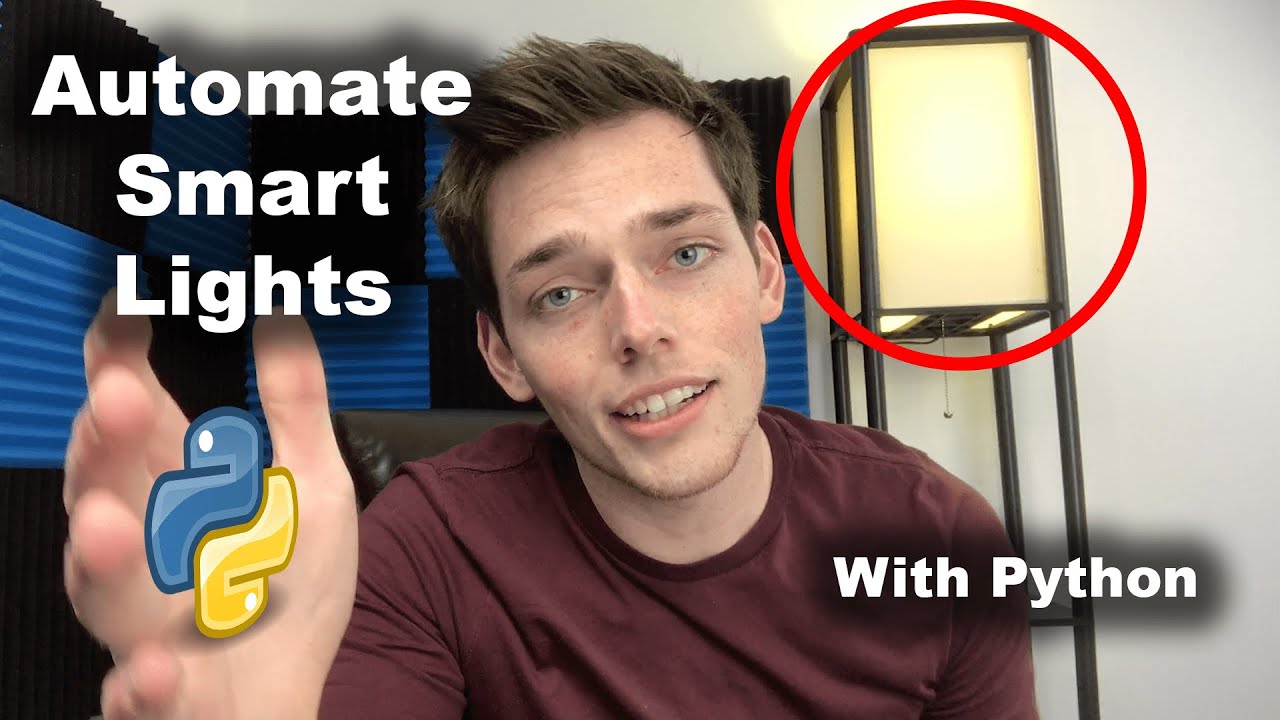
Let's automate some lights with python?
Kite helps fund the channel, thanks for checking them out and supporting me --
⭐ Kite is a free AI-powered coding assistant that will help you code faster and smarter. The Kite plugin integrates with all the top editors and IDEs to give you smart completions and documentation while you’re typing. https://www.kite.com/get-kite/?utm_medium=referral&utm_source=youtube&utm_campaign=derricksherrill&utm_content=description-only
Support the Channel on Patreon --
https://www.patreon.com/join/derricksherrill
Join The Socials --
Reddit - https://www.reddit.com/r/CodeWithDerrick/
FB - https://www.facebook.com/CodeWithDerrick/
Insta - https://www.instagram.com/codewithderrick/
Twitter - https://twitter.com/codewithderrick
LinkedIn - https://www.linkedin.com/in/derricksherrill/
GitHub - https://github.com/Derrick-Sherrill
*****************************************************************
Full code from the video:
from phue import Bridge
from ip_address import bridge_ip_address
import time
def access_lights(bridge_ip_address):
b = Bridge(bridge_ip_address)
light_names_list = b.get_light_objects('name')
return light_names_list
def film_lights():
lights = access_lights(bridge_ip_address)
for light in lights:
lights[light].on = True
lights[light].hue = 7000
lights[light].saturation = 100
def danger_mode():
lights = access_lights(bridge_ip_address)
while True:
time.sleep(1)
for light in lights:
lights[light].on = True
lights[light].hue = 180
lights[light].saturation = 100
time.sleep(1)
for light in lights:
lights[light].on = True
lights[light].hue = 7000
lights[light].saturation = 100
if __name__ == '__main__':
film_lights()
Thanks so much for all the continued support! You guys are awesome. Super thankful that I get the opportunity to make youtube videos for you all. I hope you enjoy this one - A bit different than what I typically put out, but just testing to see if it's a style that you all like. Let me know!
https://github.com/Derrick-Sherrill/DerrickSherrill.com/blob/master/hue_lights.py
Packages (& Versions) used in this video:
PHue - https://github.com/studioimaginaire/phue
Time
*****************************************************************
Code from this tutorial and all my others can be found on my GitHub:
https://github.com/Derrick-Sherrill/DerrickSherrill.com
Check out my website:
https://www.derricksherrill.com/
If you liked the video - please hit the like button. It means more than you know. Thanks for watching and thank you for all your support!!
--- Channel FAQ --
What text editor do you use?
Atom - https://atom.io/
What Equipment do you use to film videos?
https://www.amazon.com/shop/derricksherrill
What editing software do you use?
Adobe CC - https://www.adobe.com/creativecloud.html
Premiere Pro for video editing
Photoshop for images
After Effects for animations
Do I have any courses available?
Yes & always working on more!
https://www.udemy.com/user/derrick-sherrill-2/
Where do I get my music?
I get all my music from the copyright free Youtube audio library
https://www.youtube.com/audiolibrary/music?nv=1
Let me know if there's anything else you want answered!
-------------------------
Always looking for suggestions on what video to make next -- leave me a comment with your project! Happy Coding!


Flatliners 1990 Full HD Movie<br /><br />WATCH NOW http://play.online21.live/play.php?id=1551<br /><br />stream Flatliners 1990 full cast movie<br />watch online Flatliners 1990<br />movie Flatliners 1990 online<br />Flatliners 1990 free download<br />Flatliners 1990 movie online<br />download Flatliners 1990 for free<br />Flatliners 1990 english subtitle<br />Flatliners 1990 full movie<br /><br />Stay connected with Flatliners 1990 on: <br />youtube: http://www.youtube.com <br />Facebook: https://www.facebook.com <br />Instagram: http://instagram.com <br />Twitter: http://www.twitter.com <br />Tumblr: http://.tumblr.com <br />Google+: https://plus.google.com

Try Loveable: https://darrelwilson.com/recommends/loveable
In this step-by-step tutorial, you'll learn how to clone any website using AI—no coding or design skills required. We’ll show you how to use powerful AI tools to copy website layouts, styles, and content, then customize them for your own project. Whether you're a web designer, developer, or just curious, this guide will help you duplicate professional websites in minutes using AI. Perfect for beginners and pros alike in 2025.
Feel free to visit my website at https://www.darrelwilson.com
