
- Film & Animation
- Music
- Pets & Animals
- Sports
- Travel & Events
- Gaming
- People & Blogs
- Comedy
- Entertainment
- News & Politics
- How-to & Style
- Non-profits & Activism
- Religion & Spiritual
- Health Natural Remedies
- Gardening +
- Arts & Crafts
- Action
- Hair & Beauty
- Hunting & Survival
- Shopping & Reviews
- Motivational & Self Help
- Jesus
- Marriage
- Live TV
- Programing & Coding
- Latest & Gadgets
- Make You Own
- Unexplained & Stange
- Jesus Christ
- Food & More
- Other
Top videos



HOMEBUILDING & RENOVATING
Homebuilding.co.uk
For more self build guides, advice and inspiration, visit https://www.homebuilding.co.uk/
In this video, Mat Woodyatt, Training Manager at Redland Roofing demonstrates how to put together a full metric roofing system.
Follow onscreen instructions to skip to selected chapters

How to build a two story deck with deck stairs and landing. DIY 2nd story deck home improvement. Luckily I purchased these materials last summer when prices were high but not as high as they are now in 2021.
~~ Help Support the channel by ordering plans or merchandise.
https://www.thirdcoastcraftsman.com/shop
"MY FAVORITE TOOLS" https://www.thirdcoastcraftsma....n.com/favorite-handt
"FOLLOW ME ON INSTAGRAM"
https://www.instagram.com/thirdcoastcraftsman
"MERCHANDISE"
https://www.thirdcoastcraftsman.com/shop
"MY WEBSITE"
https://www.thirdcoastcraftsman.com
"SUPPORT ME ON PATREON!!!" https://www.patreon.com/thirdcoastcraftsman
Facebook -- https://www.facebook.com/ThirdCoastCraftsman
Fine print: *Receive 20% off your purchase with promotion code THIRDCOAST. Excludes doorbusters, clearance products, poles and bullhorns, C-Lite tubes, NICOR® Limited Quantity items, LEVITON® controls, Cree Lighting® Noctura® Series, Cree Lighting® LXB Series and Cree Lighting® CPT Series. Offer valid upon receipt. This promotion code cannot be combined with any other non-loyalty offer and must be used at time of purchase. All returned items must be new and include their original packaging. Light poles and bullhorns are custom made and cannot be canceled or returned. Discontinued products cannot be returned.
DISCLAIMER: Woodworking and the use of power and hand tools can be extremely dangerous. You are responsible for understanding the safe use of your tools and techniques. Your safety is YOUR responsibility, I accept NO responsibility or liability for any injuries, accidents, death occurring to you or others if you attempt to do the things that I do or use advice that I give.
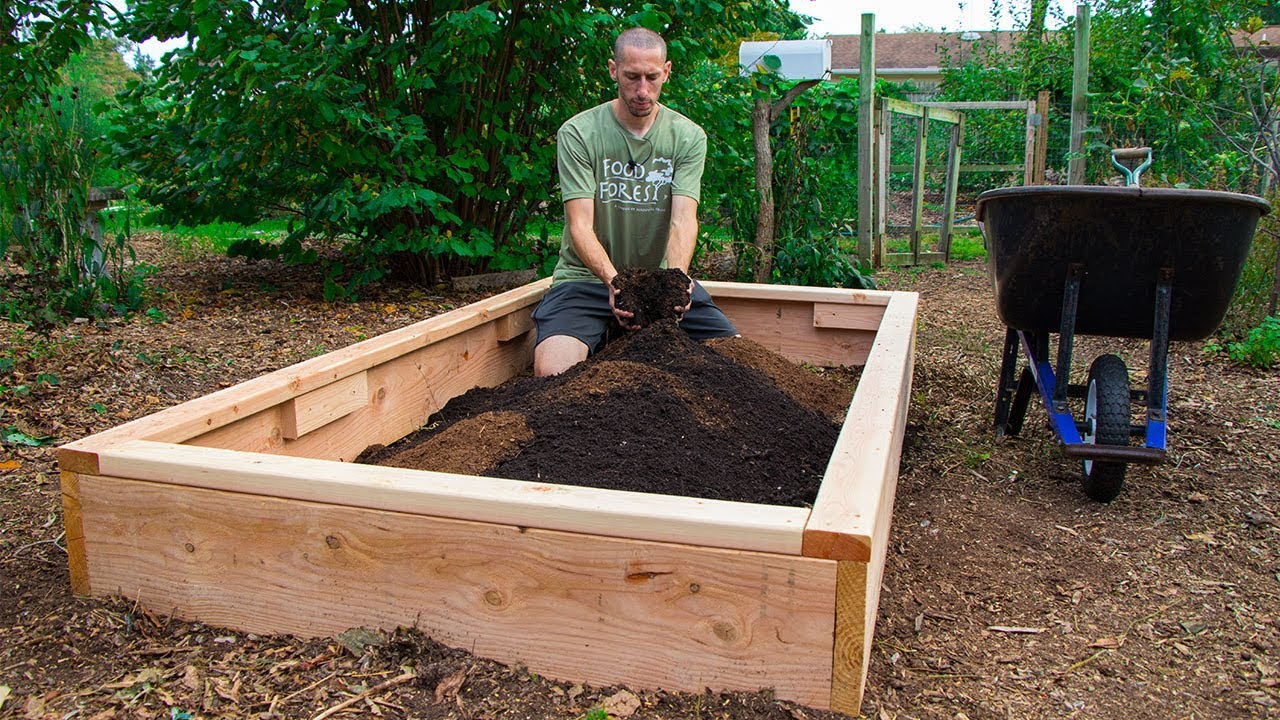
How to build a raised bed garden, anyone can do this!
Thanks for the kind words and support 😁🐕❤️
NEW Official Website! https://teamgrow.us
Amazon Store: www.amazon.com/shop/thegardeni....ngchannelwithjamespr
MY FAVORITE GARDEN PRODUCTS 🧰 💯
→Amazon affiliate link: https://amzn.to/2z7NIRQ
→ Sulfur Dust for Fungal Diseases: https://amzn.to/2VETaXP
→ UV Resistant Marker: https://amzn.to/3oUevXb
→ 40% Shade Cloth- https://amzn.to/3vrAYNF
→ Coco Coir: https://amzn.to/3uAyV9J
→ Vermiculite: https://amzn.to/311woeH
→Perlite: https://amzn.to/33uUJHQ
→Mykos Pure Mycorrhizal Inoculant: https://amzn.to/2WCZfRX
→6 Mil Greenhouse plastic: https://amzn.to/39m1YCQ
→Row Cover: https://amzn.to/2GR12h5
→Neem Oil: https://amzn.to/2NgXfta
→Insect Netting: https://amzn.to/2DbJ9I7
→BT Spray for Brassicas: https://amzn.to/3erdkss
→Pruners I use: https://amzn.to/2QsNCtT
→Tomato Clips: https://amzn.to/2YxoaGr
→Square Foot Gardening Book: https://amzn.to/3bUwCVo
→My Boots https://amzn.to/2NZq5Pe
ALSO FIND ME ON
→Facebook: https://www.facebook.com/JamesPrigioniGardening/
→Twitter: https://twitter.com/JamesPrigioni
→Instagram: https://www.instagram.com/jamesprigioni
→Contact: (Business Only) thefranchisse3@gmail.com

Rather than spending $10 for “clean” laundry soap that’s probably greenwashed - make your own in a 5 gallon bucket for pennies! I use this non-toxic laundry soap for everything for our family of 6 - cloth diapers, dirty farm clothes, my husband’s work clothes - it works great and is so easy to make.
Thanks for watching and don’t forget to hit subscribe before you go - I make 2 new videos on motherhood, homesteading, and life on our farm each week!
TIMESTAMPS
00:00 non-toxic liquid laundry soap
05:00 making a lemon balm infusion
06:36 castile soap for making laundry soap
07:30 how to make liquid laundry soap
Blog Post: https://hopewellheightsblog.co....m/how-to-make-your-o
Pin for Later: https://pin.it/S9e3eZo
Kirk’s Castile Soap - https://amzn.to/3vxEath
Borax - https://amzn.to/3Qag8we
Super Washing Soda - https://amzn.to/3zMLSCm
Rotary Grater - https://amzn.to/3OOsTLS
5 Gallon Food Grade Buckets - https://amzn.to/3SjHEt5
Gallon Jars - https://amzn.to/3cUKvbY
Links in this description may be affiliate links. If you make purchases through the links I include, I may earn a small commission at no additional charge to you. I greatly appreciate you for supporting my channel so that I can continue creating free content for you every week!
I'm Steph, wife of John & mom of 4 living on a 5th generation homestead. My husband's great-grandparents bought this farm in rural Missouri in 1942. My husband was supposed to take the farm over after high school - but he decided to go a different direction and moved out on his own. At that time he said he'd never get married or have kids. But here we are - 4 kids later and back on the farm. I grew up in town - so farm life has been a new adventure for me and I absolutely love it. I'm learning as I go and opting out of as many broken systems as I can along the way. We've lived here almost five years now, we homeschool our kids here, raise and grow more of our own food all the time, and our last baby was even born here on the farm - my first home birth. Learn with me as I share glimpses into our life on the farm.

🌿 Making homemade fertilizer from items you may have around your house, including used coffee grounds, eggshells, and banana peels, is a great way to reuse and recycle. Your DIY fertilizer need to contain all 3 main nutrients needed for plants to flourish: nitrogen (N), phosphorus (P) and potassium (K)
Join @creative_explained and @Gardeningknowhow as we guide you through growing your own No Waste Kitchen.
LEARN MORE
Grow a No-Waste Kitchen with Armen: https://bit.ly/3HjTbnc
WATCH MORE
Episode 1: Regrowing Scraps & Grocery Store Produce: https://youtu.be/chHtdv7gD8Q
READ MORE
Get the Know How on Houseplants: https://bit.ly/3nFKtYd
Get the Know How on Using Coffee Grounds: https://bit.ly/2XXmABd
Get the Know How on Garden Recycling: https://bit.ly/3ncMRW6
Get the Know How on Keeping Your Plants Happy: https://bit.ly/3EInd0Y
ASK AN EXPERT
You have questions and we have answers! Our team of professionals are on hand to tackle all of your lawn, landscape and garden questions from beginner level all the way to expert. Submit your question 👉 https://questions.gardeningknowhow.com/
MORE KNOW HOW
Get more Gardening Know How delivered to your inbox every week! Once you sign up for the weekly Gardening Know How newsletter you’ll begin receiving our expert information, tips, tricks, lessons-learned, and so much more. 👉 https://bit.ly/3BRQXYj
FOLLOW US
Website: https://www.gardeningknowhow.com
Facebook: https://bit.ly/3kkDcei
Instagram: https://bit.ly/3ww4GCG
Pinterest: https://bit.ly/3H4hTHD
Twitter: https://bit.ly/2Yuha0Y
CHAPTERS
0:12 - Basics of Plant Fertilizer
0:49 - Reusing Coffee Grounds
1:30 - Turning Eggshells into Plant Food
2:48 - How to Steep Banana Peels
3:24 - Benefits of Epsom Salts
4:00 - DIY Fertilizer Recipe
#NoWasteKitchen #Reuse #KitchenHacks #GardeningWithKids #DIYPlantFood #HouseplantFood #Fertilizer #DIYFertilizer

NO WELDING required to take off the random bolts on your next car project.
Check current prices of Jumbo sockets: https://amzn.to/3vPnCg2
After Thoughts about the Video: Cheaper and Harbor Freight. These work way better than you would think and gets you out of a bind. Exhaust tubing scraps, fence post, trampoline frame, Basketball hoop frame, gym equipment, etc are all great sources of random tube sizes in the right thickness. I used a trampoline frame pole and basketball stand tube for these two sockets.
SUPPORT THE CHANNEL or support the SHOP DOG's treat addiction:
Buy Ginger a new bone: https://www.paypal.com/donate/....?hosted_button_id=NS
www.instagram.com/sixtyfiveford/
www.facebook.com/sixtyfiveford/
Ginger's Wish List
https://www.amazon.com/registr....ies/birthday/1JJFHIQ
65 Ford
65Ford

Fermentation Friday Episode 2 coming at ya with easy homemade yogurt. When I see easy, I mean crazy easy. This really requires little to no skill or active time. It's mostly just mixing 2 ingredients together and letting them sit in a warm environment. Do it when you wake up in the morning then whenever you come back from school or work you've got homemade yogurt waiting for you. Plus you can brag to all of your friends and be THAT GUY.
My Fermentation Station: https://shop-links.co/1736367975894406295
The Jars I use: https://shop-links.co/1736368016927376766
Recipe: https://www.joshuaweissman.com..../post/homemade-yogur
FOLLOW ME:
Instagram: https://www.instagram.com/joshuaweissman
Twitter: https://twitter.com/therealweissman
Facebook: https://www.facebook.com/thejoshuaweissman
Website: http://joshuaweissman.com/
---------------------------------------------------------------


Tractor in Video: TYM 574 and TYM 754 https://tym.world/en-us/
Get your Hydraulic Connector Tool Here: https://amzn.to/3Kco7Gl
Channel Sponsor:
Log Rite: https://logrite.com
Blue Creeper: https://logrite.com/Category/bluecreeper
Rite Leg Company: https://ritelegco.com
Outback Wrap used on hoses in video: https://amzn.to/3LjNWFT
Check out the new blog post: https://[a]www.outofthewoodsforestry.com%2Fblog[/a]
Get your leather tape holster here: https://amzn.to/3y0LqxP
Join the OTW Patreon Tribe: https://www.patreon.com/outofthewoods
Get your Anchorseal here: https://amzn.to/3mQL3lD
Grapple in Video: https://bit.ly/3bzWIPb
Get your out of the woods gear here: https://farmfocused.com/otw/
Sawmill Used: Wood-Mizer LT70 Super Wide
www.woodmizer.com
Contact Joe Maine for Silver Tip Blades: 229-563-1172
Mail Address:
P.O.Box 1209
Kingsport TN 37662
Follow me on Instagram:https://www.instagram.com/outofthewoodsforestry/
Video Tip Jar Paypal: outofthewoodsforestry@gmail.com
* Amazon Sawmill Store: https://www.amazon.com/shop/ou....tofthewoods?listId=3
Follow OTW on Social Media
Instagram:https://www.instagram.com/outofthewoodsforestry/
Business Inquiries: outofthewoodsforestry@gmail.com
www.outofthewoodsforestry.com

If you would like to help support our channel, check out our Handmade Goodies!
Etsy: https://www.etsy.com/shop/HomesteadCorner
Have you tried Thrive Life Freeze Dried Foods? With NO additives & a 25 year shelf life, these are a must for your pantry!!
Thrive Life: http://homesteadcorner.thrivelife.com/
I am part of the Amazon Affiliate Program, any purchase you make through these links will help me earn a small commission to help support my channel, but doesn't cost you anything. :)
Items we used in this video:
Ninja Prep Master: https://amzn.to/2Aafc9S
Kerr 8 oz Jars: https://amzn.to/3eGAgUz
Plastic Mason Jar Lids: https://amzn.to/3i3fUqy
Cuisinart Cutting Mats: https://amzn.to/3eFWGW5
Garlic Bulbs: https://amzn.to/3dKBAnT
Terra Delyssa Extra Virgin Olive Oil: https://amzn.to/3eELU2k
If you would like to send us a message you can email us here: sixxkillers@gmail.com
Or if you would like to donate, you can do that here: www.paypal.me/VirginiaKiller
Also check us out on our other social Media sites:
Facebook: https://www.facebook.com/HomesteadCorner
Pinterest: https://www.pinterest.com/HomesteadCo...
Instagram: https://www.instagram.com/HomesteadCo...
All music was created by Tim Killer at Killer Sound Studio : https://www.youtube.com/channe....l/UCGHbiWMTc1zr6zjwB

What if the internet you know and love went away? What would it take to make your own alternative internet just in case that were to happen? Watch this video to find out!
Useful Links:
Install CJDNS on Raspberry Pi - https://youtu.be/49CrjksXF54
History of the internet - https://youtu.be/NoirzIiUR_o
Serval Project - http://www.servalproject.org/
Firechat & OpenGarden - http://opengarden.com/apps
Project Meshnet - https://projectmeshnet.org/
Darknet Reddit - http://www.reddit.com/r/darknet
How to install CJDNS - https://wiki.projectmeshnet.org/Getting_started
