
- Film & Animation
- Music
- Pets & Animals
- Sports
- Travel & Events
- Gaming
- People & Blogs
- Comedy
- Entertainment
- News & Politics
- How-to & Style
- Non-profits & Activism
- Religion & Spiritual
- Health Natural Remedies
- Gardening +
- Arts & Crafts
- Action
- Hair & Beauty
- Hunting & Survival
- Shopping & Reviews
- Motivational & Self Help
- Jesus
- Marriage
- Live TV
- Programing & Coding
- Latest & Gadgets
- Make You Own
- Unexplained & Stange
- Jesus Christ
- Food & More
- Other
Top videos
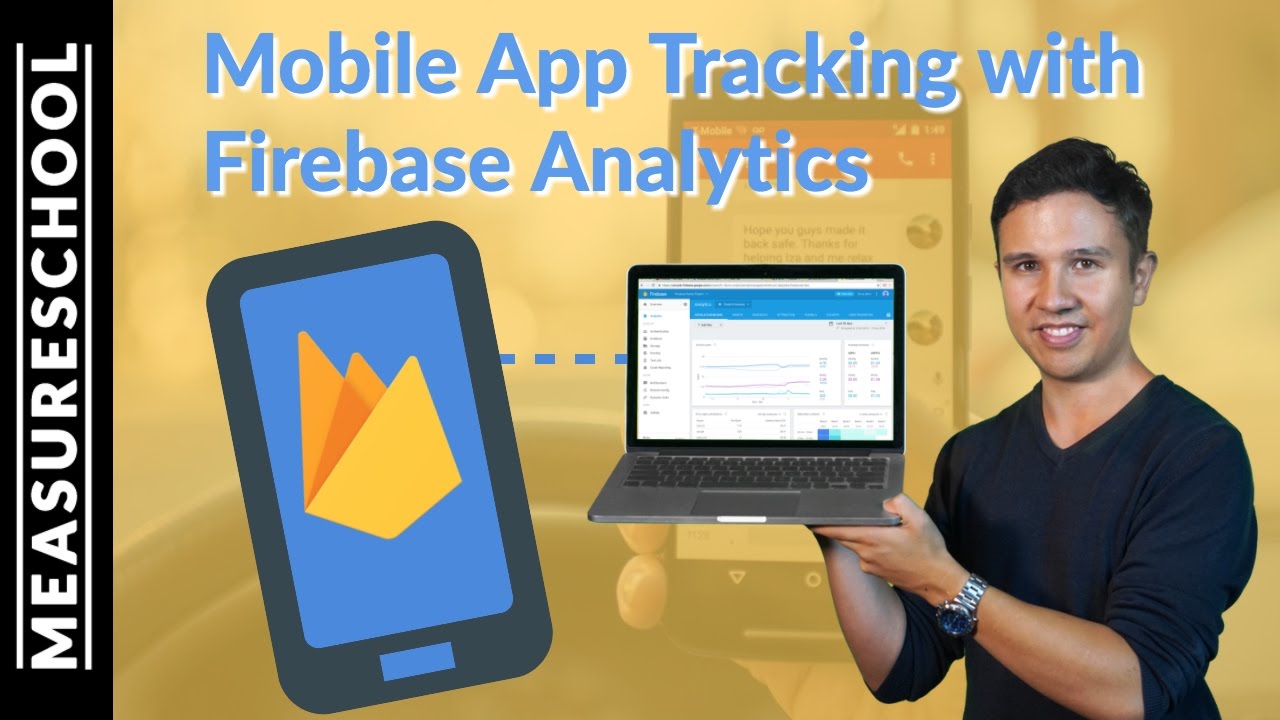

Firebase Analytics is the newest addition to Googles Analytics tools which is built primarily with Mobile Apps in mind. In this video, we are going to take a look at how to install it on an Android app. And I’m going to give you a quick overview on the interface.
MENTIONED LINKS
Firebase Documentation https://firebase.google.com/docs/analytics/
Logging Events with Firebase https://firebase.google.com/docs/analytics/android/events
Firebase Demo Account https://support.google.com/fir....ebase/answer/7157552
Firecast YouTube Channel https://www.youtube.com/user/Firebase
GTM Ressource Guide: http://measureschool.com/guide
Courses: http://measureschool.com/products
🎓 Measure Masters Membership: https://measureschool.com/measure-masters/?utm_source=video&utm_medium=youtube.com&utm_campaign=description
❓ Take Our GA4 Quiz: https://measureschool.com/google-analytics-4-quiz/?ach=&utm_source=video&utm_medium=youtube.com&utm_campaign=description
FREE Tag Manager Course: https://measureschool.com/products/free-google-tag-manager-course/?utm_source=video&utm_medium=youtube.com&utm_campaign=description
FREE Analytics Course: https://measureschool.com/products/free-google-analytics-course/?utm_source=video&utm_medium=youtube.com&utm_campaign=description
🔀 GTM Copy Paste - Our Chrome extension https://chrome.google.com/webs....tore/detail/gtm-copy
🚀 Hire us: https://measureschool.com/services/?utm_source=video&utm_medium=youtube.com&utm_campaign=description
📚 Recommended Measure Books: https://kit.co/Measureschool/r....ecommended-measure-b
📷 Gear we used to produce this video: https://kit.co/Measureschool/m....easureschool-youtube
📡 Our Live Streaming Software: https://restream.io/join/YXLM2
👍 FOLLOW US
Facebook: https://www.facebook.com/measureschool
Twitter: http://www.twitter.com/measureschool
LinkedIn: https://www.linkedin.com/company/measureschool

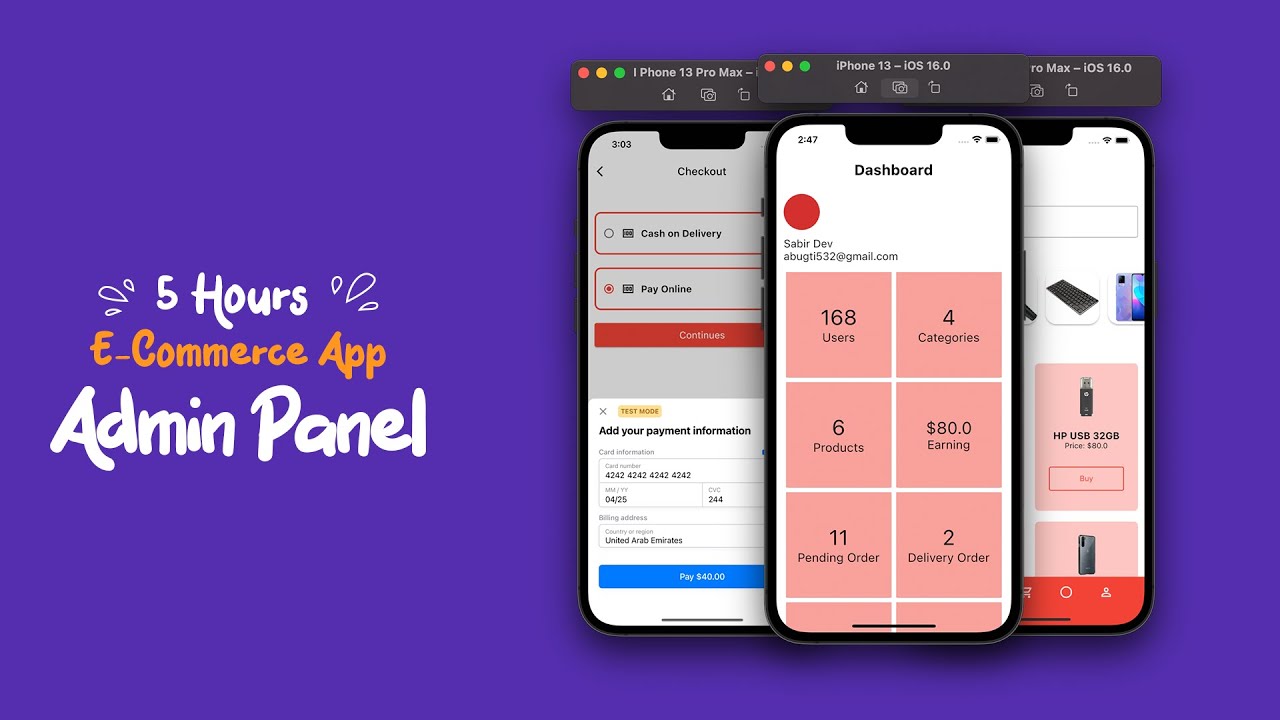
Hello Guys,, Completed E Commerce App With Admin Panel,
✔ Source Code : https://shorturl.at/axJZ0
WhatsApp: wa.link/ia2btl
- Follow us 👇
...........................................................................................................
- ✔ Instagram 👉 https://www.instagram.com/sabirkafeel/
.........................................................................................................
- Like the video and subscribe to the channel!
- Thank you!
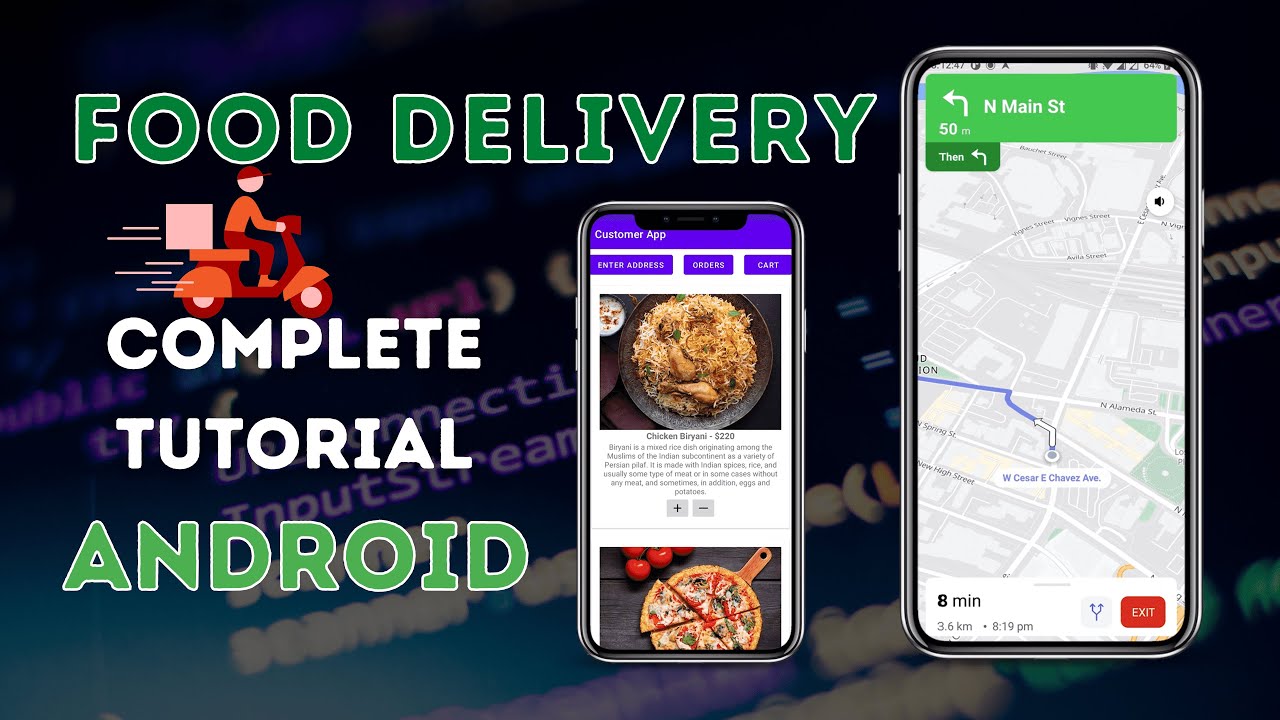
In this tutorial, you'll learn how to build a food delivery app from scratch in Android Studio!
Step-by-step instructions make this tutorial easy to follow even for beginners. At first, you’ll be working on the Food Delivery APIs and database. You'll then create a basic food delivery app using the API, and complete a few demos along the way. By the end of this tutorial, you'll have a working food delivery app that you can customize and improve!
What we will be developing:
1. Restaurant Dashboard (Web - Laravel)
2. Customer App (Android Java)
3. Delivery Executive app (Android Java)
Download Source Code:
Free download: https://downloads.codeseasy.co....m/source-code/2023/F
Alternative download link: https://youtube.codeseasy.com/....2023/food-delivery-a
Products used :
* NextBillion.ai Navigation SDK: It is a service that computes routes between 2 places and returns detailed turn-by-turn instructions for the route: https://nextbillion.ai/navigation-sdk?utm_source=Youtube&utm_medium=Codeasy&utm_campaign=Food-delivery-app
*Distance Matrix API: Nextbillion.ai Distance Matrix API computes distances and ETAs between a set of origins and destinations: https://nextbillion.ai/platform/distancematrix-api?utm_source=Youtube&utm_medium=Codeasy&utm_campaign=Food-delivery-app
* NextBillion Docs: https://docs.nextbillion.ai/?utm_source=Youtube&utm_medium=Codeasy&utm_campaign=Food-delivery-app
* Laravel Website: https://laravel.com
* Download Composer: https://getcomposer.org
* Google Volley: https://www.codeseasy.com/google-volley-android
* Implement Stripe on Android: https://youtu.be/eJ-42oqiZB4
* Razorpay integration on Android: https://youtu.be/roPlDelWgi4
Ask your doubts here,
Discord: https://discord.gg/qpyZP5Vp47
Whatsapp group: https://whatsappgroup.codeseasy.com
Want us to help you with your business needs?
Contact us for any business queries:
Email: info@codeseasy.com
Phone number: +918281536333
WhatsApp: https://whatsapp.codeseasy.com
Find us on Social Media:
Website: https://www.codeseasy.com
Telegram: https://t.me/CodesEasyOfficial
Facebook: https://www.facebook.com/codeseasy
Instagram: https://www.instagram.com/codeseasy
Twitter: https://www.twitter.com/codeseasyblog
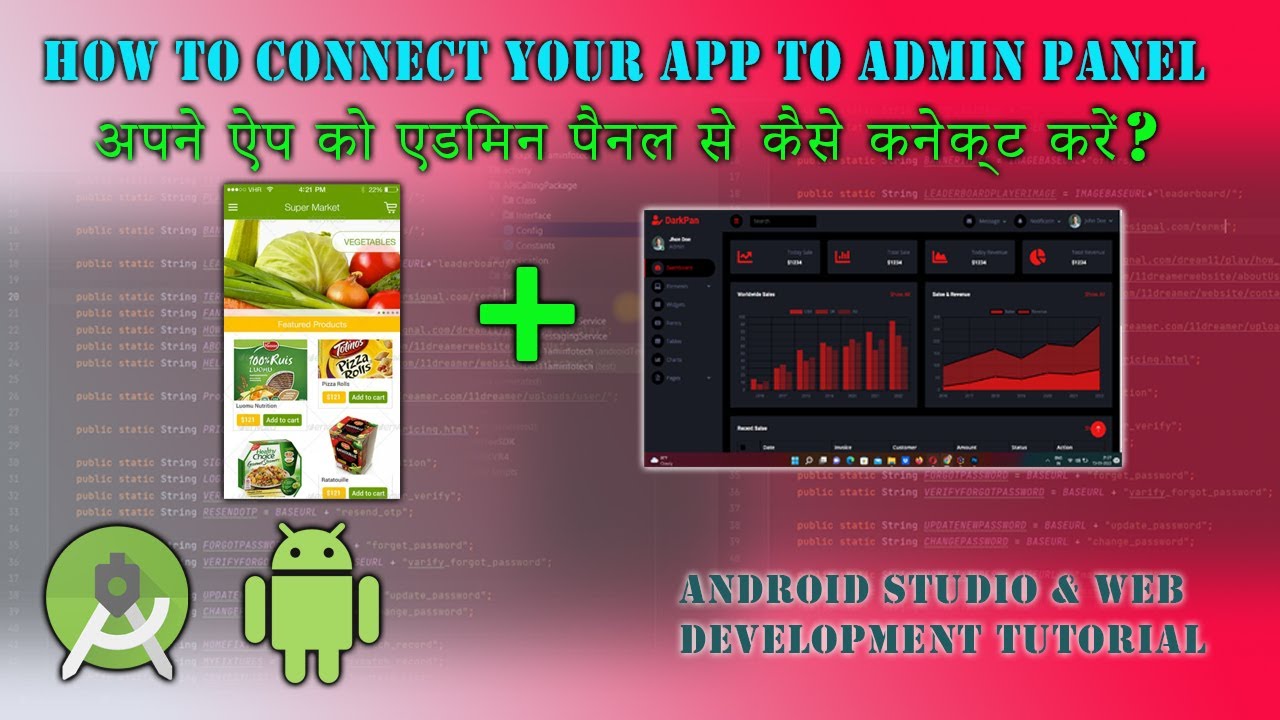
How to Connect your App to admin panel with android studio
App connect with admin panel ...
Hello Guys is video pe maine yahi bataya hai ke kis tarha se aap
apne app ko admin panel se connect karenge .
Video ko pura dekhiye aur concept ko samajhiye .....
Video achha lage to video ko Like Aur Share Zaroor Karein .........
Thanks For Watching ......
Best Buy Link Hosting For Your Website ...........
Achhi Hosting Buy Karne Ke Liye Is Link Pe Click Kare ....
Get best offer with this link ...........
interserver.net : https://www.interserver.net/r/665713
tmd hosting : https://affiliate.tmdhosting.c....om/scripts/click.php
Blue host : https://bluehost.sjv.io/yRKv9W
Web and App Development Sikhna Chahte Hain To Channel Ko Subscribe
Zaroor Karein .....'
KIsi Topic Pe video chahiye to comment me bataye .....
Humse Koi project banwana chahte hain to whatsapp karein ...
Whatsapp : 9831232636
Thanks Guys .....
Keep Like , Keep Subscribe ....
Thanks For Watching ....

#backend #tutorial #loginpage #programming #tutorial #website
This video is about developing a website for beginners and about backend developer.
So if you are searching for website development tutorials, and you want to learn crash course, this video is for you.
Firstly, we'll explain what is backend and how to be a backend developer.
Then, we'll explain what is programming languages used to become a backend developer.
And we will teach you to create backend of a login page using PHP.
All in all you will get a knowledge about website development.
Enjoy!
Wamp Server download https://sourceforge.net/projects/wampserver/
Like, share so you can help your friends too..
And subscribe because you won't miss our next video.
Follow us on Facebook!
https://www.facebook.com/Zip-code-102...
Follow us on Instagram!
https://www.instagram.com/zip_code__
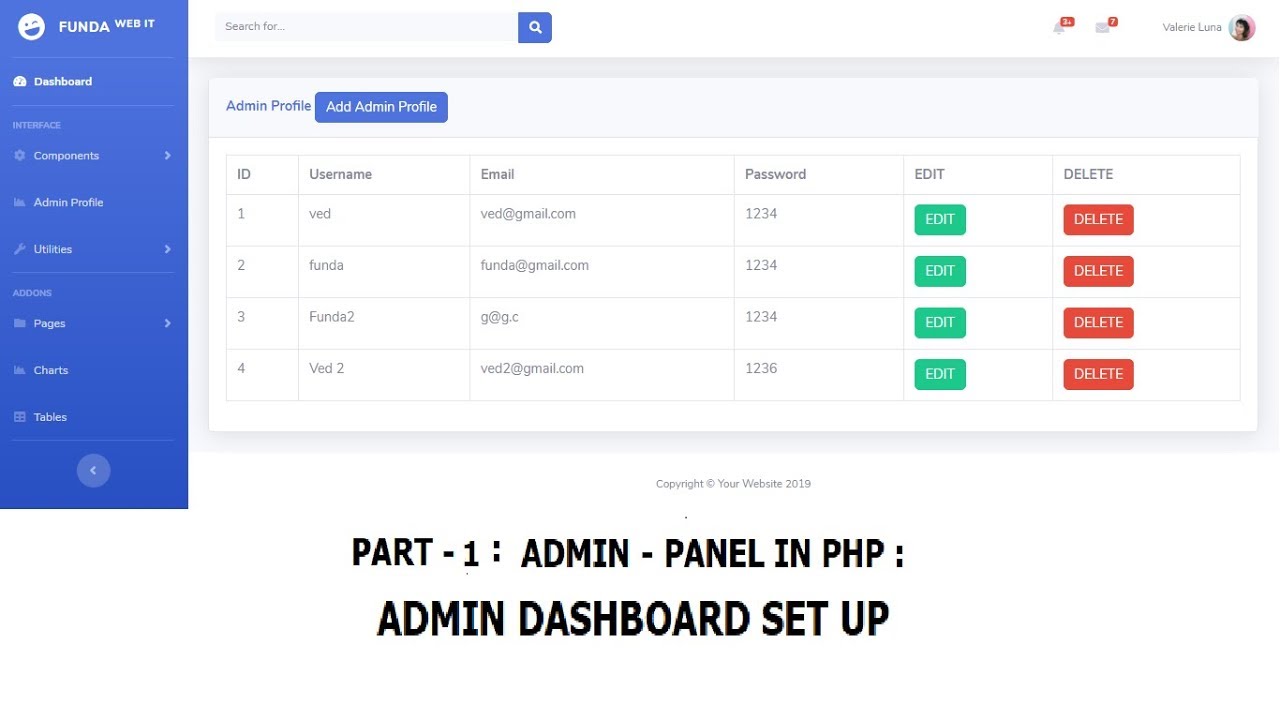
Here.. in this video, i am doing how to make a admin panel for a simple Website. so, i have downloaded a admin template from free Bootstrap admin template. and i have set up all the things, like, navbar.php, header.php, footer.php, etc..
https://youtu.be/_Cmrk6MKXu8
PHP Blog Admin Panel (31 Parts) - Please watch out this (Better Tutorial)
https://www.youtube.com/watch?v=yK-AfMxCq5A&list=PLRheCL1cXHrvKqYXmyArH55g5VkPhpzzP
Code for : Structure and Set-Up of Admin Panel in PHP
http://www.fundaofwebit.com/ph....p-admin-panel/php-ad
Playlist for Admin Panel: https://www.youtube.com/playli....st?list=PLRheCL1cXHr
PHP Blog Script in PHP MySQL Source Code:
https://www.fundacodester.com/....scripts/php/blog-sit
Buy Web Hosting at Great Prices: https://www.hostg.xyz/aff_c?offer_id=264&aff_id=93687
Part 1 Admin Panel: SETUP n INSTALLATION
https://www.youtube.com/watch?v=IqrBr-KT5qk&list=PLRheCL1cXHrvTkUenAc5GdEvqIpVX-2JJ&index=1
Part 2 Admin Panel: Registration (INSERT)
https://www.youtube.com/watch?v=ctpNfiLSrhM&list=PLRheCL1cXHrvTkUenAc5GdEvqIpVX-2JJ&index=2
Part 3 Admin Panel: Registration (FETCH)
https://www.youtube.com/watch?v=7YAGTOvDSu4&list=PLRheCL1cXHrvTkUenAc5GdEvqIpVX-2JJ&index=3
Part 4 Admin Panel: Registration (EDIT)
https://www.youtube.com/watch?v=mzFQYL5Rx5k&list=PLRheCL1cXHrvTkUenAc5GdEvqIpVX-2JJ&index=4
Part 5 Admin Panel: Registration (UPDATE)
https://www.youtube.com/watch?v=8En_gF3S9BI&list=PLRheCL1cXHrvTkUenAc5GdEvqIpVX-2JJ&index=5
Part 6 Admin Panel: Registration (DELETE)
https://www.youtube.com/watch?v=gUf1fpJwvmA&list=PLRheCL1cXHrvTkUenAc5GdEvqIpVX-2JJ&index=6
#admin panel #admin dashboard
How to Download an Entire Website for Offline Use | Wget Command Tutorial
In this video, we’ll show you how to download an entire website to your computer for offline browsing using the Wget command. Whether you're working on a project, want to back up a site, or need offline access, this tutorial will guide you step-by-step.
We’ll be using a terminal to execute the Wget command, which works seamlessly on macOS and Linux. For Windows users, we’ll cover how to download the Wget executable file and set it up properly to run the command.
What You’ll Learn:
- How to copy website data using Wget
- Setting up Wget on macOS, Linux, and Windows
- A simple command to download website pages for offline access
### Windows Setup:
To run Wget on Windows, you'll need to download the executable file using this link:
**Download Wget for Windows**: [http://gnuwin32.sourceforge.ne....t/packages/wget.htm]
Once downloaded, move the .exe file to **C:\Windows\System32** and then use the terminal to run the command:
````````````````````````````````````````````````````````````````````````````````````````````````````````````````````
wget --mirror --convert-links --wait=2 https://tcbtestsite.000webhostapp.com/
```````````````````````````````````````````````````````````````````````````````````````````````````````````````````
Join Us:
If you enjoy learning about development tools, productivity hacks, and more, consider joining The Coding Bus community for exclusive perks:
[Join The Coding Bus](https://www.youtube.com/channe....l/UCyNJURC5bvqIQ9vO9
#### Hashtags:
#TheCodingBus #TCB #CloneWebsite #Wget #WgetTutorial #WebsiteDownload #OfflineBrowsing #TechTips #WebDevelopment #DownloadWebsite #UnitedStates #USTech #HowTo

In this tutorial, we will develop a Food App for play store using android studio from scratch along with other android tips and tricks.
⚡"If you want to purchase the source code, You can contact us at https://wa.me/message/H5HTR5WQKFJMN1
______________________________________________
Enroll now and join the hundreds of successful developers who have learned from us.
💎 Enrollment Form: https://forms.gle/ZJGui9BHesXPoXeY8
🔻9 HANDS-ON PROJECTS
✅Shopping app like Myntra
✅Food ordering App with Admin panel
✅Video Player
✅Weather app
✅Quiz app
✅Timetable Manager app
✅Building a Notes App (using Room Library)
✅Guess the Word Dice Roller
✅Building a Calculator App
🔻Preview of the course
✔️Live Classes (Zoom)
✔️Lifetime Recording Access
✔️Placement Guidance
✔️Assignments
✔️Basic to Pro
🔻Batch Details
✔️Starting date: 24 March 2023
✔️Class timing 8:00 pm to 10:00pm
✔️ Duration 4 Months
✔️Discounted Fee: Rs 3999
✔️Language Hindi
💎 Course Content:
https://docs.google.com/docume....nt/d/14B1-wd6rIZBBEF
______________________________________________
Color used in Tutorial:
Name HTML Codes
color name="backgroundopacity" AB363535
color name="startcolorgradient" 443C20
color name="endcolorgradient" e8a564
color name="fbcolor" 3b5998
color name="tintlogocolor" AC7A4A
color name="goooglecolor" C3463B
use hashtag # before applying these HTML code.
__________________________________
Show your Support at Patreon:
💰💰https://www.patreon.com/neatroots
.
👨🎓Best Android Tutorials by Certified Developer: 🎓
➡️ Upload App on PlayStore: https://www.youtube.com/playli....st?list=PLUhfM8afLE_
➡️ Tutorials of Instagram App , Food Ordering App and many Other Android Apps: https://www.youtube.com/playli....st?list=PLUhfM8afLE_
➡️ Start Creating Responsive Layouts: https://www.youtube.com/playli....st?list=PLUhfM8afLE_
.
Follow us on Social Media
📢 Facebook Page:
https://facebook.com/neatroots
.
👨🔧 Join Facebook Group : (Post your Errors here)
https://facebook.com/groups/224810251893060/?epa=&_rdc=1&_rdr
.
📱 Follow us on Instagram:
https://www.instagram.com/neatroots/
.
➡️ Follow us on Twitter:
https://twitter.com/neatroots
.
For business Inquires:
✉️: neatrootstech@gmail.com

In this video tutorial#11 you will learn about how to pass value from one activity to another activity in android. So we will send the category name to add new product activity where admin will add new different products using specific category names of different products for our firebase android amazon clone app and firebase android Ali Express Clone app which we are developing using android studio with firebase database.
Link to our Facebook Group: https://www.facebook.com/group....s/programming438.cod
For any question or suggestion you can directly contact us on our Facebook Page: https://web.facebook.com/programming438/
For new Updates and information you can Follow me on:
Twitter: https://twitter.com/alizeb438
Facebook: https://web.facebook.com/alizeb438
Instagram: https://www.instagram.com/alizeb438/

In this Course, You can learn android app development from Basics to Expert Level from Expert Android Developer. If you don't know any programming language still you can learn everything about android app development. In this course, we also learn to solve your code bugs for become play store ready Android Developer Android Development Course.
_____________________________________________________________
Topics of this Tutorial
Android Studio Basics 8:24 to 43:56 min
Activities and API Level 10:33 to 23:33
Switch between Design and Text 24:21 to 25:41
How to run app on Phone and Emulator 31:39 to 40:06
Build Script in Android 40:06 to 40:51
Basic of App Designing using XML 40:52 to 54:19
View and View Group Concept in Android 44:38 to 45:53
Develop & Run Complete App 54:19 to 1:28:39
How to download any Transparent logo 59:44 to 1:01:27
How to Built APK of our app 1:28:39 to 1:31:33
Change Launcher Icon of android app 1:31:34 to 1:44:48
Course Content of Android App development 1:44:48 to 1:56:57
How to Contact Me 1:56:57 to 2:01:50
Payment Gateways in Android App 2:01:55 till end
______________________________________________
⚡"If you want to purchase the source code, You can contact us at https://t.me/NRootsTech
Enroll now and join the hundreds of successful developers who have learned from us.
💎 Enrollment Form: https://forms.gle/VqL7Gv5wafzDeRdd6
🔻9 HANDS-ON PROJECTS
✅Shopping app like Myntra
✅Food ordering App with Admin panel
✅Video Player
✅Weather app
✅Quiz app
✅Timetable Manager app
✅Building a Notes App (using Room Library)
✅Guess the Word Dice Roller
✅Building a Calculator App
🔻Preview of the course
✔️Live Classes (Zoom)
✔️Lifetime Recording Access
✔️Placement Guidance
✔️Assignments
✔️Basic to Pro
🔻Batch Details
✔️Starting date: 24 March 2023
✔️Class timing 8:00 pm to 10:00pm
✔️ Duration 4 Months
✔️Discounted Fee: Rs 3999
✔️Language Hindi
💎 Course Content: https://docs.google.com/docume....nt/d/1hIbbeBJeUDKBkx
______________________________________________
➡️ Complete Android Development Course by Certified Developer in Hindi: https://www.youtube.com/playli....st?list=PLUhfM8afLE_
.
Show your Support at Patreon:
💰💰https://www.patreon.com/neatroots
.
➡️API in Android Course: https://youtube.com/playlist?l....ist=PLUhfM8afLE_Nfpa
➡️ Firebase in Android Full Course: https://youtube.com/playlist?l....ist=PLUhfM8afLE_P3pF
➡️ API Development Course + Poetry App : https://youtube.com/playlist?l....ist=PLUhfM8afLE_Nfpa
➡️ Upload App on PlayStore: https://www.youtube.com/playli....st?list=PLUhfM8afLE_
➡️ Tutorials of Social Media, WhatsApp , Instagram App , Food Ordering App Quotes App and many Other Android Apps: https://www.youtube.com/playli....st?list=PLUhfM8afLE_
.
Follow us on Social Media
📢 Facebook Page:
https://facebook.com/neatroots
.You can contact us at https://wa.me/message/67OS6ZJ7ZFXFG1
👨🔧 Join Facebook Group : (Post your Errors here)
https://facebook.com/groups/224810251893060/?epa=&_rdc=1&_rdr
.
📱 Follow us on Instagram:
https://www.instagram.com/neatroots/
.
➡️ Follow us on Twitter:
https://twitter.com/neatroots
.
For business Inquires:
telegram username: neatrootstech
✉️: neatrootstech@gmail.com
Keywords:
how to make an app
Android Development for beginners
Android Development for beginners in hindi
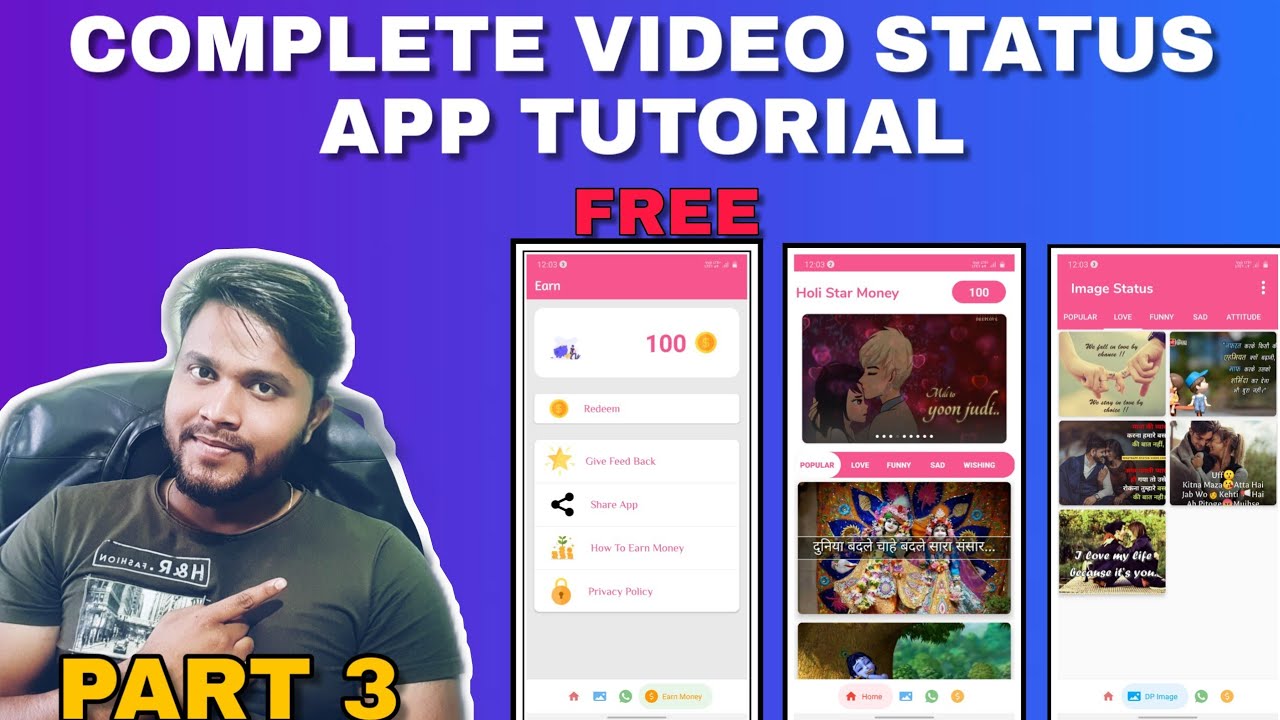
Hello Dosto Mera Membership Plan Join kar ke App kisi bhi template ko reskin kaise karte hai ye sikh sakte hai plus humne isme android ka basic knowledge bhi add kiya hai also hum isme ye bhi sikhate hai ki aap mobile se kaise app bana sakte hai AIDE AND SKETCHER ke through
MERA TEMPLATE FACEBOOK PAGE - https://m.facebook.com/meratemplatebysunil/
MERATEMPLATE ON INSTAGRAM - meratemplate
MERATEMPLATE WEBSITE - http://meratempmate.in
Contact -- 9359843915
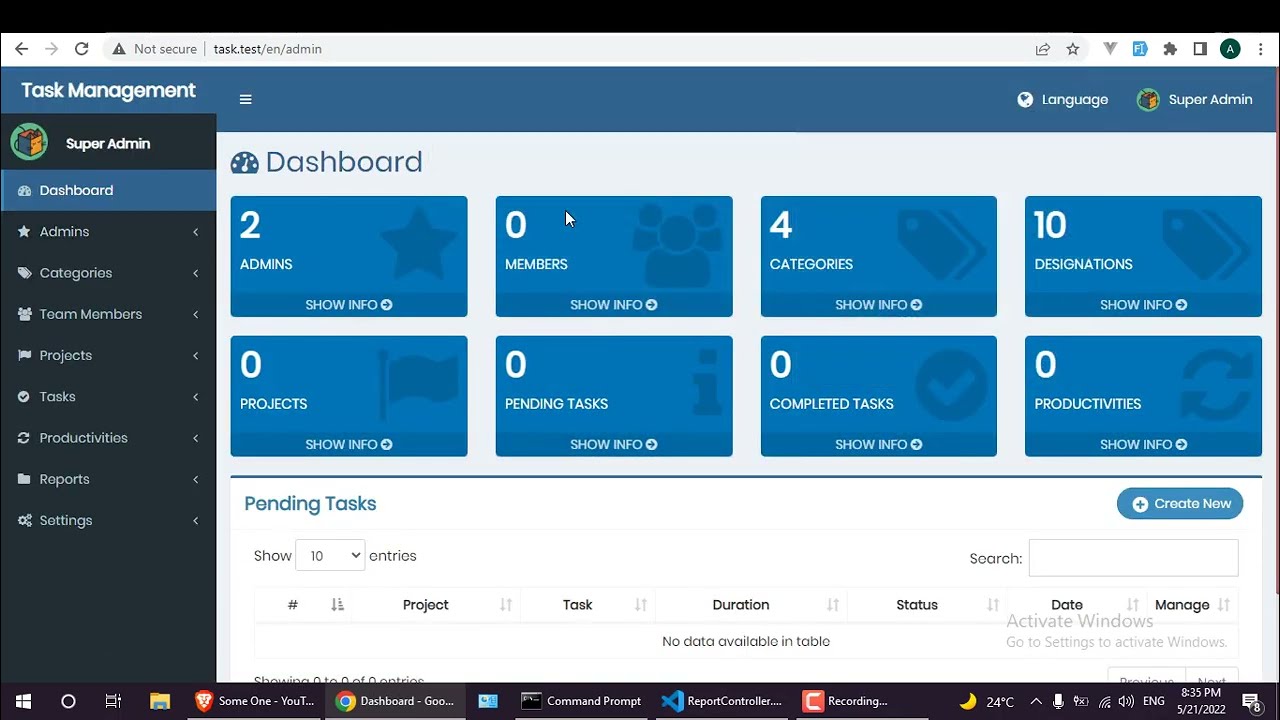
In This app you can manage all your projects and tasks and team members and you can control who is Project manager and give the project period of time when start and when finish
there are
-Categories
- Projects
-Tasks
-Productivities
-Team Members
-Reports
You can select multi team members who participate in that projects and choose one Project manager who control these team members and give them the tasks and productivities based on project analysis
http://ahmedprojects.great-site.net/
http://ahmedprojects.great-site.net/admin [ email : test@gmail.com , password : 123456 ]

In this tutorial, learn how to create a beautiful and functional Android app UI using both code and XML. Follow along as we guide you through the process, from designing the interface to writing the necessary code. With our easy-to-follow instructions, you'll be able to create a custom UI for your Android app in no time.
Show your Support on Patreon: https://www.patreon.com/neatroots
To Become Full Stack Android Developers Join Our Live Training (Mentorship) Program. Enrollment Form Link: https://forms.gle/nwGPEPhcEh5vZSpQA
You can contact us at https://t.me/NRootsTech
__________________________
⚠️ Post your Errors here:
Telegram Community Link: https://t.me/+PaQIC1KpJ1MyYmI8
Facebook Group: https://www.facebook.com/groups/neatroots
________________________
🏆 Follow me on
👉Linkedln: https://www.linkedin.com/in/ranatahirbilal/
🔥 Instagram: https://www.instagram.com/neatroots/?hl=en
🔥 Facebook: https://www.facebook.com/neatroots/
👍 Twitter: https://twitter.com/neatroots
#AndroidAppDevelopment

In this full stack app development tutorial, I will show you how to connect a Django backend server to a React.js frontend user interface. This is an important step in creating fully fledged apps, and as a full stack developer, it's crucial that you know how to do this. We'll guide you through the process step-by-step, using Python, Django, and React.js. Watch this video now to learn more!
#fullstackdevelopment #django #reactjs #python #backenddevelopment #frontenddevelopment #appdevelopment #webdevelopment #coding #programming #tutorial
Source Code: https://github.com/BekBrace/Re....act-Tutorial-for-Pyt
Join this channel to get access to perks:
https://www.youtube.com/channe....l/UC7EVSn5inapL20oPS
#django #react #reactjs #reacthooks #javascript #djangorestframework #djangoframework #python #pythonprogramming #javascript #backenddevelopment #frontenddevelopment
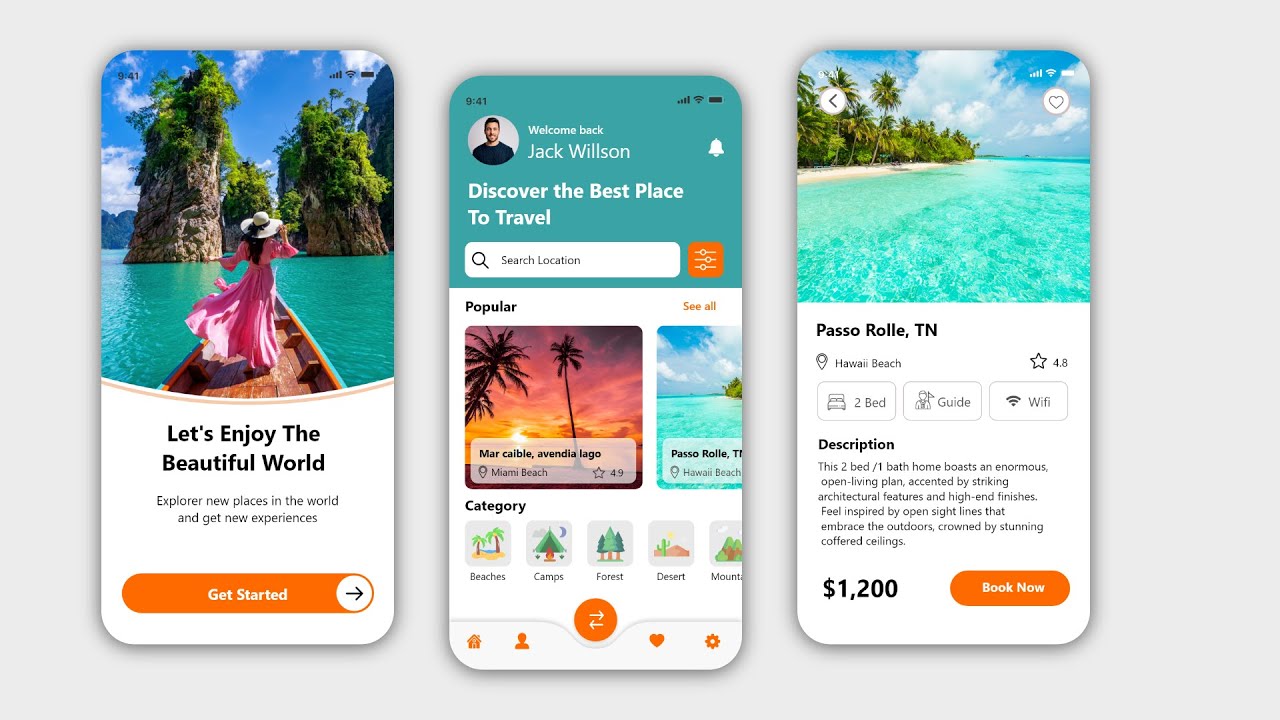
This tutorial video will show you how to create travel app android material Modern Dashboard page and intro page and detail page with Adobe XD and XML and JAVA code.
Write in the comment section if you have any Question.
For more awesome android tutorial videos please subscribe to this channel and don't forget to click the bell icon!
travel app android studio app
Android Studio Tutorial Material Design Android Studio Modern dashboard screen UI Design app Tutorial Adobe XD to Android Studio XML
00:12 Intro UI Design
07:09 Dashboard UI Design
20:11 Dashboard Activity Backend
01:03:43 Detail UI Design
01:20:28 Detail Activity Backend
Resource Files:
https://github.com/worldsat/project136
Source Code:
https://www.youtube.com/channe....l/UCpuuunu6eo-TLa1eT
#travelapp #xdandroid #moderndashboard #adobexdxml #androidstudiotutorial

What is Shopify's API and why is it useful?
In this video, we will learn about the two main APIs that Shopify provides.
► Offers & Help
--------------------------------------------------------------------------
🌟Learn the JavaScript side of Shopify Development:
https://codingwithjan.com/javascript
👨🎓Learn Shopify Development from Scratch:
https://www.codingwithjan.com/developer-bootcamp
👨💻Find a reliable Developer for your project:
https://www.codingwithjan.com/hire-a-developer
► Contact
--------------------------------------------------------------------------
🌐 Website
https://codingwithjan.com
🤝 LinkedIn
https://www.linkedin.com/in/jan-frey/
► Recommended Resources
--------------------------------------------------------------------------
Get started with Shopify's Admin API
https://shopify.dev/docs/admin-api
Get started with the Storefront API
https://shopify.dev/docs/storefront-api
► SEO Description
--------------------------------------------------------------------------
The two main Shopify APIs are namely the Admin API and the Storefront API.
Shopify's Admin API is used to integrate Apps and Features within a Shopify store whereas the Storefront API can help you to build Shopping experiences apart from an online store. Developers are using the Shopify API to integrate third-party services and unlock the full potential of Shopify as a Shop System. Basically, any functionality can be leveraged using the API. Products and orders can be obtained by the API, inventory can be managed, meta fields, and many more. The two main ways of working with these APIs are accessed via REST or GraphQL. While I recommend getting started with REST, cause it is easier to understand, GraphQL will be the future of all new Shopify Features.
https://codingwithjan.com

This Video is a Quick Tutorial for Creating the First Java Swing GUI Application with IntelliJ IDEA Latest IDE. You will see How do I create a new Swing app in IntelliJ IDEA IDE.
The Swing GUI Designer from JetBrains is really easy to use. IntelliJ IDEA form designer can be used to create Java Swing: A Hello World GUI App. We do not need to install any IntelliJ IDEA plug-in for that. Create a Basic Hello World Application from scratch.
------------------------------------------------------------------------
Subscribe to my channel for more videos of programming and hit the bell icon to never miss an update in the future.
Also, don't forget to LIKE & COMMENT.
------------------------------------------------------------------------
Channel Subscription:
🔗 https://www.youtube.com/c/CSCORNERSunitaRai
Java Programming Tutorial Playlist
🔗 https://www.youtube.com/playli....st?list=PLSDyGb_vtan
G-Suite Tools Playlist
🔗 https://www.youtube.com/playli....st?list=PLSDyGb_vtan
Screen Recorder Playlist
🔗 https://www.youtube.com/playli....st?list=PLSDyGb_vtan
Quizzes Playlist:
🔗 https://www.youtube.com/playli....st?list=PLSDyGb_vtan
Online Teaching Tools Playlist
🔗 https://www.youtube.com/playli....st?list=PLSDyGb_vtan
Thanks for watching my videos till the end, if you like my work please do Subscribe, Like, Comment, and Share!!
------------------------------------------------------------------------
🎥 MY FAVOURITE YouTube GEAR
https://www.amazon.in/shop/csc....ornersunitarai?listI
------------------------------------------------------------------------
CONNECT WITH ME ON:
►Facebook - https://www.facebook.com/cscornersunitarai/
►Personal Facebook A/c - https://www.facebook.com/sunita.sharmarai/
►Instagram - https://www.instagram.com/cscornersunitarai/
►Telegram - https://t.me/cscorner
►LinkedIn -https://www.linkedin.com/in/cscornersunitarai
------------------------------------------------------------------------
#JavaGUI #IntelliJIDEA #SwingUsingIntelliJ #cscornersunitarai #JavaDevelopers #Javatutorialforbeginners #Javatutorial #Javaprogramming #Javaprogrammingtutorial #Javabasicsforbeginners #Windows10
How to use the interface designer of IntelliJ Idea 2021
How to create a Java Frame using Window Builder of IntelliJ Idea 2021
How to Create Java Frame using GUI Designer in IntelliJ Idea 2021
IntelliJ IDEA 2021, Swing Designer, Swing Builder, GUI Designer, GUI Builder, Frame Designer, Frame Builder, Window Designer, Window Builder, Interface Designer, Interface Builder,gui,swing,java,first,creating,application,intellij idea,ide,graphical user interface (industry),netbeans (software),programming language (software genre),java (programming language),application software (software genre),integrated development environment (software genre),java (software),management,jetbrains,tutorial,quick,hello world,hello world gui app,plug-in,jformdesigner,gui builder,swing tutorial,java,javaswing,intellij,intellijidea,swing in eclipse tutorial,how to install swing in eclipse,how to use java swing in eclipse,java swing,eclipse (software),java ui,windowbuilder eclipse,windowbuilder eclipse tutorial,windowbuilder,swing,eclipse java,java gui,create java gui in intellij,create java swing gui in intellij,swing tutorial,java swing tutorial,install swing,java GUI,how to create gui in java using eclipse,java GUI using intelliJ IDEA IDE,#cscornersunitarai,swing in java,eclipse,java,cs corner
Subscribe to CS Corner Sunita Rai for more videos!
Like! Subscribe! Share!
Stay tuned!
PS: Some of the links in this description are affiliate links that I get a kickback from 😜

Check out my courses to become a PRO 🔥
https://developedbyed.com
Check out tailwind and shadcn right here
https://ui.shadcn.com/
https://tailwindcss.com/
🛴 Follow me on:
Twitch: https://www.twitch.tv/developedbyed
Twitter: https://twitter.com/developedbyed
Instagram: https://www.instagram.com/developedbyed/
Github: https://github.com/developedbyed/
#react #webdevelopment

