
- Film & Animation
- Music
- Pets & Animals
- Sports
- Travel & Events
- Gaming
- People & Blogs
- Comedy
- Entertainment
- News & Politics
- How-to & Style
- Non-profits & Activism
- Religion & Spiritual
- Health Natural Remedies
- Gardening +
- Arts & Crafts
- Action
- Hair & Beauty
- Hunting & Survival
- Shopping & Reviews
- Motivational & Self Help
- Jesus
- Marriage
- Live TV
- Programing & Coding
- Latest & Gadgets
- Make You Own
- Unexplained & Stange
- Jesus Christ
- Food & More
- Other
Top videos


►Speech is completely original and produced exclusively by Grace Digital Network
►Music licensed through Artlist.io
►Footage licensed through Filmpac.com and Storyblocks
►Animation: Tina Davidson
►Writer: David Kolawole
►Sound Design: Coker Esther
All scripture animations are derived from the King James Bible (KJB) or simply the Authorized Version (AV)
Our purpose, when making these videos, is to make quality educational motivational videos and share these with our viewers.
Note: We own copyright to the footages and background music used in this video.
🎬Clips Channel🎬
https://www.youtube.com/@gracedigitalclips927
----------------------------------------------------------
Title: They Are Doing EXACTLY What End Time Prophecy (Revelation 6) Tells Us
----------------------------------------------------------
CONTACT INFORMATION:
Grace Digital Network email:
leadership@inspirebygrace.com
Support:
https://www.paypal.com/paypalme/gracedigital
Grace Digital Network Website:
http://inspirebygrace.com/
----------------------------------------------------------
Software We Use.
https://www.taja.ai/?via=grace
Try Taja Free for 7-days
=========================================
This video and description may contain affiliate links, which means that if you purchase from one of the product links, we'll receive a small commission (at no extra cost to you), and this helps and allows us to continue to make videos like this.

There’s something very strange happening at the Paris Olympics.
Pay close attention, because there's a hidden message here that everyone has overlooked. But before we get to that, make sure you take a moment to subscribe so we can make God the biggest channel in the world.
The rider of this white horse is holding an Olympic flag, and behind him there are people holding flags representing every country in the world, each in a different color. Now, recall that picture as you read this verse from Revelation 6:2:
Subscribe 👉 https://bit.ly/godofrevelation
Join the Community 👉 https://bit.ly/godmembership
Our Most Popular Videos 👉 https://bit.ly/godmostpopular
Subscribe 👉 https://bit.ly/godofrevelation
Subscribe 👉 https://bit.ly/godofrevelation
Subscribe 👉 https://bit.ly/godofrevelation
#olympics #revelation #bible #prophecy #god #olympics2024

Boletas Movistar: https://tuboleta.com/eventos/d....etalle/fucks-news-no
Boletas Quito: https://www.buenplan.com.ec/ev....ent/fucks-news-quito
Merch Oficial: https://somosgift.com/tienda/fucks-news/
Libro: https://www.buscalibre.com.co/....libro-fuck-news/9786
Patreon: https://www.patreon.com/fucksnews
El noticiero menos informado de Colombia, y en este país eso es mucho decir.
Camilo Pardo: https://www.instagram.com/camilopmagia/
Camilo Sanchez: https://www.instagram.com/dejemequieto/
Host: @culotauro
Abridor: @negroperodecenteoficial
Producción: @kiketrianaft
Productor técnico: @archerproducer
➤SHOOTING with BULLETS + CUSTOM PROJECTILES || Unity 3D Tutorial:
I've already made a tutorial about shooting with ray casts, but a lot of people wanted to know how to shoot with bullets. So in this series, I'll show you everything you need to know to start shooting bullets/custom projectiles in Unity 3d! :D
I forgot to mention the DOWNLOADS in the video (sorry :D)
➤DOWNLOAD THE SCRIPT: https://bit.ly/2Z7NOD2
➤Download the whole PROJECT (channel free-code-dave): https://discord.gg/5S3bBBq
For now, I planned this to be a 2 part series but if you enjoy it make sure to like, if enough people want it, I'll make this series longer :D
The second part will come out in a couple of days! :D
Links:
➤Shooting with RAY CASTS: https://www.youtube.com/watch?v=bqNW08Tac0Y&ab_channel=Dave%2FGameDevelopment
➤My Discord: https://discord.gg/5S3bBBq
➤My Website (still working on it): https://sites.google.com/view/daves-games/home
➤DON'T CLICK: https://bit.ly/2VcrDZt
🏹 Get Access to my RANGED COMBAT LAB! 🏹
➤ Trailer: https://youtu.be/j2YplilHjCA
➡️ Get Access to my full MOVEMENT LAB! ➡️
➤ Trailer: https://youtu.be/9_Q9UxK7VF8
Other videos to check out :D
➤Full WALL RUN tutorial: https://www.youtube.com/watch?v=Ryi9JxbMCFM&t=92s&ab_channel=Dave%2FGameDevelopment
➤My FIRST YEAR of game development: https://www.youtube.com/watch?v=__qiHCzX6wo&t=303s&ab_channel=Dave%2FGameDevelopment
Music used:
➤Elevate - LiQWYD: https://www.youtube.com/watch?v=nwV8HN0m2eA&ab_channel=AudioLibrary%E2%80%94Musicforcontentcreators
➤Night Out - LiQWYD: https://www.youtube.com/watch?v=tut9O8uaJho&ab_channel=AudioLibrary%E2%80%94Musicforcontentcreators
Support me on Patreon:
➤ https://www.patreon.com/davegamedevelopment
Some tags (ignore :D):
Dave / Gamedevelopment,unity,unity3d,unity 3d,unity engine,unity gameengine,indie game,indie game developement,indie gamedev,indie gamedev,indie games,dave,gamedevelopement,dave gamedevelopement, unity gamedev, unity gamedevelopement,indie game devlog,indie game devlog,devlog,indie game devlog,unity,unity3d,Unity,Unity 3d,unity 3d,gameengine,Dave,/,Gamedevelopment,indie,game,devlog,dev,log,dev,blog,indie gamedev,game,dev,unity,unity3d,unity 3d,Dave / Gamedevelopment,Unity,unity tutorial,unity projectile,unity 3d tutorial,unity fps,unity weapon system,unity shooting,unity shooting projectiles 3d,unity shooting projectiles,unity shooting bullets,shooting,projectiles,bullets,tutorial,unity shooting bullets tutorial,unity shooting projectiles tutorial,unity shooting tutorial,unity shooting physics,unity fps tutorial,unity first person shooter,unity 3d fps tutorial,fps tutorial,shooting with bullets + custom projectiles
#UnityTutorial #UnityShooting #ShootingTutorial
You really scrolled all the way down here? :D


Programming a networking shoot and kill players unity3d.
Firing RPC script: http://pastebin.com/P4fze80P
playerStats script: http://pastebin.com/x9NAXGff
Donate: http://bit.ly/1tHdbGr
Follow On
Twitter https://twitter.com/jesseetzler
Google+ https://plus.google.com/112973....113838861460148/post
Facebook https://www.facebook.com/Unity....3dTutorialsByJesseEt
Finally the Animations! RE-UPLOAD!
NEW UNITY 5 FPS SERIES : https://www.youtube.com/watch?v=maoQit9mJeE
Tell me what you want me to do next in the comments below!
In this episode i show you how to add shooting to your game .. the basic way but i will cover more advanced if requested!
Previous Episode :
Next Episode : Tomorrow
Next Info Episode : soon
Please Comment Rate and Subscribe for More!
Let me know what you want to learn in the comments Below!
•Music By Kevin McLeod : http://www.incompetech.com
• Livestream: http://www.twitch.tv/steamfiregamer
• Email: steamfiregamer@gmail.com
Enjoy!
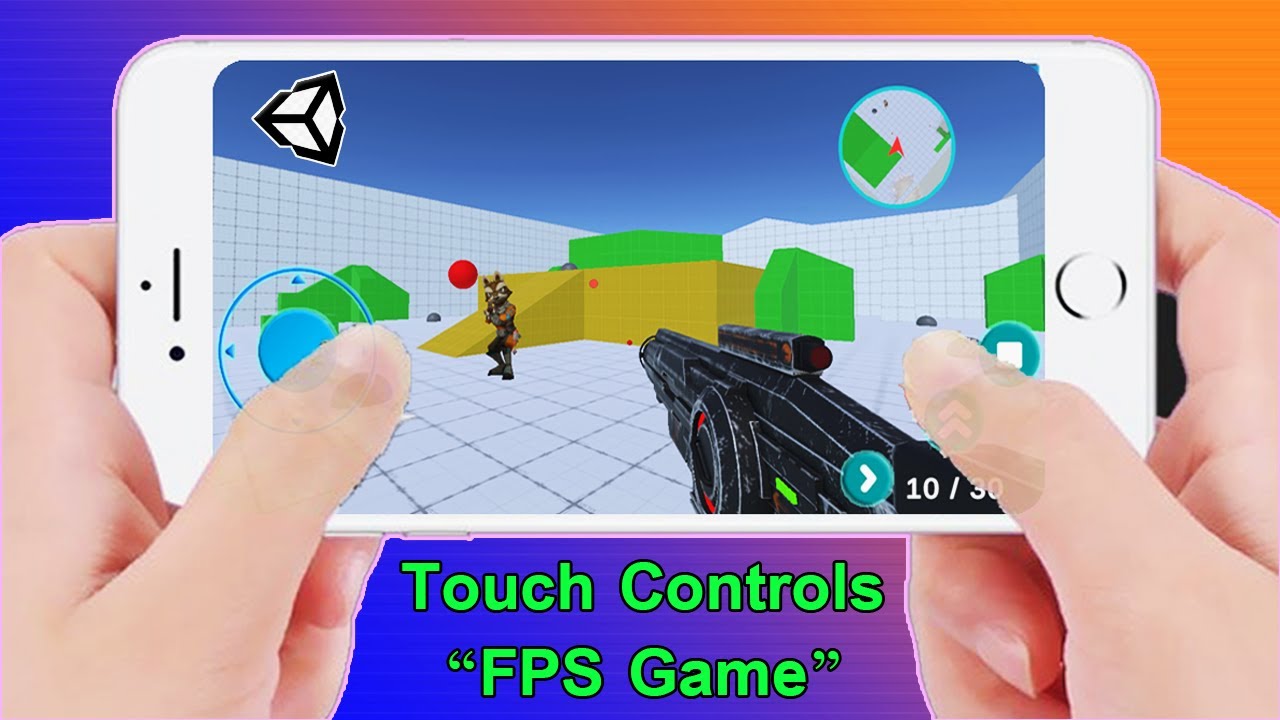
Let's learn how to implement touch controls in Unity!
● NEW! FPS Controller: https://youtu.be/OFXvvuxqPNQ
● NEW! FPS Touch Controls: https://youtu.be/xMDUGjheVSk
● Build to Mobile: https://youtu.be/5ANuDZjhbFY?t=35
● INSTALL UNITY: https://youtu.be/gxX7euQ_2Qc
● Project Files: https://github.com/Chaker-Gamra/FPS-Game-Unity
♥ Don't Click This! : https://bit.ly/2Zi3vu9
♥ My Second Channel: https://bit.ly/3jvI8g6
--------------------------------------------------------------------
✅ My current Productivity Setup 👇:
● Gaming Headset: https://amzn.to/3HyXgp2
● Gaming Mouse: https://amzn.to/3ni4Ygp
● Best Webcam: https://amzn.to/44pVUqw
● Keyboard: https://amzn.to/3ALXB3M
● GPU: https://amzn.to/42mylNt
● CPU: https://amzn.to/44lOBjs
--------------------------------------------------------------------
FOLLOW ME:
● Facebook: https://www.facebook.com/Developer3.5Pro
● Sketchfab: https://sketchfab.com/GDTitans
● My GitHub: https://github.com/Chaker-Gamra
--------------------------------------------------------------------
► All content by GDTitans is 100% free. I believe that education should be freely available to everyone.
Now make it so that the enemies can't pass through each other and get congested in narrow hallways for a realistic movement.
Got a questions, problems, glitches? Get help here:
http://forum.unity3d.com/threa....ds/126207-ETeeskiTut
Unity Engine used in accordance to the Unity3D End User License Agreement, found here:
http://unity3d.com/unity/unity....-end-user-license-3.
Learn how to create a beautiful mobile app without coding in just a few minutes.
GET THE COURSE 👉 Build Mobile Apps [Without Coding] → https://grumo.com/goglide
(Use the coupon YOUTUBELOVE for a 50% discount)
For more tutorials like this subscribe at → https://grumo.com/subscribe
In this tutorial, I will show you how to create a fully functional task tracking mobile app using Glide's easy-to-use drag and drop visual interface. The app will work in both Android and iOS mobile phones.
Make a copy of the final app shown in this tutorial at → https://grumo.com/tasktracker
TIMESTAMPS:
00:00 - Intro
00:24 - How does GlideApps work?
00:35 - Who is GlideApps for?
00:43 - 3 Examples of mobile apps I created using Glide
01:07 - Let's build a task tracking app using a free template
02:33 - Quick tour of GlideApps user interface
04:52 - Customize the layout of your app
07:26 - Adding/Removing layout components
08:58 - Creating custom columns with formulas
11:26 - Working with computed columns
14:03 - Working with conditional columns
15:02 - Creating data filters
16:14 - Understanding Relation Columns
19:33 - Publishing your task tracking app
20:20 - Free vs Paid plans on GlideApps
Thanks for watching!
Peace, Love, Cookies.
Miguel @ Grumo.com
Follow me on Twitter at https://twitter.com/grumomigs
Follow me on Instagram at https://instagram.com/grumo
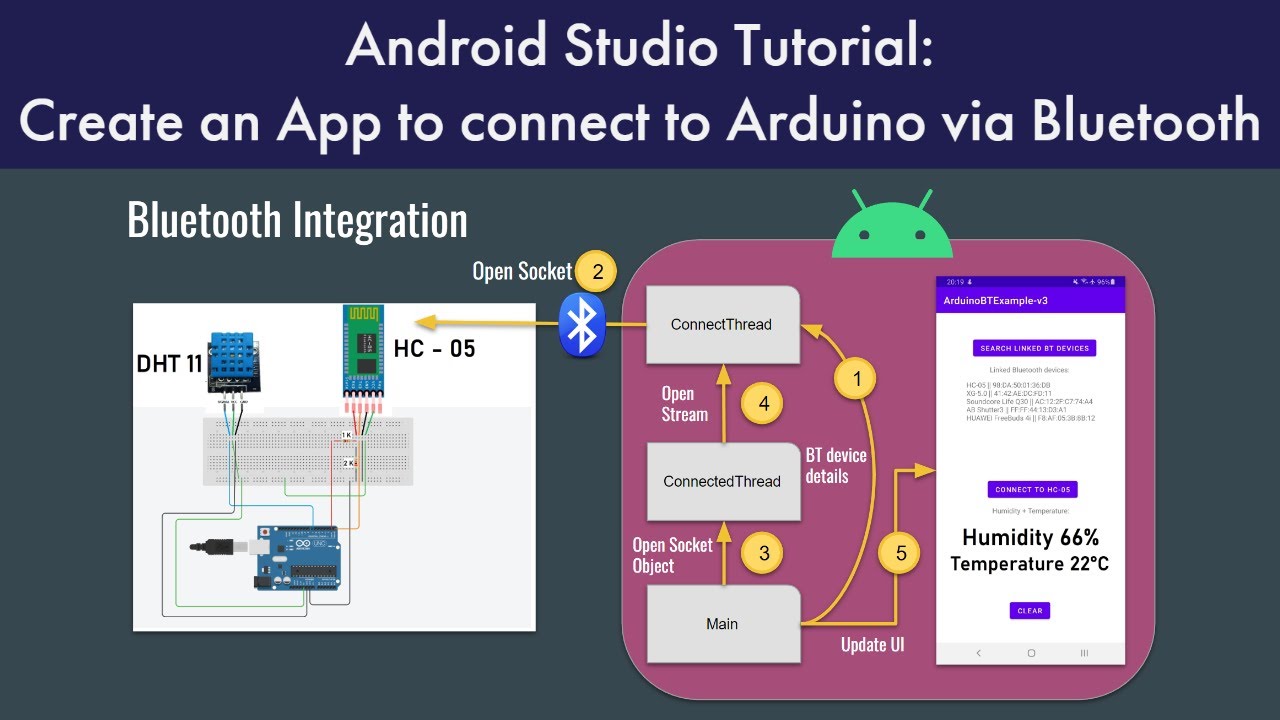
Hello! thanks for watching my video. Please find my code in this public GitHub repository:
https://github.com/The-Frugal-....Engineer/ArduinoBTEx
You can find more information about the project in this public Doc:
https://docs.google.com/docume....nt/d/12lBVF0uLpm_l9y
Arduino Bluetooth tutorial (HC-05) video: https://youtu.be/17kt5eq7guM
You can follow me on Twitter if you have any questions: https://twitter.com/uk_frugal
I created this Discord server so we can discuss any technical topic: https://discord.gg/hxT79RD6mh
00:00 Intro
01:15 Integration diagram
02:40 Code review
11:40 Demo & Outro
#androidstudio #tutorial #programming
🏆 My Online Courses
⭐Discount Coupon: LAUNCH-STEVDZA-SAN
https://stevdza-san.com
🐱👤 Wanna become a member? Join!
https://www.youtube.com/channe....l/UCYLAirIEMMXtWOECu
📸 Instagram
https://www.instagram.com/stevdza_san/
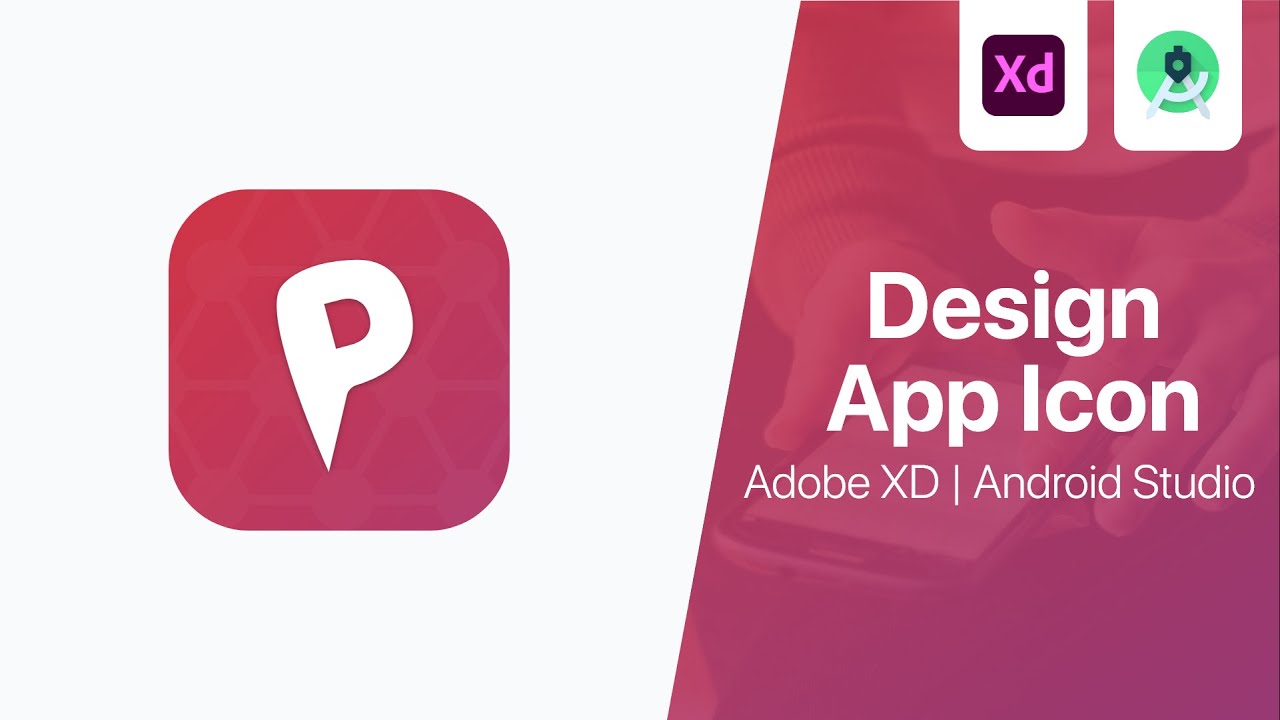
Android 8.0 (API level 26) introduces adaptive launcher icons, which can display a variety of shapes across different device models. For example, an adaptive launcher icon can display a circular shape on one OEM device, and display a squircle on another device. Each device OEM provides a mask, which the system then uses to render all adaptive icons with the same shape. Adaptive launcher icons are also used in shortcuts, the Settings app, sharing dialogs, and the overview screen.
You can control the look of your adaptive launcher icon by defining 2 layers, consisting of a background and a foreground. You must provide icon layers as drawables without masks or background shadows around the outline of the icon.
Timestamps:
0:00 - Introduction
0:46 - Design Background and Foreground
4:02 - Export your designs in .SVG format
4:18 - Import Design in Android Studio
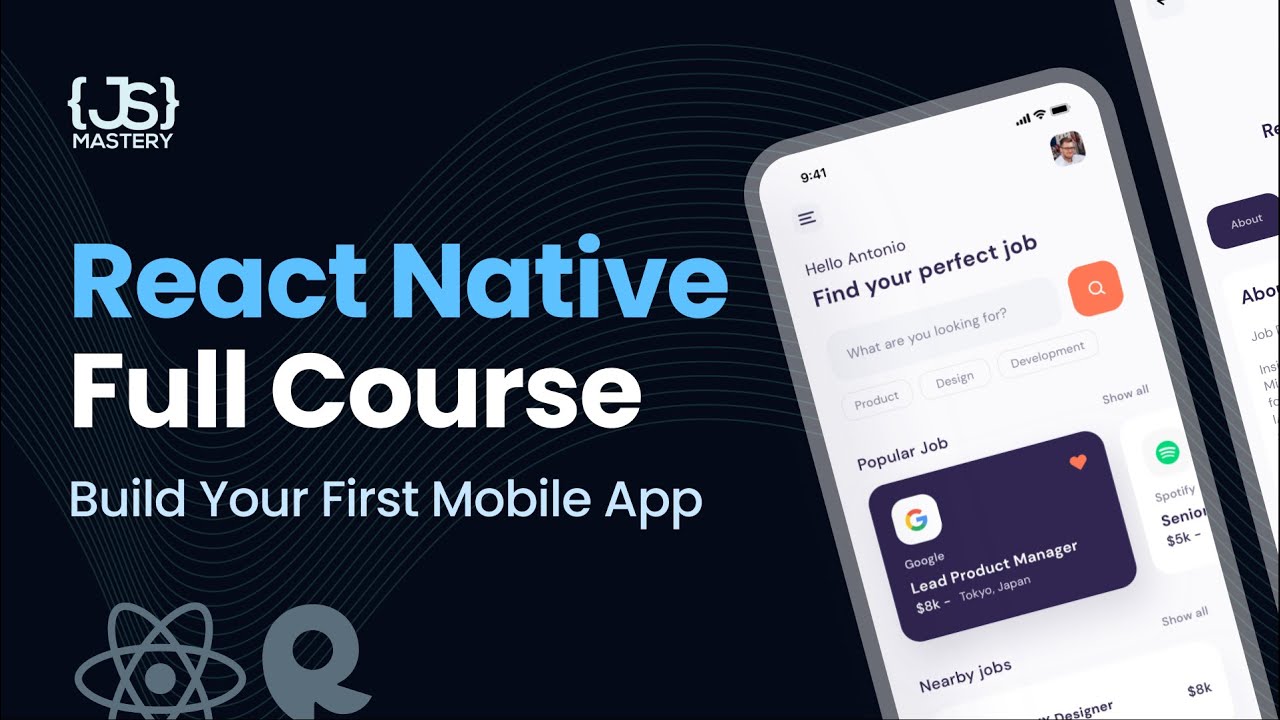
🆕 UPDATED https://youtu.be/ZBCUegTZF7M?si=J6O_Ou9_-tUHWRpz
The existence of React Native makes React one of the most valuable skills to have. Learn to transform 75% of your knowledge from making websites into building mobile applications today!
Want to land your dream programming job in 3 - 6 months?
⭐ JSM Masterclass Experience - https://jsmastery.pro/masterclass
Become a Software Engineer. Guaranteed.
💻RapidAPI - https://rapidapi.com/?utm_source=youtube.com%2FJavaScriptMastery&utm_medium=referral&utm_campaign=DevRel
💻RapidAPI JSearch - https://rapidapi.com/letscrape-6bRBa3QguO5/api/jsearch?utm_source=youtube.com/JavaScriptMastery&utm_medium=referral&utm_campaign=DevRel
To increase to 500 requests, contact: support@openwebninja.com (https://rapidapi.com/user/letscrape-6bRBa3QguO5/)
More Letscrape APIs: https://www.openwebninja.com
BUG FIX - If you can only fetch the Nearby or the Popular at once, here's the fix. Go to the JSearch API, and resubscribe to the free plan again. We recently updated it, so it allows for two requests per second. Nothing in the code has to be changed.
📚 Materials/References:
GitHub Code (give it a star ⭐): https://github.com/adrianhajdi....n/project_react_nati
Assets, Components, Public folders: https://drive.google.com/file/....d/1VGr3R-3uta9xNj17e
GitHub Gist Code Snippets: https://gist.github.com/adrian....hajdin/dcc49a54d2822
Design: https://dribbble.com/shots/118....67493-Job-finder-Mob
📙 Get the Ultimate Frontend & Backend Development Roadmaps, a Complete JavaScript Cheatsheet, Portfolio Tips, and more - https://www.jsmastery.pro/links
Alongside building this application, you'll also learn how to:
- develop visually appealing UI/UX designs
- fetch data from an external API and integrate it
- implement search & pagination functionality
- create custom API data fetching hooks
- write clean, organized, and maintainable code with proper architecture
- follow the best practices for React Native development
💻 Join JSM on Discord - https://discord.gg/n6EdbFJ
🐦 Follow JSM on Twitter - https://twitter.com/jsmasterypro
🖼️ Follow JSM on Instagram - https://instagram.com/javascriptmastery
💼 Business Inquiries: contact@jsmastery.pro
👇 Time Stamps:
00:00:00 Intro
00:04:18 React Native Crash Course
00:14:06 Setup
00:24:30 Home Screen
00:55:20 useFetch Hook (API integration)
01:22:15 Job Details Screen
02:00:59 Search Functionality
02:11:00 Deployment

🏆 My Online Courses
⭐Discount Coupon: LAUNCH-STEVDZA-SAN
https://stevdza-san.com
🐱👤 Wanna become a member? Join!
https://www.youtube.com/channe....l/UCYLAirIEMMXtWOECu
📸 Instagram
https://www.instagram.com/stevdza_san/
Essentially Splash screen is startup screen which is normaly shown in the first few seconds of running your application. It's purpose is to show your brand to users before launching the rest of the app. You should work on it's design, but remember do not over do it, it should look simple.
You should always use VECTOR file/asset for your Splash screen, because it is density independent, and it will not look pixalated on larger resolutions. Avoid using .png .jpeg images, because you would need to import it in different sizes to match various devices. Vectors are always prefered.
And in this video you will learn how to create and implement the logic for Splash screen, it's very easy, so not need to worry. :)

In this Kivy Tutorial, I show you how to make mobile apps with python. This is a python kivy tutorial for beginners, showing you how to create mobile apps with kivy. Kivy is a cross platform Python module, which means it works on both Android and iOS - I will show you how to make android
apps with python, as well as how to make iOS apps with python! Python mobile app development is very easy, and in this series I show you how do to it!
This is the first tutorial in the kivy tutorial series, and if
you would like to see more of these tutorials, be sure to subscribe!
CMD Commands:
For Python 3.9:
python -m pip install kivy[base] kivy_examples
python -m pip install pygame
For Python 3.7 and lower:
python -m pip install --upgrade pip wheel setuptools
python -m pip install docutils pygments pypiwin32 kivy.deps.sdl2 kivy.deps.glew
python -m pip install kivy.deps.gstreamer
python -m pip install kivy.deps.angle
python -m pip install pygame
python -m pip install kivy
For Python 3.8:
pip install kivy[base] kivy_examples --pre --extra-index-url https://kivy.org/downloads/simple/
python -m pip install pygame
Python Intermediate OOP Tutorials: https://www.youtube.com/playli....st?list=PLkkm3wcQHjT
Python If name == main tutorial: https://youtu.be/8VlAlmSAJso
If you enjoyed, be sure to leave a like, and if you want to see more, be sure to subscribe as well!
Thanks For Watching!
TAGS:
how to make mobile apps with python,how to make a mobile app with python,how to make mobile apps in python,how to create mobile apps with python,how to create a mobile app with python,kivy tutorial,how to make mobile apps with kivy,python app development for beginners,python app development,python kivy tutorial,python kivy full course,kivy tutorial python,kivy tutorial for beginners,kivy python tutorial,kivy python,python kivy tutorial for beginners,shawcode

🏆 My Online Courses
⭐Discount Coupon: LAUNCH-STEVDZA-SAN
https://stevdza-san.com
🐱👤 Wanna become a member? Join!
https://www.youtube.com/channe....l/UCYLAirIEMMXtWOECu
📸 Instagram
https://www.instagram.com/stevdza_san/
// ViewModel dependency
implementation "androidx.lifecycle:lifecycle-viewmodel-ktx:2.2.0"
The ViewModel class is designed to store and manage UI-related data in a lifecycle conscious way. The ViewModel class allows data to survive configuration changes such as screen rotations. So when we are talking about Activity or Fragment we are actualy refering to UI Controllers. And ViewModel class should be created for each UI Controller in order to separate things like data and diferent calculations from UI Controler. In UI Controller there should only be necessary code for managing our UI, and everything else we could placed inside a ViewModel class.
Timestamps
0:00 - Introducing with ViewModel
1:30 - Practical example with ViewModel
6:30 - Conclusion
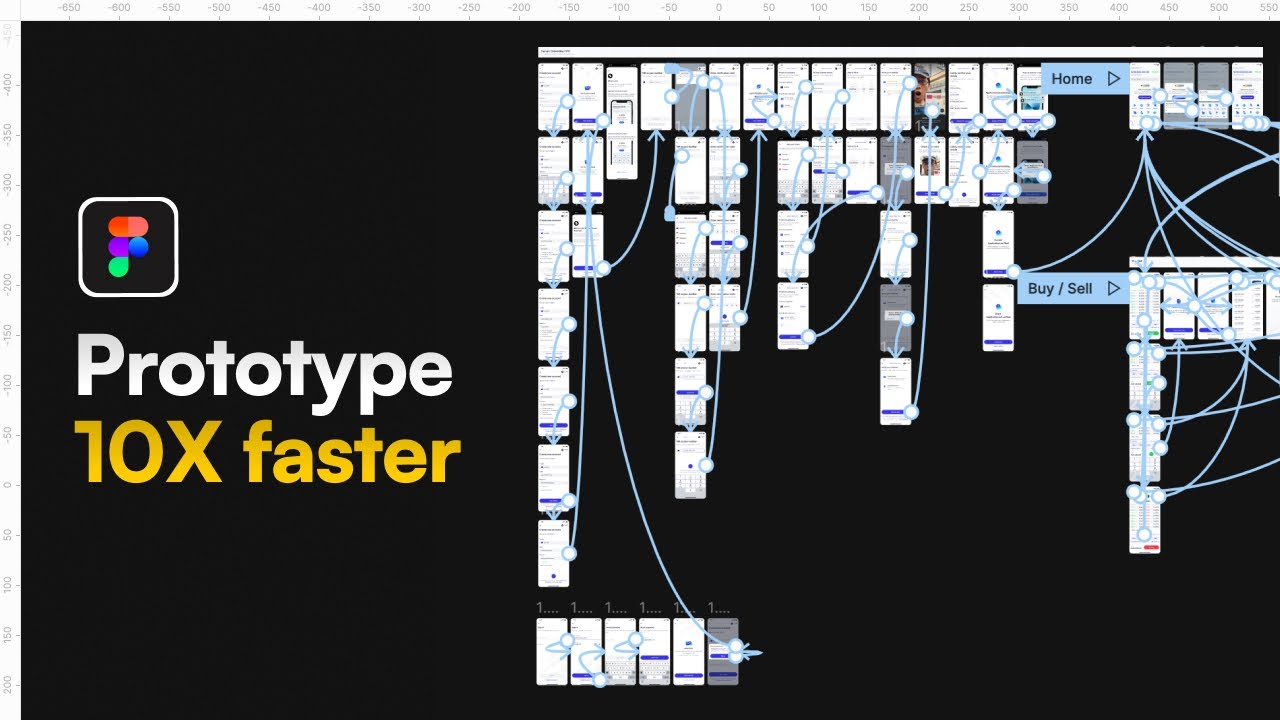
My Ultimate Figma Design Masterclass (3,000+ students. 90+ Videos. 10+ hours)
👉 https://thedesignership.com/co....urses/the-ultimate-f
Shipfaster UI - Advanced Figma Design System (2,000+ Designers, 6,000 components and variants, 150+ global styles and 2,800+ media assets)
👉 https://thedesignership.com/pr....oducts/figma-design-
Outline - Figma Wireframe Kit (350+ components and variants)
👉 https://www.thedesignership.co....m/products/outline-w
Sign up to my newsletter for exclusive content:
👉 https://mizko.net/newsletter
Follow me on IG (Daily updates):
👉 https://instagram.com/themizko
===
Level up with me:
Become a legendary designer: https://thedesignership.com
Personal portfolio: https://mizko.net
Instagram: https://instagram.com/themizko
LinkedIn: https://linkedin.com/in/mizko
Twitter: https://twitter.com/mizko
Class 3, Part 3. This video comes from Marakana's 5-Day Android Bootcamp Training Course which Marko Gargenta taught in San Jose, CA earlier this year.
In this tutorial, Marko will show you how to set-up a SQLite database to store local data for your Android application. The database service will run in the background and periodically update the database to ensure that the data needed for your Android app is relatively fresh.
This tutorial will:
- Introduce you to SQLite
- Show you how to create a helper class that provides a "connection" to the database
- Introduce you to the database schema and its creation
- Cover the four main operations for application databases
** Get the source code for this tutorial here: http://marakana.com/f/267
Learn how to edit videos with VN Video Editor, including all the video editing features & tips you NEED to know as a beginner in this COMPLETE VN (VlogNow) tutorial for iPhone, Android & Mac!
-- LINKS --
(When available, we use affiliate links and may earn a commission!)
► VN Video Editor: https://primalvideo.com/go/vn-video-editor/?utm_source=youtube&utm_medium=description&utm_content=yb7-ab-6MO8
Resources to Level Up your Videos:
► Complete Video Creation Roadmap: https://primalvideo.com/video-creation/?utm_source=youtube&utm_medium=description&utm_content=yb7-ab-6MO8
► Create Animated Titles & Intros: https://primalvideo.com/go/placeit/?utm_source=youtube&utm_medium=description&utm_content=yb7-ab-6MO8
► Awesome Stock Music: https://primalvideo.com/go/artlist/?utm_source=youtube&utm_medium=description&utm_content=yb7-ab-6MO8
► Stock Footage Library: https://primalvideo.com/go/storyblocks/?utm_source=youtube&utm_medium=description&utm_content=yb7-ab-6MO8
Best Video Editing Software 2021:
► Windows: https://youtu.be/8cZ_lKIrreA
► Mac: https://youtu.be/Y-sd7a7630Q
Royalty Free Music for Videos:
► Artlist: https://primalvideo.com/go/artlist/?utm_source=youtube&utm_medium=description&utm_content=yb7-ab-6MO8
► Epidemic Sound: https://primalvideo.com/go/epidemicsound/?utm_source=youtube&utm_medium=description&utm_content=yb7-ab-6MO8
Music track in this video:
► “Pancakes” - Dylan Sitts (Epidemic Sound)
📥 Learn the ULTIMATE Process for Editing Videos Faster (FREE DOWNLOAD): https://primalvideo.com/primal-video-method/?utm_source=youtube&utm_medium=description&utm_content=yb7-ab-6MO8
*** GEAR WE USE ***
https://primalvideo.com/gear?utm_source=youtube&utm_medium=description&utm_content=yb7-ab-6MO8
Timestamps:
00:00 VN Video Editor - COMPLETE Tutorial for Beginners!
01:50 How to import footage on VN Video Editor
03:40 How to edit in VN Video Editor
06:40 How to add b-roll in VN Video Editor
09:14 How to add text in VN Video Editor
12:16 How to add effects in VN Video Editor
14:36 How to add music in VN Video Editor
17:00 How to adjust audio levels in VN Video Editor
19:11 How to color grade in VN Video Editor
21:17 How to adjust speed in VN Video Editor
22:33 How to change the video format in VN Video Editor
23:58 How to export in VN Video Editor
🚀 Join the Primal Video Accelerator waitlist: https://primalvideo.com/accelerator?utm_source=youtube&utm_medium=description&utm_content=yb7-ab-6MO8 🚀
Learn how to build an audience, generate new leads on autopilot and SCALE your business with video step-by-step in our fast-track Primal Video Accelerator program!
--
Become a Primal Video Insider (100% free) to access advanced workshops, bonus trainings, and regular PV updates: https://primalvideo.com/subscribe?utm_source=youtube&utm_medium=description&utm_content=yb7-ab-6MO8
-- VN Video Editor - Complete Tutorial for Beginners! --
VN Video Editor (also known as VlogNow) recently took out the ‘best all rounder’ ranking on our Best Video Editing Apps for Android AND Best Video Editing Apps for iPhone videos, and it also got a solid mention on our Mac video editing software roundup for 2021.
Not only is it a super powerful video editor available on iPhone, Android, Mac (and soon-to-be Windows PC), but it’s also free!
In this video, we run through a complete VN Video Editor tutorial for beginners - stepping through everything you need to know to get up-to-speed and editing videos FAST with VN Editor!
**********
GEAR WE USE: https://primalvideo.com/gear?utm_source=youtube&utm_medium=description&utm_content=yb7-ab-6MO8
Check out all the gear we use and recommend at Primal Video!
**********
--- Related Content ---
- How to Make an Animated Video Intro for YouTube: https://youtu.be/T8IcC45LRnI
- Best Royalty Free Music Sites for Video: https://www.youtube.com/watch?v=2p0WfTXmL6U
- Best Video Editing Apps for iPhone & iPad: https://www.youtube.com/watch?v=PDE9i-3C-6k
- Best Video Editing Apps for Android: https://www.youtube.com/watch?v=floPOo1i5nw
#VideoEditing #VideoEditingForBeginners #VNVideoEditor #YouTubeForBusiness #PrimalVideo
DISCLOSURE: We often review or link to products & services we regularly use and think you might find helpful. Wherever possible we use referral links, which means if you click one of the links in this video or description and make a purchase we may receive a small commission or other compensation.
We're big fans of Amazon, and many of our links to products/gear are links to those products on Amazon. We are a participant in the Amazon Services LLC Associates Program, an affiliate advertising program designed to provide a means for us to earn fees by linking to Amazon.com and related sites.
For Code Used in this Video ... click link
http://www.codebind.com/androi....d-tutorials-and-exam
In this tutorial we will learn How to use Alert Dialog in Android Using Android Studio.
An AlertDialog shows a floating screen and waits for the user to click on a button to be dismissed.
The AlertDialog is an almost modal screen that
(1) presents a brief message to the user typically shown as a small floating window that partially obscures the underlying view, and
(2) collects a simple answer (usually by clicking an option button) .
So lets create a project.
★★★Top Online Courses From ProgrammingKnowledge ★★★
Python Programming Course ➡️ http://bit.ly/2vsuMaS ⚫️ http://bit.ly/2GOaeQB
Java Programming Course ➡️ http://bit.ly/2GEfQMf ⚫️ http://bit.ly/2Vvjy4a
Bash Shell Scripting Course ➡️ http://bit.ly/2DBVF0C ⚫️ http://bit.ly/2UM06vF
Linux Command Line Tutorials ➡️ http://bit.ly/2IXuil0 ⚫️ http://bit.ly/2IXukt8
C Programming Course ➡️ http://bit.ly/2GQCiD1 ⚫️ http://bit.ly/2ZGN6ej
C++ Programming Course ➡️ http://bit.ly/2V4oEVJ ⚫️ http://bit.ly/2XMvqMs
PHP Programming Course ➡️ http://bit.ly/2XP71WH ⚫️ http://bit.ly/2vs3od6
Android Development Course ➡️ http://bit.ly/2UHih5H ⚫️ http://bit.ly/2IMhVci
C# Programming Course ➡️ http://bit.ly/2Vr7HEl ⚫️ http://bit.ly/2W6RXTU
JavaFx Programming Course ➡️ http://bit.ly/2XMvZWA ⚫️ http://bit.ly/2V2CoAi
NodeJs Programming Course ➡️ http://bit.ly/2GPg7gA ⚫️ http://bit.ly/2GQYTQ2
Jenkins Course For Developers and DevOps ➡️ http://bit.ly/2Wd4l4W ⚫️ http://bit.ly/2J1B1ug
Scala Programming Tutorial Course ➡️ http://bit.ly/2PysyA4 ⚫️ http://bit.ly/2PCaVj2
Bootstrap Responsive Web Design Tutorial ➡️ http://bit.ly/2DFQ2yC ⚫️ http://bit.ly/2VoJWwH
MongoDB Tutorial Course ➡️ http://bit.ly/2LaCJfP ⚫️ http://bit.ly/2WaI7Ap
QT C++ GUI Tutorial For Beginners ➡️ http://bit.ly/2vwqHSZ
★★★ Online Courses to learn ★★★
Get 2 FREE Months of Unlimited Classes from skillshare - https://skillshare.eqcm.net/r1KEj
Data Science - http://bit.ly/2lD9h5L | http://bit.ly/2lI8wIl
Machine Learning - http://bit.ly/2WGGQpb | http://bit.ly/2GghLXX
Artificial Intelligence - http://bit.ly/2lYqaYx | http://bit.ly/2NmaPya
MERN Stack E-Degree Program - http://bit.ly/2kx2NFe | http://bit.ly/2lWj4no
DevOps E-degree - http://bit.ly/2k1PwUQ | http://bit.ly/2k8Ypfy
Data Analytics with R - http://bit.ly/2lBKqz8 | http://bit.ly/2lAjos3
AWS Certification Training - http://bit.ly/2kmLtTu | http://bit.ly/2lAkQL1
Projects in Java - http://bit.ly/2kzn25d | http://bit.ly/2lBMffs
Machine Learning With TensorFlow - http://bit.ly/2m1z3AF | http://bit.ly/2lBMhnA
Angular 8 - Complete Essential Guide - http://bit.ly/2lYvYRP
Kotlin Android Development Masterclass - http://bit.ly/2GcblsI
Learn iOS Programming Building Advance Projects - http://bit.ly/2kyX7ue
★★★ Follow ★★★
My Website - http://www.codebind.com
DISCLAIMER: This video and description contains affiliate links, which means that if you click on one of the product links, I’ll receive a small commission. This help support the channel and allows us to continue to make videos like this. Thank you for the support!
This tutorial will teach about how to display Alert Dialog in android?
Android alert dialog example, Android Alert Dialog Tutorial,
AlertDialog alertDialog = new AlertDialog, How to Show Alert Dialog in Android, how to create custom alert dialog box in android
custom alert dialog box in android, alert dialog box with ok button in android, alert dialog box with edittext in android, alert dialog box with one button in android, alert dialog box in android with ok and cancel button, alert dialog box in android.
