- Film & Animation
- Music
- Pets & Animals
- Sports
- Travel & Events
- Gaming
- People & Blogs
- Comedy
- Entertainment
- News & Politics
- How-to & Style
- Non-profits & Activism
- Religion & Spiritual
- Health Natural Remedies
- Gardening +
- Arts & Crafts
- Action
- Hair & Beauty
- Hunting & Survival
- Shopping & Reviews
- Motivational & Self Help
- Jesus
- Marriage
- Live TV
- Programing & Coding
- Latest & Gadgets
- Make You Own
- Unexplained & Stange
- Jesus Christ
- Food & More
- Other
Top videos


Showcasing the newly revealed game: Exoborne! Created by Former Division Developers, Exoborne was revealed in a new Game Awards 2023 Trailer! It's an Open-World Extraction Shooter with Exo-Rigs, Dynamic Weather Events & MORE!
CHECK OUT EXOBORNE FOR YOURSELF HERE: https://wehy.pe/y/3/KackisHD
Taking a break from Destiny 2, we are talking about a highly anticipated New Games that was just revealed in 2023! Revealed at The Game Awards 2023, and developed my Sharkmob Studios, Exoborne is a new entry into the Extraction Shooter Genre! Created by former developers of the key team that made The Division, there is likely to be some fresh new ideas in-terms of looting, perhaps letting an extraction shooter compete more with the Looter shooter market such as The Division 2 and Destiny 2!

🙏 Would you like someone to pray for you?
Click here ➡️ https://swiy.co/prayer-en ⬅️
✝️ Who was Jesus really? Find out!
Click here ➡️ https://swiy.co/gospel-en ⬅️
🎥 Would you like to watch the full movie?
Click here ➡️ https://swiy.co/jesus-film-full-movie-en ⬅️
“God so loved the world that He gave His one and only Son, that whoever believes in Him shall not perish, but have eternal life” (John 3:16).
This verse shows that God loves you and created you for a life that is full and meaningful (John 10:10)!
Why is it that most people are not experiencing this abundant life? Because all of us sin, and our sin has separated us from God (Romans 3:23).
We were created to have fellowship with God, but because of our stubborn self-will, we chose to go our own way, and our fellowship with God was broken. This self-will, characterized by an attitude of active rebellion or passive indifference, is what the Bible calls sin.
“The wages of sin is death” (Romans 6:23). Death is spiritual separation from God.
God is holy and people are sinful, and a great gulf separates us. We are continually trying to reach God and the abundant life through our own efforts, such as a good life, philosophy, or religion – but we fail.
Jesus Christ is God's only provision for our sin. Through Him we can know and experience God's love and plan for our lives! Jesus died in our place (Romans 5:8), rose from the dead (1 Corinthians 15:3-6), and is the only way to God (John 14:6). God has bridged the gulf that separates us from Him by sending His Son, Jesus Christ, to die on the cross in our place to pay the penalty for our sins.
We must individually receive Jesus Christ through faith as Savior and Lord; then we can know and experience God's love and plan for our lives (Ephesians 2:8-9). When we receive Christ, we experience a new birth.
Jesus says, “Behold, I stand at the door and knock; if anyone hears My voice and opens the door, I will come into him” (Revelation 3:20).
Receiving Christ involves turning to God from self (repentance) and trusting Christ to come into our lives to forgive our sins and to make us what He wants us to be. Just to agree intellectually that Jesus Christ is the Son of God and that He died on the cross for your sins is not enough. Nor is it enough to have an emotional experience. You receive Jesus Christ by faith, as an act of the will.
You can receive Christ right now by faith through prayer.
Prayer is talking to God. God knows your heart and is not so concerned with your words as He is with the attitude of your heart. Here is a suggested prayer:
“Lord Jesus, I need You. Thank You for dying on the cross for my sins. I open the door of my life and receive You as my Savior and Lord. Thank You for forgiving my sins and giving me eternal life. Take control of the throne of my life. Make me the kind of person You want me to be.”
If this prayer expresses the desire of your heart, then you can pray this prayer right now and Christ will come into your life, as He promised.
For more information, click here ➡️ https://swiy.co/gospel-en ⬅️
This docudrama on the life of Jesus Christ is based on the Gospel of Luke. The Jesus film has been translated into more than 2,000 languages since its 1979 release. It remains the most translated and viewed film in history. To watch the full movie, click here!
➡️ https://swiy.co/jesus-film-full-movie-en ⬅️


Time to watch and pray as bible prophecy continue to unfolds before our eyes in 2024. Israel, Hamas, Earthquakes, etc...Powerful end time prophecy and prophetic events message.
► LIKE! 👍
► COMMENT! 💬
► SHARE! ➤
► SUBSCRIBE! 👉 https://www.youtube.com/@Daily....JesusDevotional?sub_
► TURN ON THE NOTIFICATION BELL! 🔔
► CONTACT US! 👉 dailyjesusdevotional2023@gmail.com
► OUR NEW PRAYER CHANNEL
👉 https://www.youtube.com/@Daily....JesusPrayers?sub_con
If you are led to support our ministry, you may do so here:
► DONATIONS 👉 https://www.buymeacoffee.com/dailyjesusdevotional
We appreciate your support!
Welcome to Daily Jesus Devotional, a channel dedicated to daily Christian motivation, inspiration, prayers and devotions. Our mission is to provide you with enriching, faith-based content to inspire, educate and uplift your spirit every day.
Immerse yourself in our thought-provoking scriptures, daily prayers, and insightful teachings, designed to draw you closer to God and transform your life through the power of His Word.
Thank you for supporting us, May the Lord bless you and keep you, and may His love, grace and peace be with you always.
@dailyjesusdevotional
God Bless You Always! ❤️ 🙏🏻
COPYRIGHT NOTICE: We take copyright seriously. Unauthorized copying or reusing of our content is strictly prohibited.
#christianinspiration #dailyjesusdevotional #christianmotivation

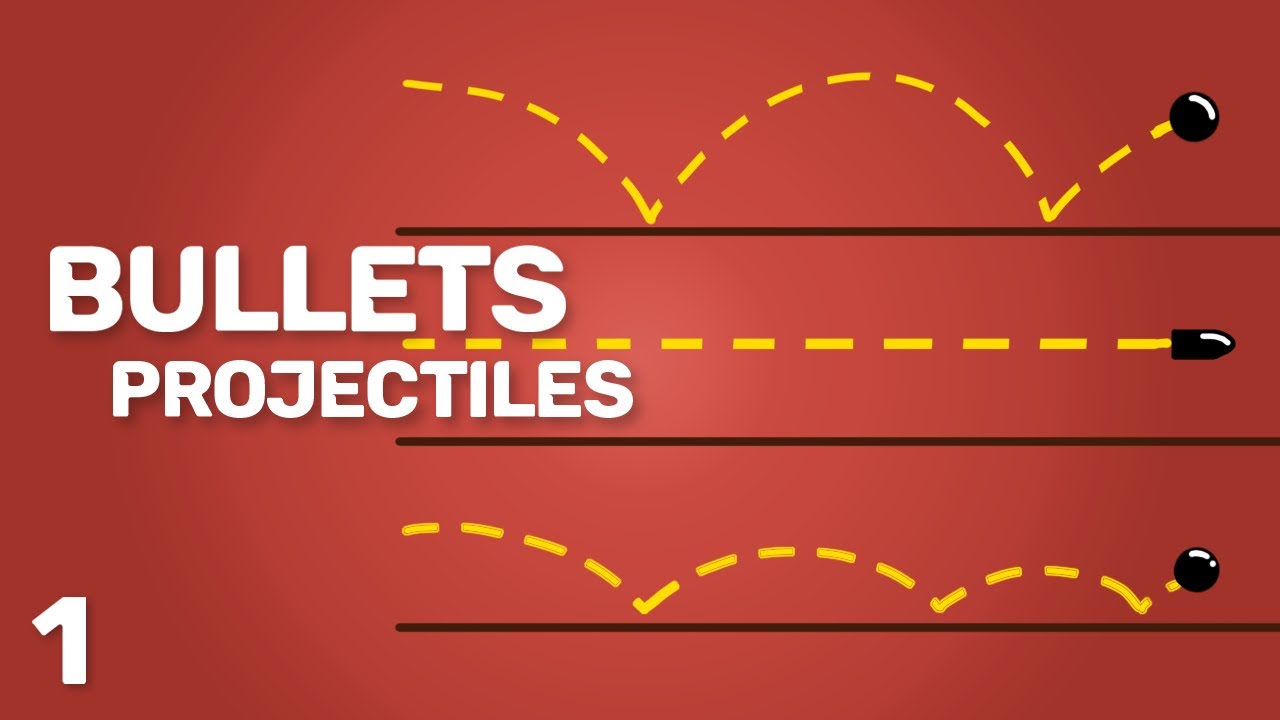
➤SHOOTING with BULLETS + CUSTOM PROJECTILES || Unity 3D Tutorial:
I've already made a tutorial about shooting with ray casts, but a lot of people wanted to know how to shoot with bullets. So in this series, I'll show you everything you need to know to start shooting bullets/custom projectiles in Unity 3d! :D
I forgot to mention the DOWNLOADS in the video (sorry :D)
➤DOWNLOAD THE SCRIPT: https://bit.ly/2Z7NOD2
➤Download the whole PROJECT (channel free-code-dave): https://discord.gg/5S3bBBq
For now, I planned this to be a 2 part series but if you enjoy it make sure to like, if enough people want it, I'll make this series longer :D
The second part will come out in a couple of days! :D
Links:
➤Shooting with RAY CASTS: https://www.youtube.com/watch?v=bqNW08Tac0Y&ab_channel=Dave%2FGameDevelopment
➤My Discord: https://discord.gg/5S3bBBq
➤My Website (still working on it): https://sites.google.com/view/daves-games/home
➤DON'T CLICK: https://bit.ly/2VcrDZt
🏹 Get Access to my RANGED COMBAT LAB! 🏹
➤ Trailer: https://youtu.be/j2YplilHjCA
➡️ Get Access to my full MOVEMENT LAB! ➡️
➤ Trailer: https://youtu.be/9_Q9UxK7VF8
Other videos to check out :D
➤Full WALL RUN tutorial: https://www.youtube.com/watch?v=Ryi9JxbMCFM&t=92s&ab_channel=Dave%2FGameDevelopment
➤My FIRST YEAR of game development: https://www.youtube.com/watch?v=__qiHCzX6wo&t=303s&ab_channel=Dave%2FGameDevelopment
Music used:
➤Elevate - LiQWYD: https://www.youtube.com/watch?v=nwV8HN0m2eA&ab_channel=AudioLibrary%E2%80%94Musicforcontentcreators
➤Night Out - LiQWYD: https://www.youtube.com/watch?v=tut9O8uaJho&ab_channel=AudioLibrary%E2%80%94Musicforcontentcreators
Support me on Patreon:
➤ https://www.patreon.com/davegamedevelopment
Some tags (ignore :D):
Dave / Gamedevelopment,unity,unity3d,unity 3d,unity engine,unity gameengine,indie game,indie game developement,indie gamedev,indie gamedev,indie games,dave,gamedevelopement,dave gamedevelopement, unity gamedev, unity gamedevelopement,indie game devlog,indie game devlog,devlog,indie game devlog,unity,unity3d,Unity,Unity 3d,unity 3d,gameengine,Dave,/,Gamedevelopment,indie,game,devlog,dev,log,dev,blog,indie gamedev,game,dev,unity,unity3d,unity 3d,Dave / Gamedevelopment,Unity,unity tutorial,unity projectile,unity 3d tutorial,unity fps,unity weapon system,unity shooting,unity shooting projectiles 3d,unity shooting projectiles,unity shooting bullets,shooting,projectiles,bullets,tutorial,unity shooting bullets tutorial,unity shooting projectiles tutorial,unity shooting tutorial,unity shooting physics,unity fps tutorial,unity first person shooter,unity 3d fps tutorial,fps tutorial,shooting with bullets + custom projectiles
#UnityTutorial #UnityShooting #ShootingTutorial
You really scrolled all the way down here? :D

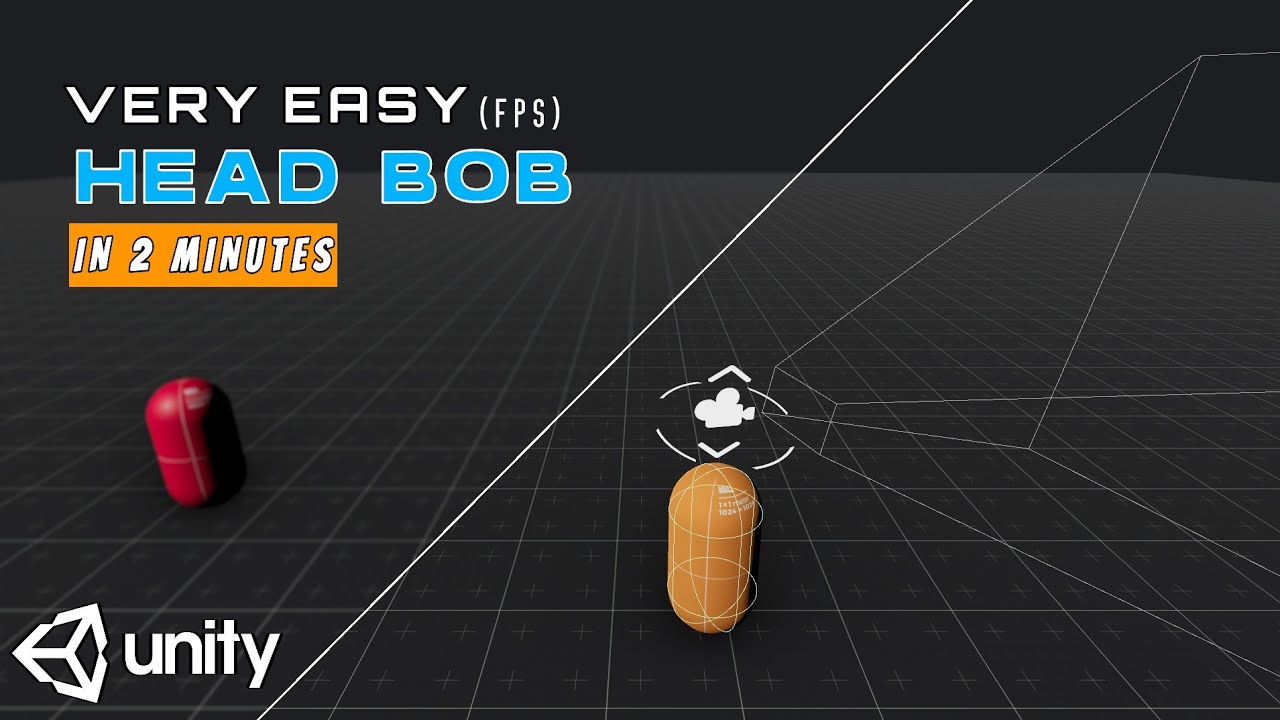
lets create a simple and easy head bob system for our fps games in unity3d.
in this part you will learn a basic one and for the next parts of this series we will have a much more advanced head bob dydtem.
#unity3d #fps
____________________________
scripts are avaipable in discord server:
https://discord.gg/BzZMFvmdKW
____________________________
background music is free and from:
Music: Corporation by Alex Productions
https://soundcloud.com/alexproductionsmusic https://bit.ly/3BXMvKN
Video Link: https://youtu.be/1XFEwwnfLfE
____________________________
some other related tutorial
FIRST PERSON MOVEMENT:
https://youtu.be/vi2gyl3yU9k
____________________________
VIDEO MADE BY "FILMORA"
____________________________
chapters:
0:00 intro
0:33 preparing the camera
0:48 coding head bob system
1:48 testing head bob
2:06 finalizing the head bob script
2:27 completed!
![Unity3D Tutorial #91 [ FPS Networking Shoot & Kill Players ][ Free Script Included ]](https://i.ytimg.com/vi/4pRCICR7PXY/maxresdefault.jpg)
Programming a networking shoot and kill players unity3d.
Firing RPC script: http://pastebin.com/P4fze80P
playerStats script: http://pastebin.com/x9NAXGff
Donate: http://bit.ly/1tHdbGr
Follow On
Twitter https://twitter.com/jesseetzler
Google+ https://plus.google.com/112973....113838861460148/post
Facebook https://www.facebook.com/Unity....3dTutorialsByJesseEt
![Unity 3d FPS Tutorial | In Depth from Scratch | [Ep1] | HD | Crystal Voice](https://i.ytimg.com/vi/UZWwDLS1j58/maxresdefault.jpg)
ep2: http://www.youtube.com/watch?v=xAfAnLzGwY8
Hey wassup guys, this is my first fps series :D
Ill try a video a day, just for you :)
Scripts Download: http://adf.ly/FocUI
FaceBook: www.facebook.com/mrxteabag
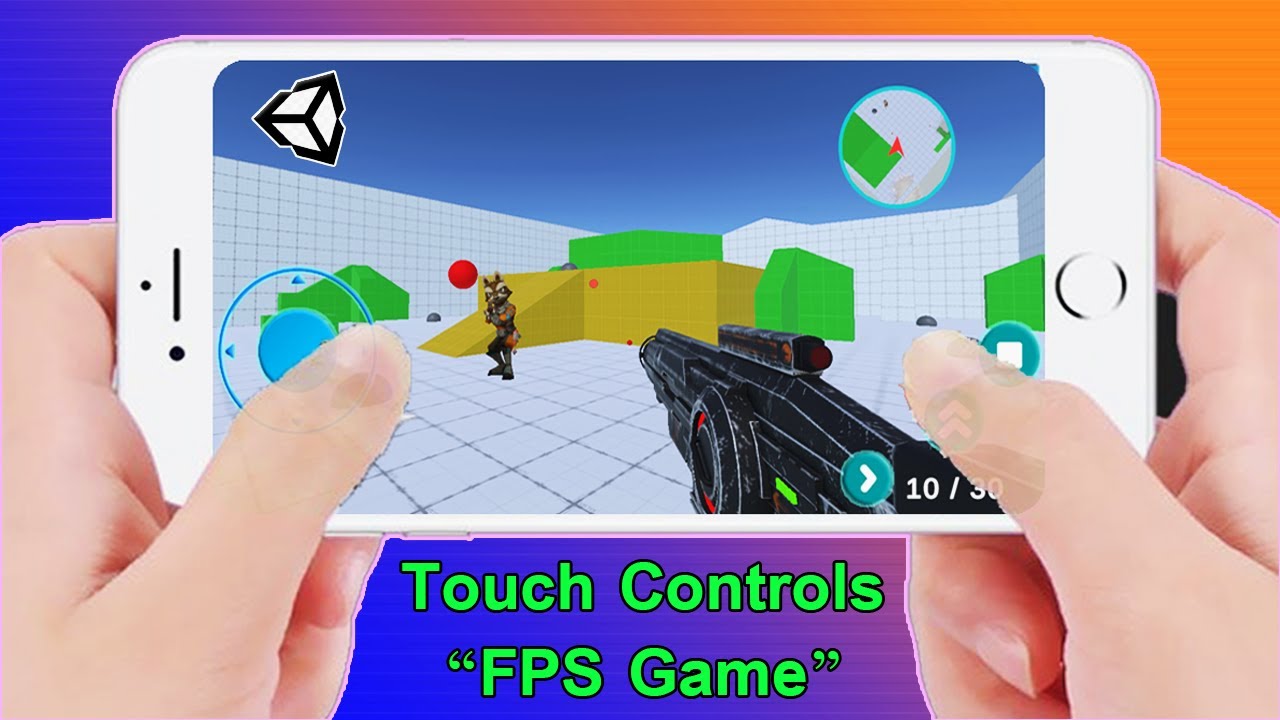
Let's learn how to implement touch controls in Unity!
● NEW! FPS Controller: https://youtu.be/OFXvvuxqPNQ
● NEW! FPS Touch Controls: https://youtu.be/xMDUGjheVSk
● Build to Mobile: https://youtu.be/5ANuDZjhbFY?t=35
● INSTALL UNITY: https://youtu.be/gxX7euQ_2Qc
● Project Files: https://github.com/Chaker-Gamra/FPS-Game-Unity
♥ Don't Click This! : https://bit.ly/2Zi3vu9
♥ My Second Channel: https://bit.ly/3jvI8g6
--------------------------------------------------------------------
✅ My current Productivity Setup 👇:
● Gaming Headset: https://amzn.to/3HyXgp2
● Gaming Mouse: https://amzn.to/3ni4Ygp
● Best Webcam: https://amzn.to/44pVUqw
● Keyboard: https://amzn.to/3ALXB3M
● GPU: https://amzn.to/42mylNt
● CPU: https://amzn.to/44lOBjs
--------------------------------------------------------------------
FOLLOW ME:
● Facebook: https://www.facebook.com/Developer3.5Pro
● Sketchfab: https://sketchfab.com/GDTitans
● My GitHub: https://github.com/Chaker-Gamra
--------------------------------------------------------------------
► All content by GDTitans is 100% free. I believe that education should be freely available to everyone.
Now make it so that the enemies can't pass through each other and get congested in narrow hallways for a realistic movement.
Got a questions, problems, glitches? Get help here:
http://forum.unity3d.com/threa....ds/126207-ETeeskiTut
Unity Engine used in accordance to the Unity3D End User License Agreement, found here:
http://unity3d.com/unity/unity....-end-user-license-3.
Make a timer that destroys the bullet holes after a certain amount of time. We'll also be randomizing the amount of time that it takes for the bullet hole to destroy its self so that the destruction of the bullet holes is less noticeable.
Got a questions, problems, glitches? Get help here:
http://forum.unity3d.com/threa....ds/126207-ETeeskiTut
reference to the code up to FPS1.16:
http://forum.unity3d.com/threa....ds/115330-ETeeskiTut
Unity Engine used in accordance to the Unity3D End User License Agreement, found here:
http://unity3d.com/unity/unity....-end-user-license-3.
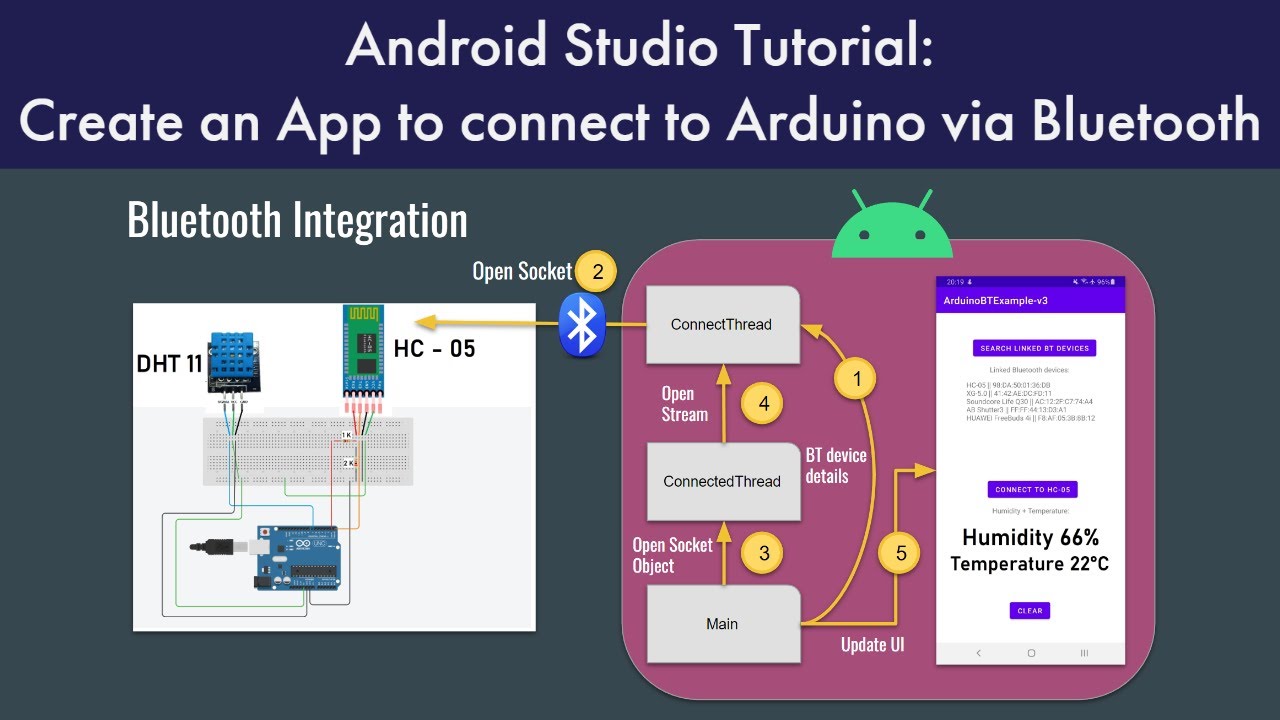
Hello! thanks for watching my video. Please find my code in this public GitHub repository:
https://github.com/The-Frugal-....Engineer/ArduinoBTEx
You can find more information about the project in this public Doc:
https://docs.google.com/docume....nt/d/12lBVF0uLpm_l9y
Arduino Bluetooth tutorial (HC-05) video: https://youtu.be/17kt5eq7guM
You can follow me on Twitter if you have any questions: https://twitter.com/uk_frugal
I created this Discord server so we can discuss any technical topic: https://discord.gg/hxT79RD6mh
00:00 Intro
01:15 Integration diagram
02:40 Code review
11:40 Demo & Outro
#androidstudio #tutorial #programming

🏆 My Online Courses
⭐Discount Coupon: LAUNCH-STEVDZA-SAN
https://stevdza-san.com
🐱👤 Wanna become a member? Join!
https://www.youtube.com/channe....l/UCYLAirIEMMXtWOECu
📸 Instagram
https://www.instagram.com/stevdza_san/
Android 8.0 (API level 26) introduces adaptive launcher icons, which can display a variety of shapes across different device models. For example, an adaptive launcher icon can display a circular shape on one OEM device, and display a squircle on another device. Each device OEM provides a mask, which the system then uses to render all adaptive icons with the same shape. Adaptive launcher icons are also used in shortcuts, the Settings app, sharing dialogs, and the overview screen.
You can control the look of your adaptive launcher icon by defining 2 layers, consisting of a background and a foreground. You must provide icon layers as drawables without masks or background shadows around the outline of the icon.
Timestamps:
0:00 - Introduction
0:46 - Design Background and Foreground
4:02 - Export your designs in .SVG format
4:18 - Import Design in Android Studio